
Jenny Fabric Software App Overview
Want the concise version?
This page is a complete illustrated tour of every app module, with real-device screenshots for common operations. If you'd rather skim the key points quickly, see Jenny Fabric Software App (introduction version).
The Jenny Fabric Software app is a portable workstation for the fabric industry, covering the full chain of samples / quotations / sample dispatch / Inventory & Sales / finance / finished products / AI recognition / smart hardware, with data fully synced with the PC version.
Current version
Android / iOS / HarmonyOS are all published — search "珍妮纺织软件" (Jenny Textile Software) in the app store (Huawei / Xiaomi / OPPO / vivo / Tencent MyApp / App Store / Huawei AppGallery). Features continue to be filled in across platforms; use the current app-store version and the actual in-app entry as the source of truth.
🆘 Customer support sent me an APK fix package — how do I install it?
help.jenny.cn/apk — includes brand-specific guides for Huawei / Xiaomi / OPPO / vivo / Samsung
Home workspace
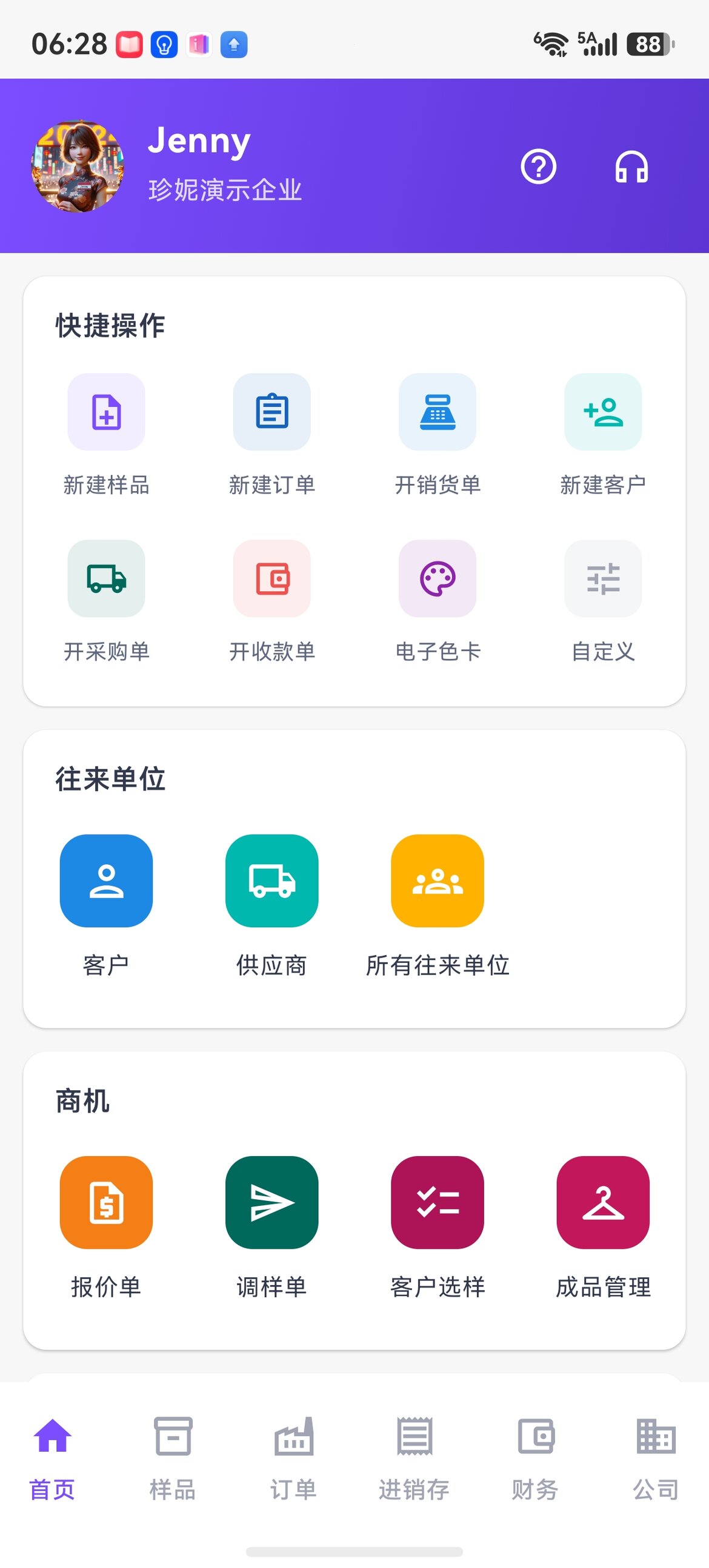
The home page brings together common shortcuts, contact entries, and frequently used business documents. The exact buttons may vary by app version and enabled company modules.
Sample management
The app brings the PC Sample Library fully onto your phone, so you can pull up details anytime when out checking goods or presenting to customers.
Grid / list views
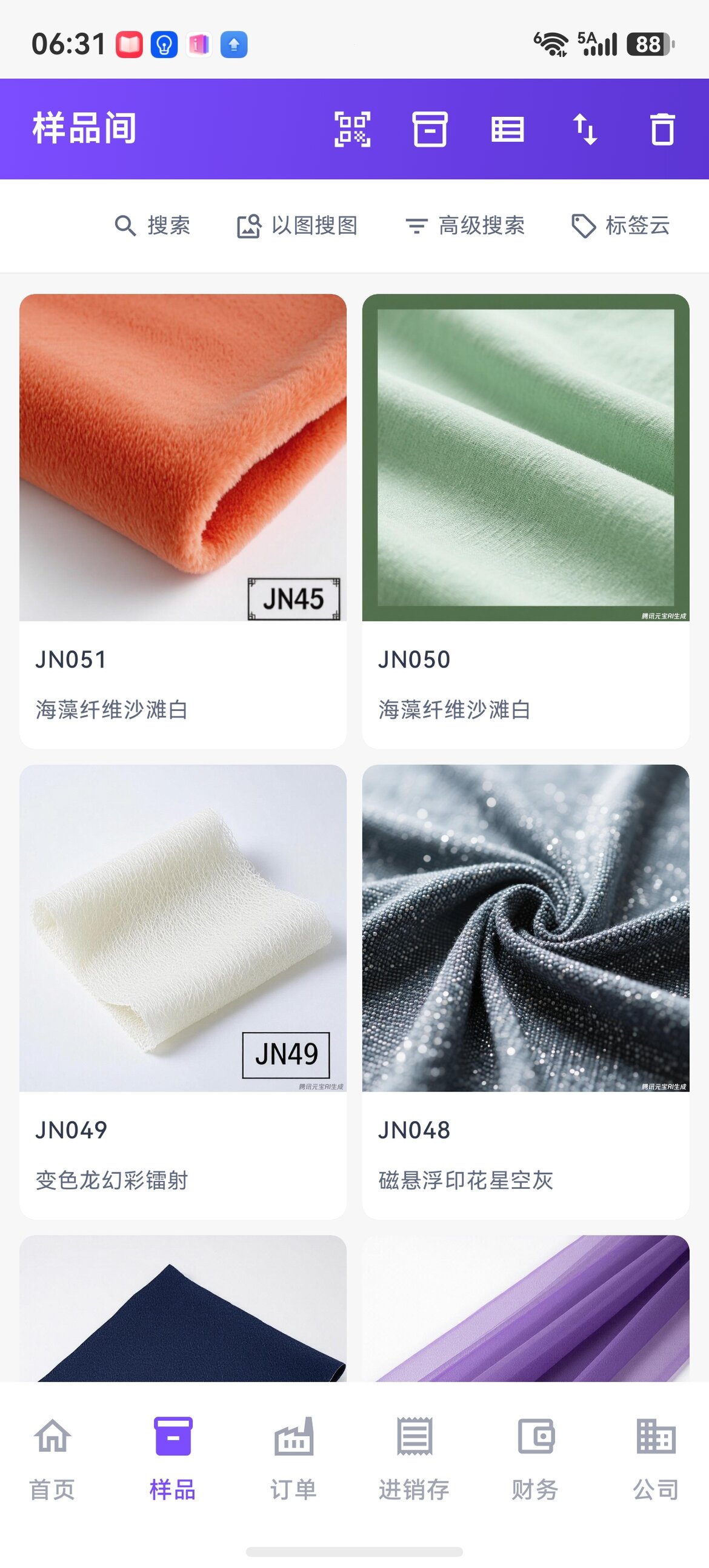
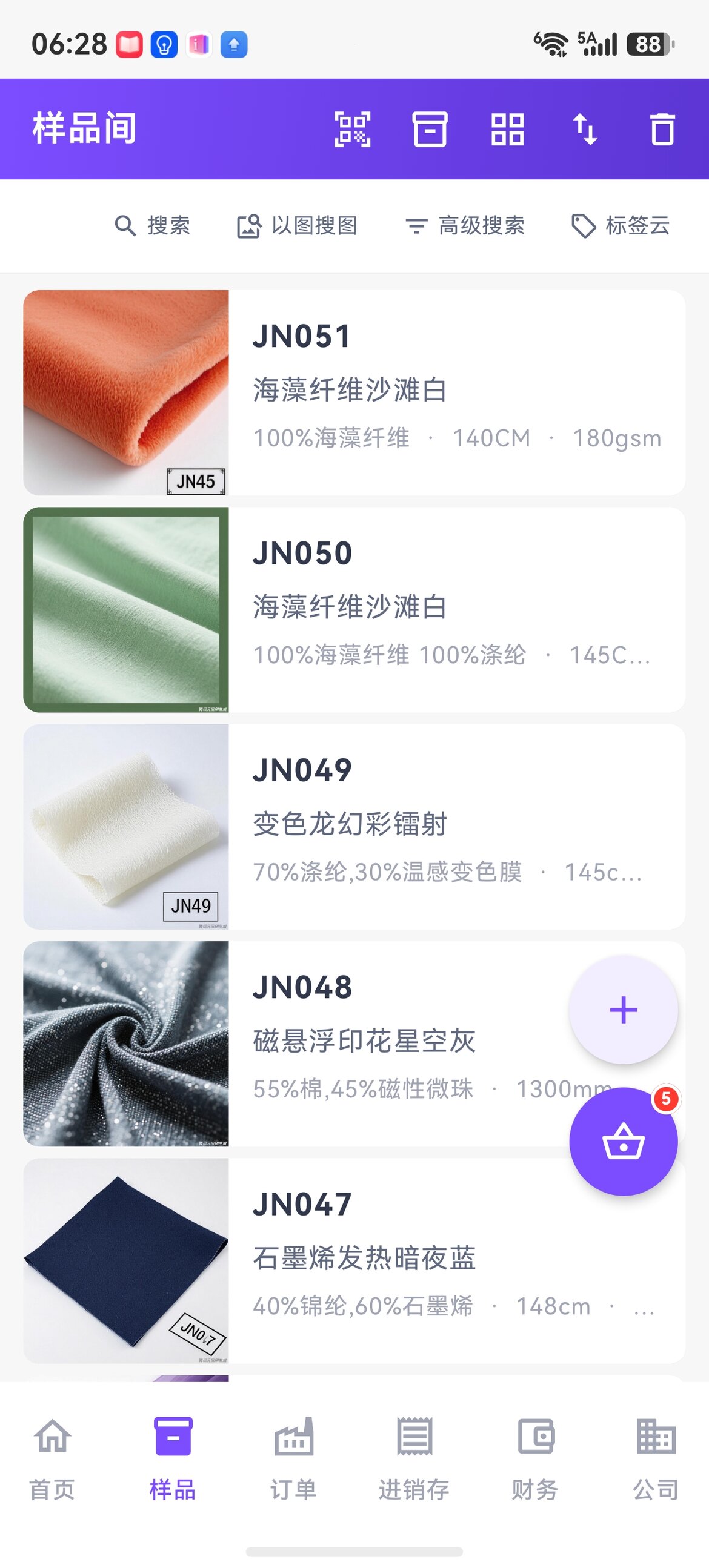
Toggle in one tap at the top right. Use grid to find goods by image, list to view detailed data.
Tag cloud filtering
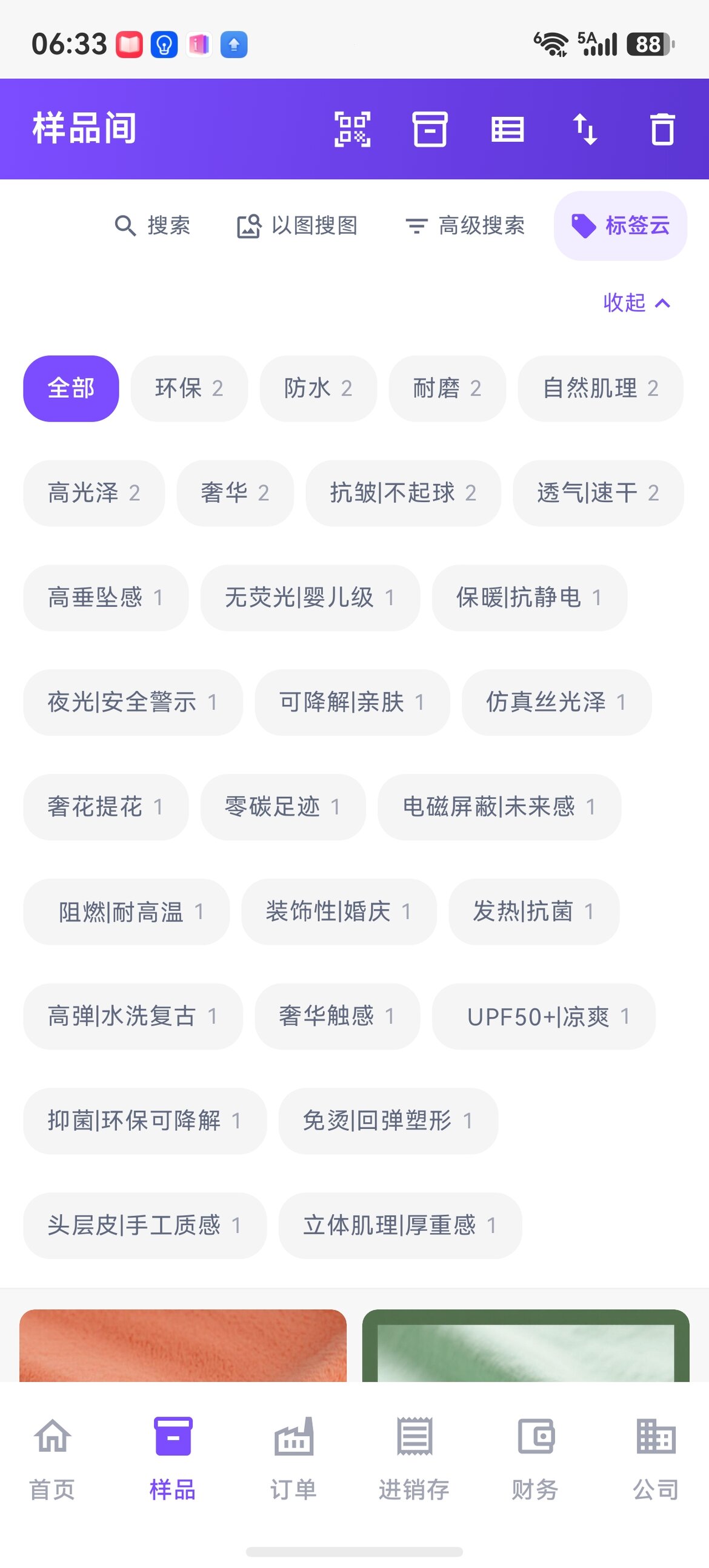
Tap composition / style / process tags directly; multi-select stacks them to narrow the range.
Advanced search
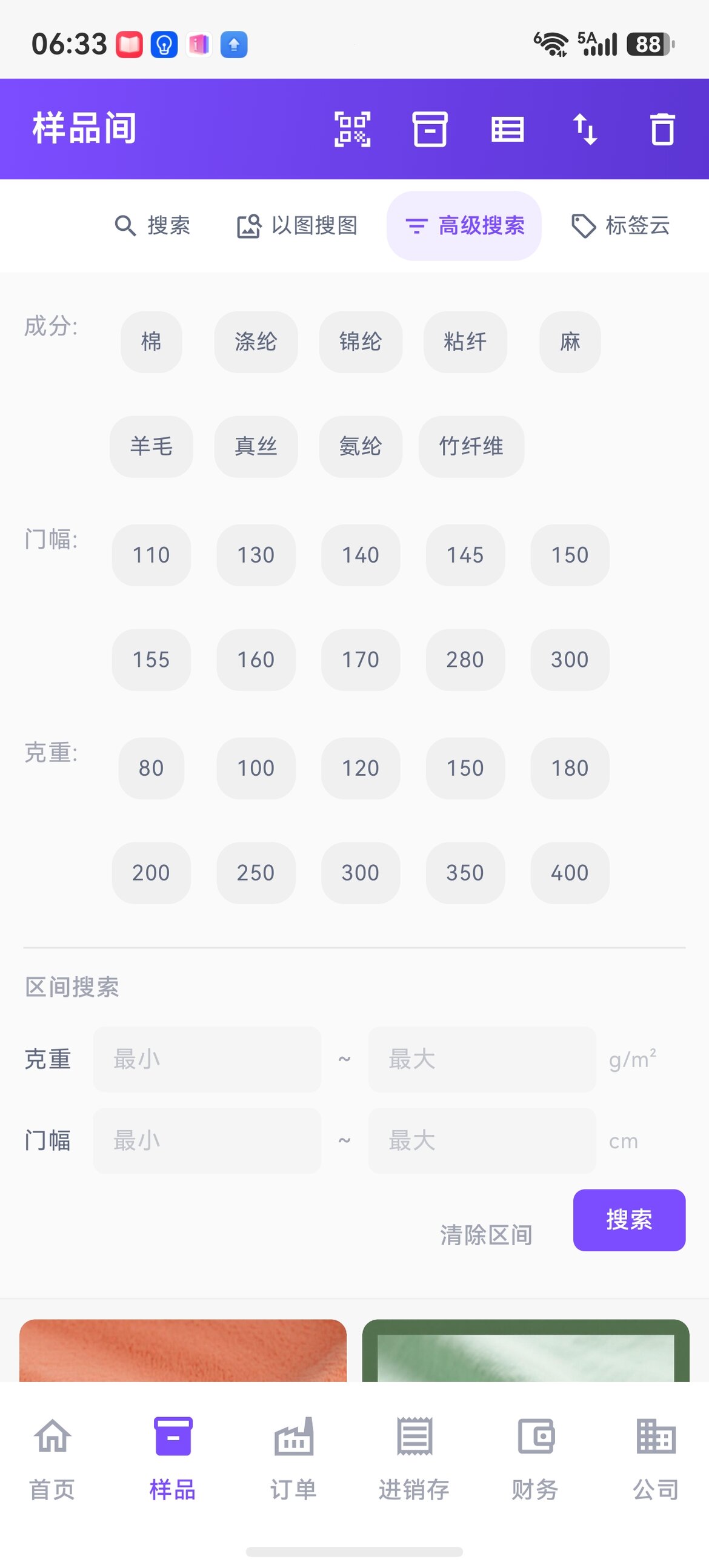
Filter precisely by composition, width, weight, and weight range.
Image search
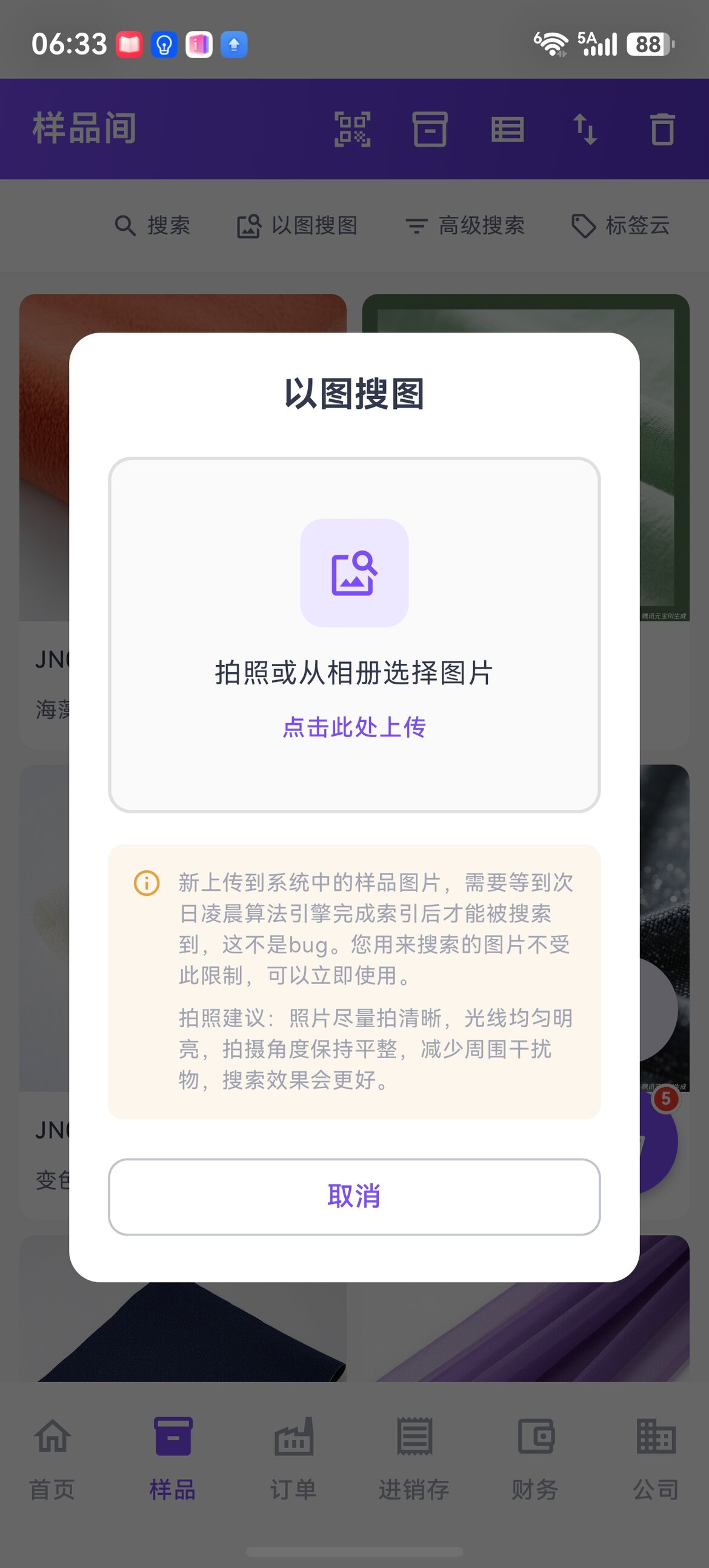
A customer brings a small swatch — snap a photo to find the matching item in your own library.
Multiple color SKUs per sample
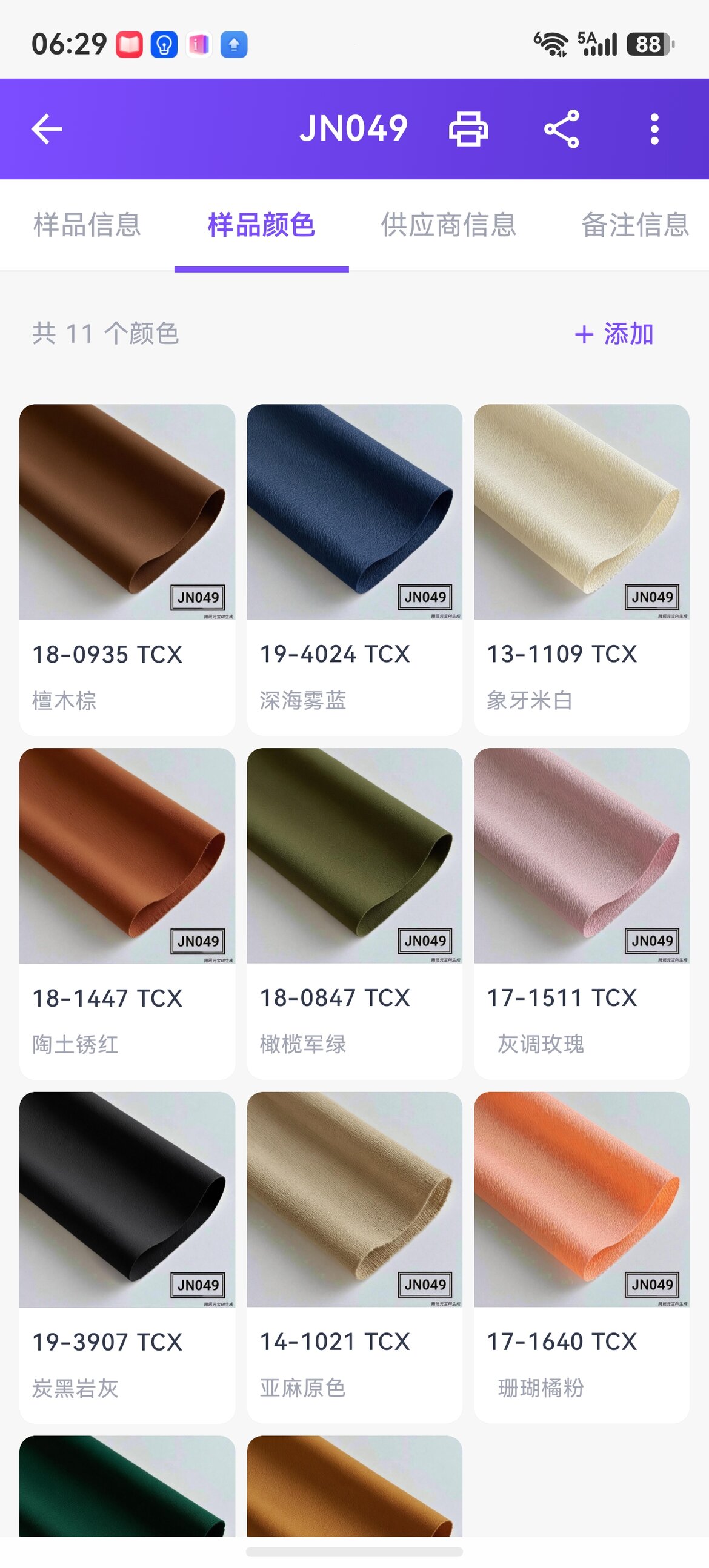
Each sample can carry N colors, with color code / color name / physical image maintained independently.
Three-tier image library
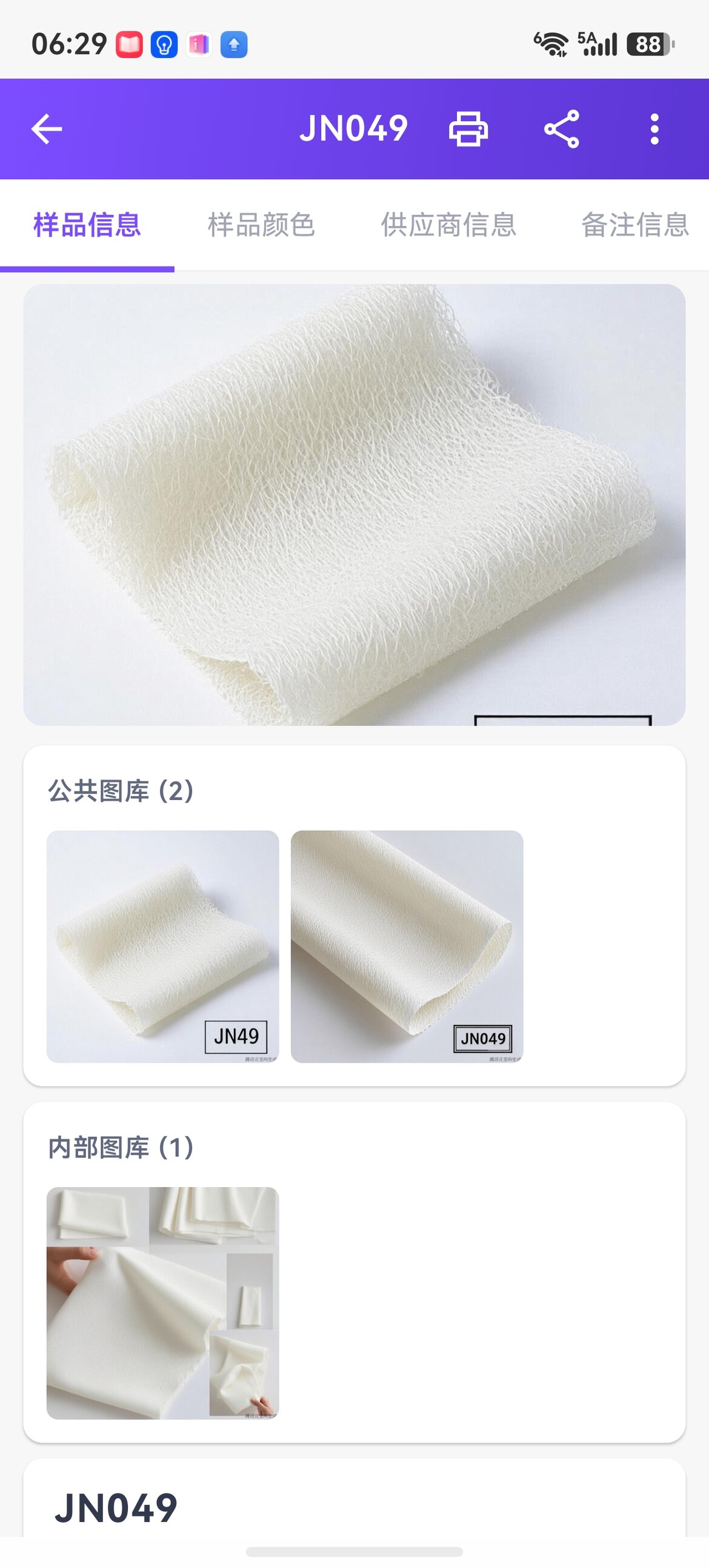
Public library (shareable externally) / Internal library (visible to employees) / Private library (yourself only) — compliant distribution with no mistakes.
Multi-type supplier linking
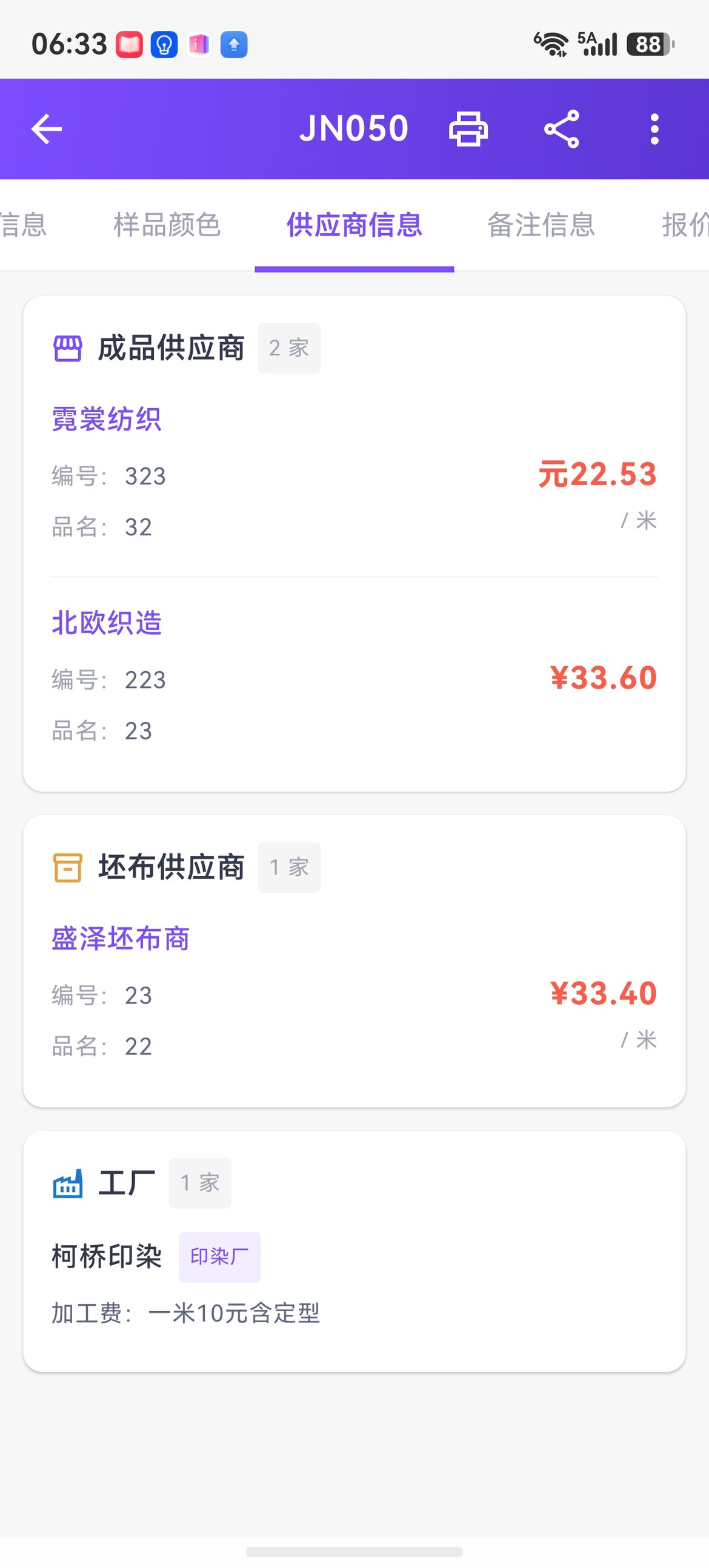
The same fabric can be linked at once to a finished-goods supplier / greige supplier / outsourcing factory, each with its own code, price, and processing fee.
AI recognition
No more manual entry and copying out forms — three scenarios are now live:
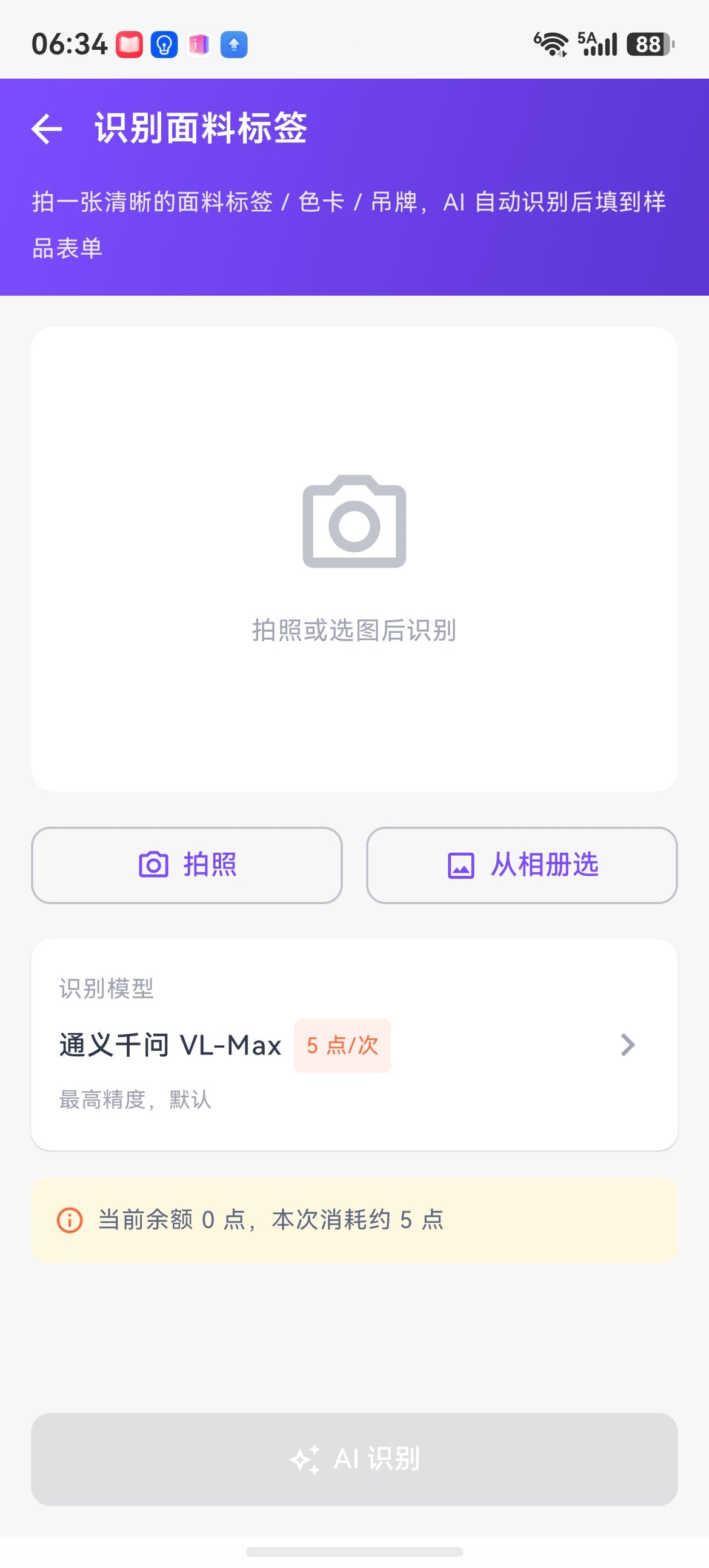
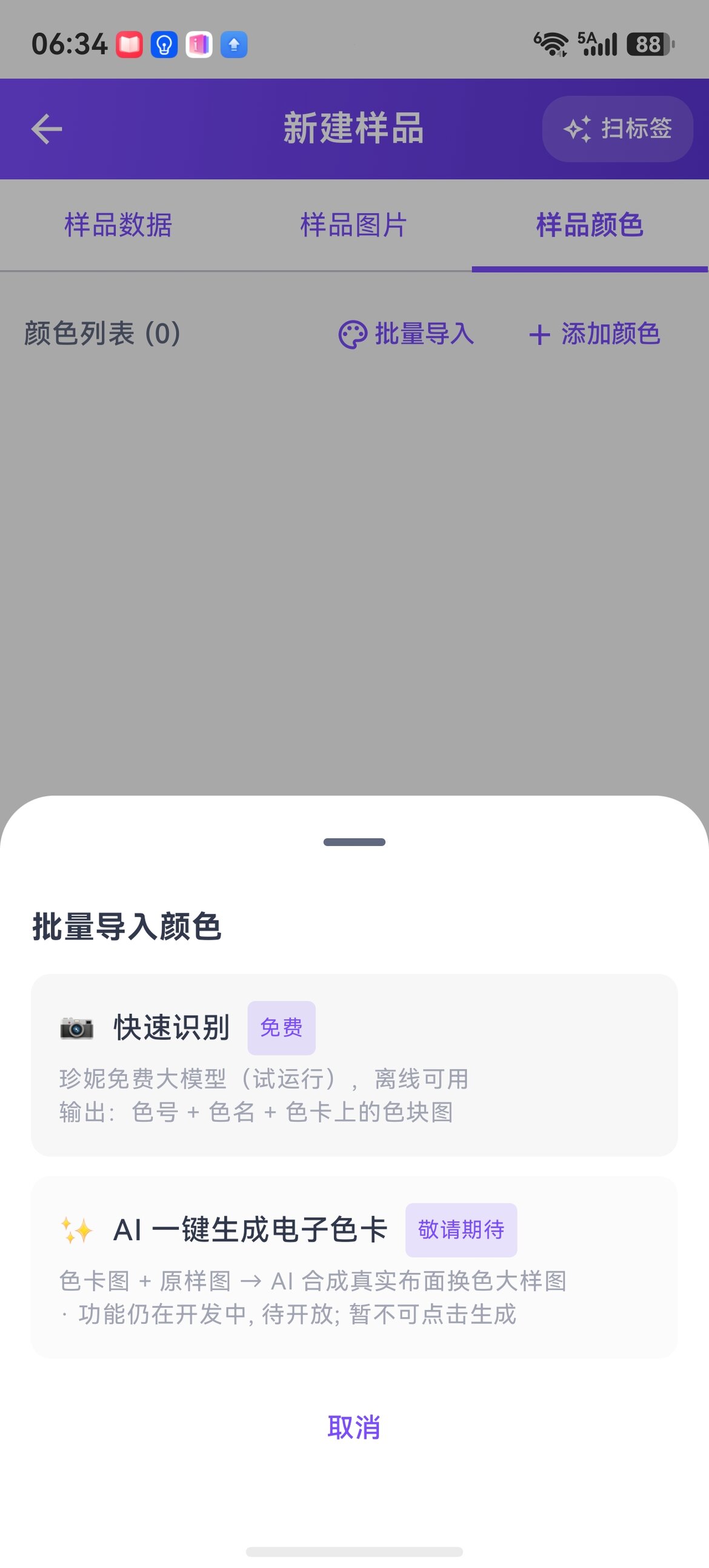
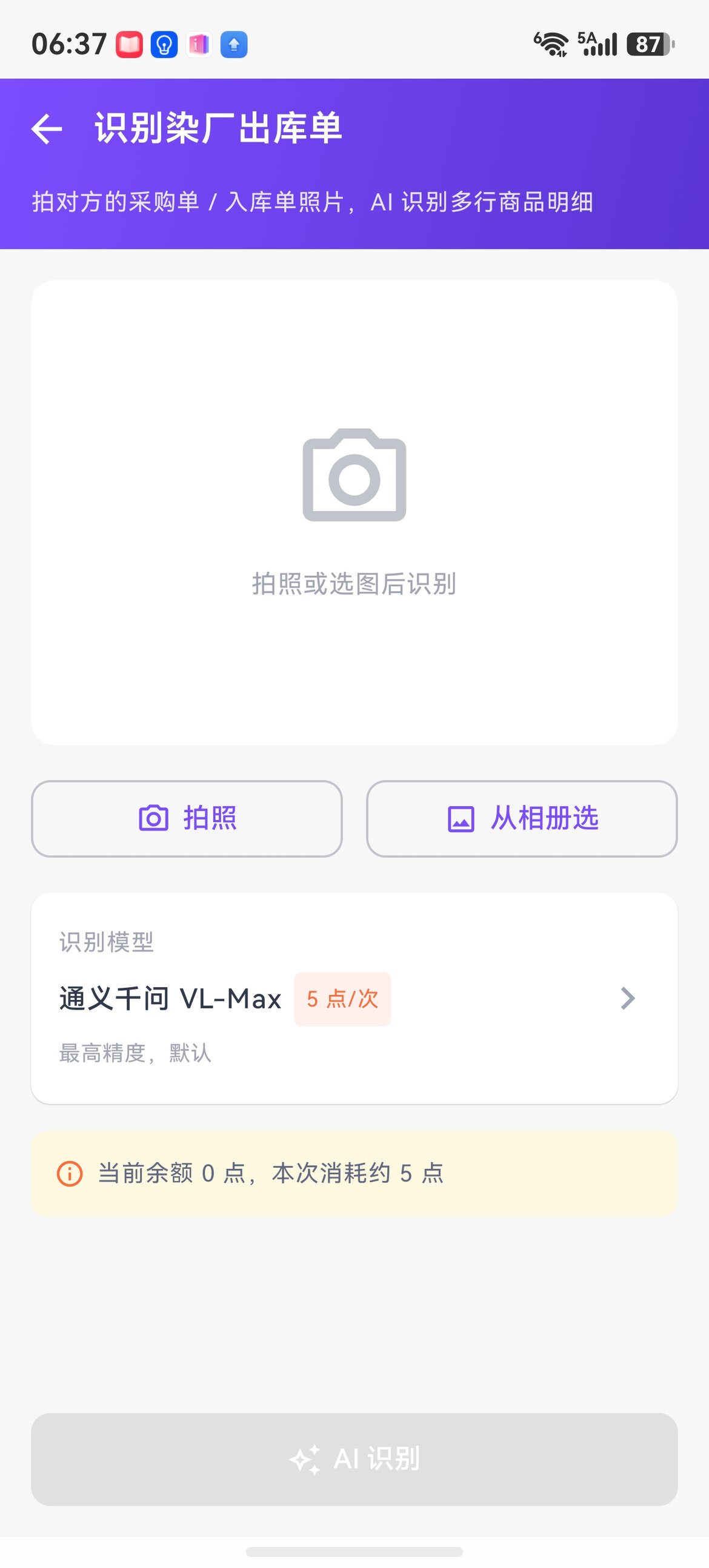
- AI recognition of fabric labels / color cards / hang tags: take a clear photo, and fields like composition / width / weight are recognized automatically and filled into the new sample form
- Batch import colors (color card recognition): one color card photo → automatically slice swatches and recognize color codes + color names
- AI recognition of dye house stock-out orders: photograph the purchase order / stock-in order the other party sends, and multiple line items are recognized automatically, saving hand-copying
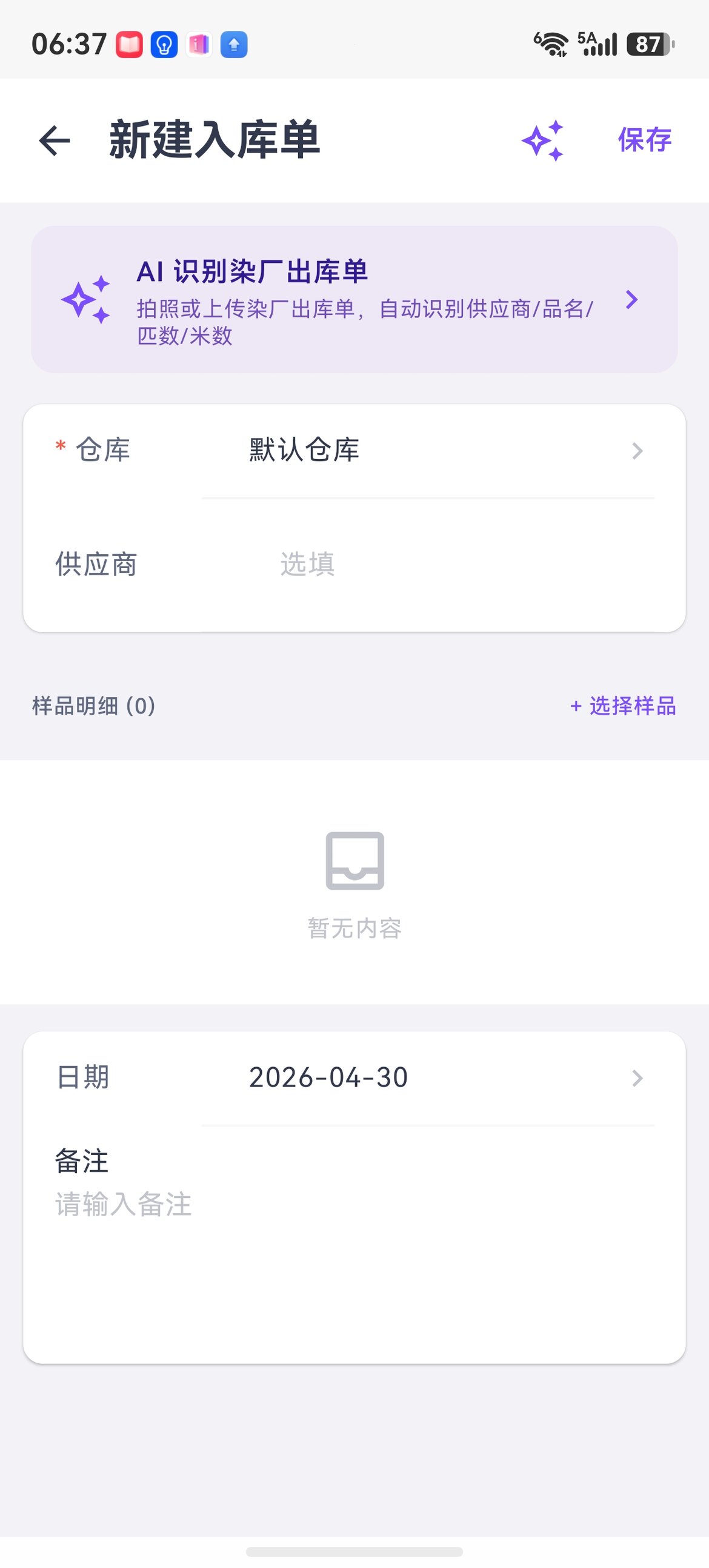
The new stock-in order has a direct entry at the top to invoke AI, so warehouse staff don't have to type in line items by hand.
Opportunity loop: quotations / sample dispatch / sample basket
New quotation (aligned with PC fields)
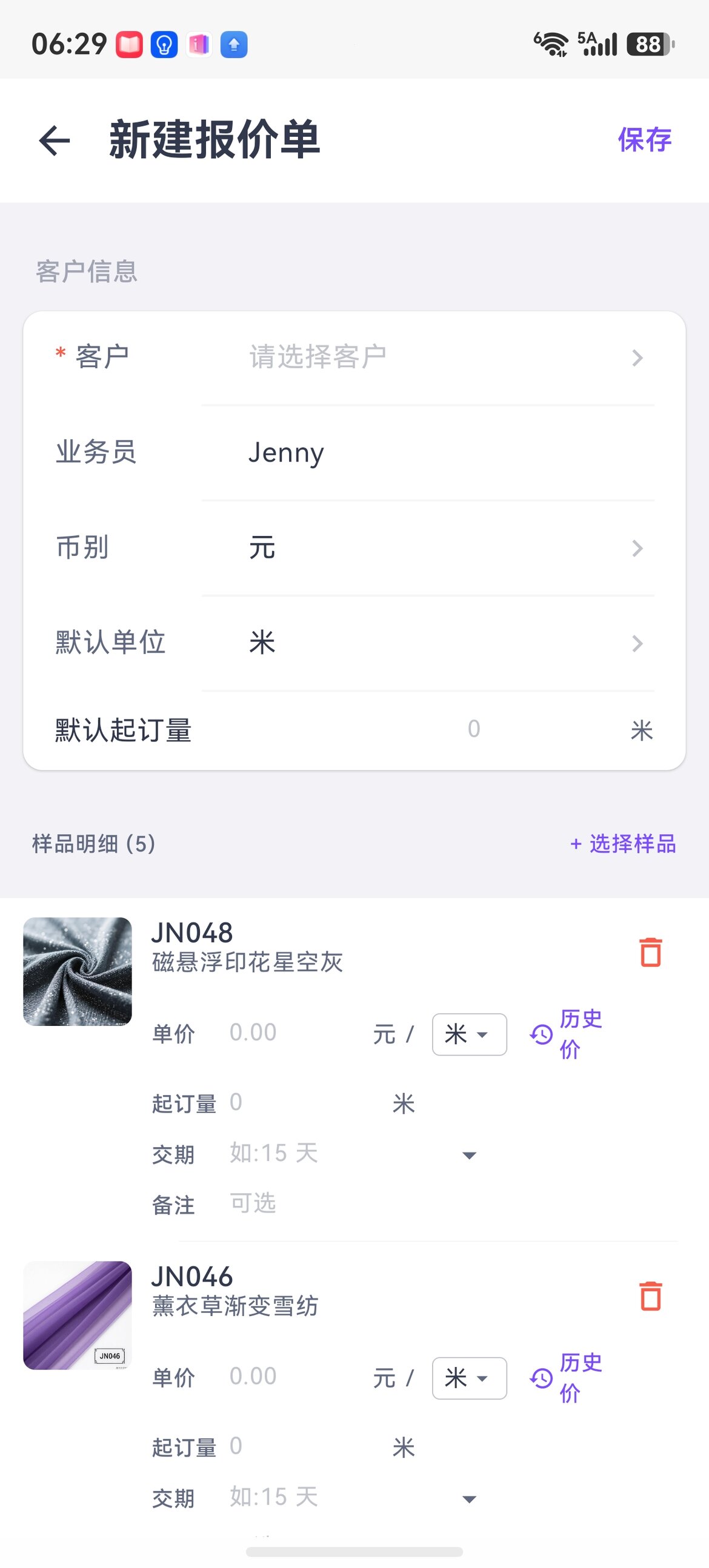
Supports multiple currencies, unit-price units (meter/yard/kg/roll/bolt/piece/pound) dropdown, minimum order quantity, SPU delivery time, and price history. Fill in export customers' requirements all at once.
New sample dispatch order
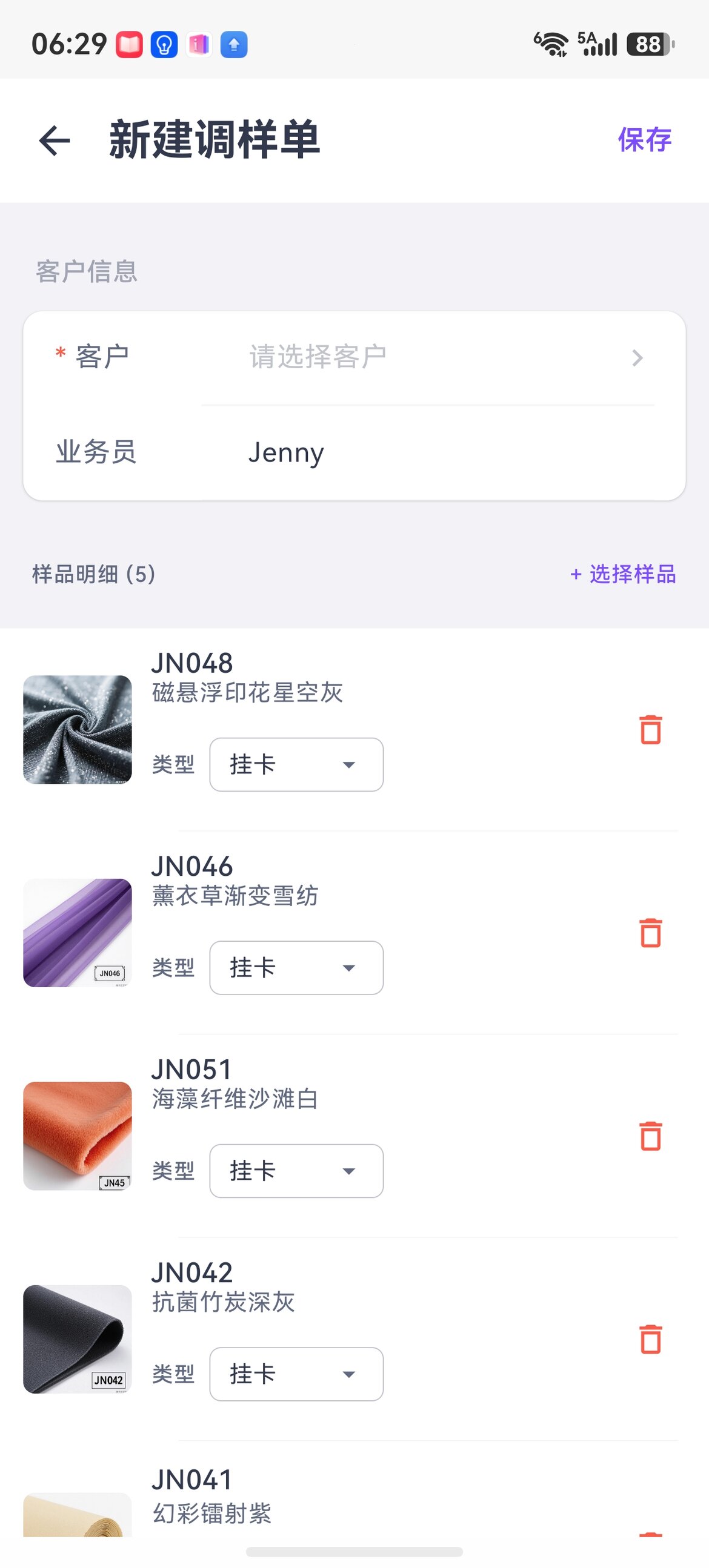
Each line lets you choose a sample type: hang tag / color card / meter sample / kilogram sample / A4 sample. Can link to sample stock for automatic deduction.
Sample basket + one-tap collection sharing
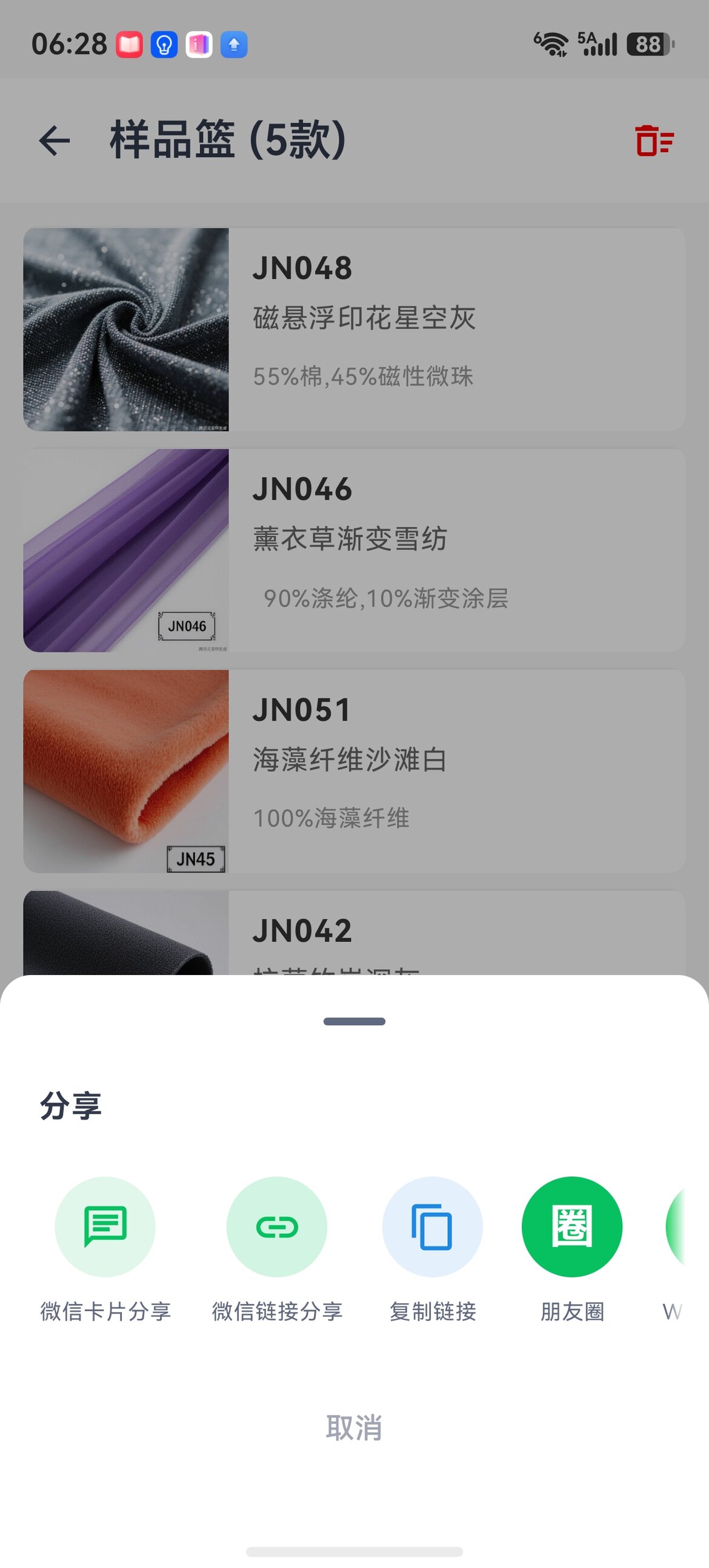
Package the samples you've picked into a WeChat Mini-Program collection card or a link to send to the customer, instead of forwarding them one at a time.
Inventory & Sales
Module entries
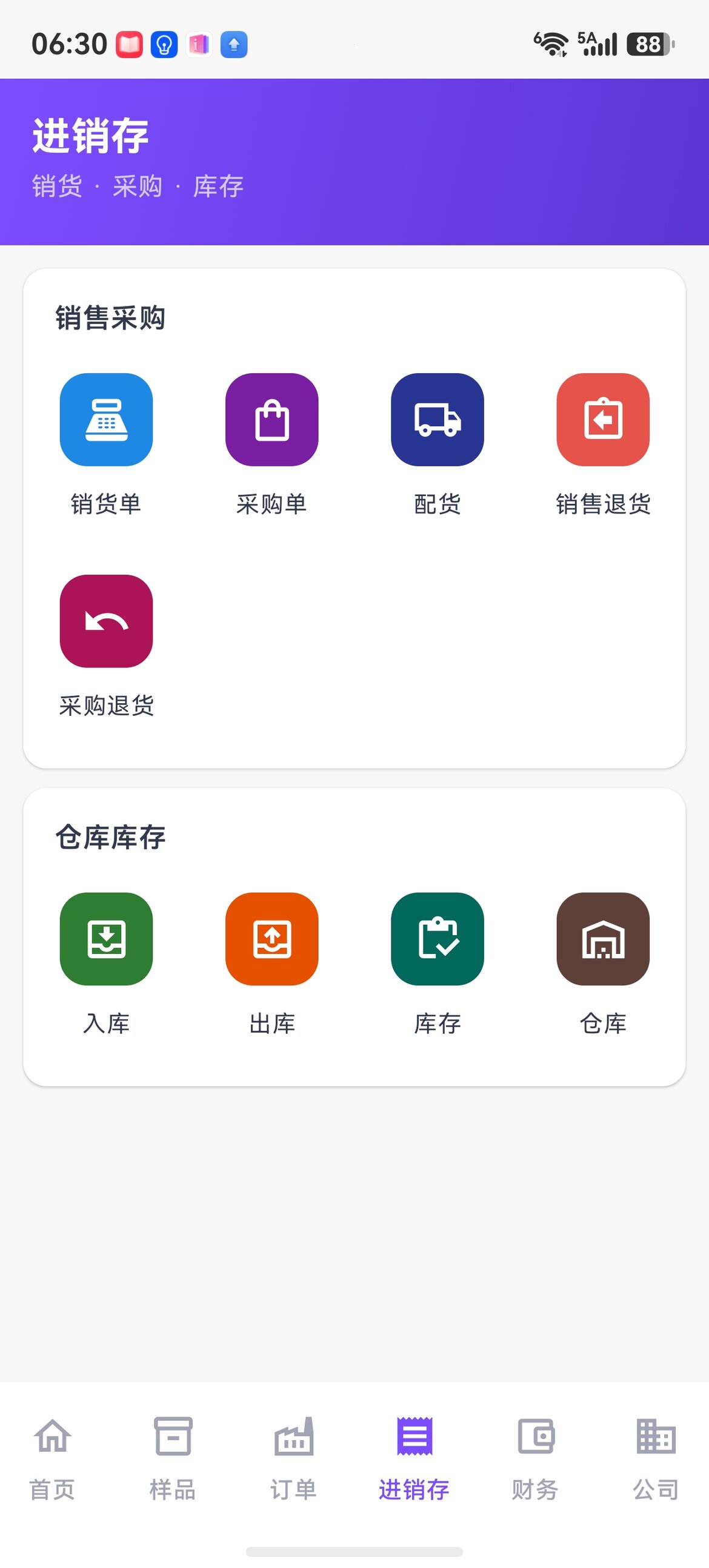
Sales / purchase / picking / sales return / purchase return + stock-in / stock-out / inventory / warehouse — all on this one screen.
New purchase order
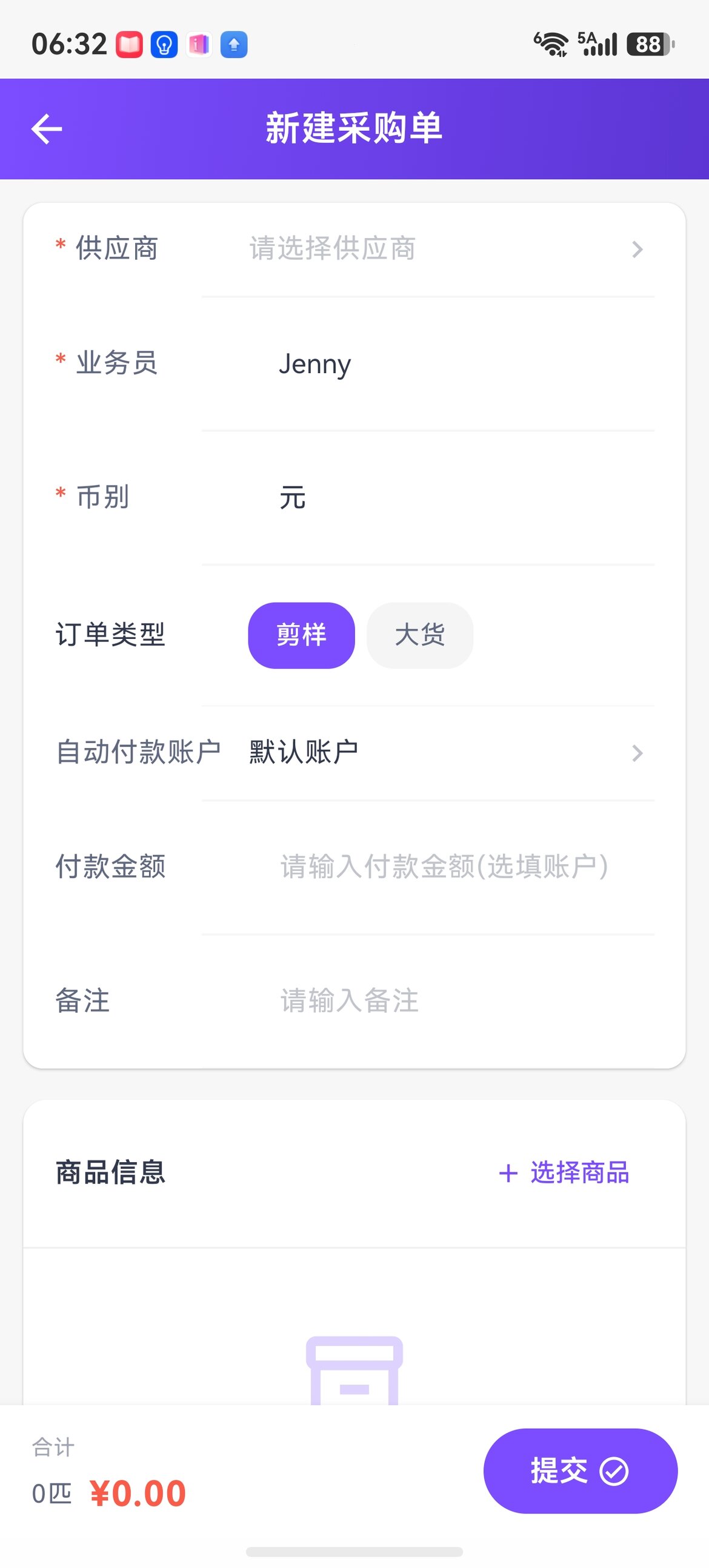
Manage cutting sample / bulk goods order types separately, with currency, automatic payment account, and payment amount handled in one go.
Sales order detail + multiple units
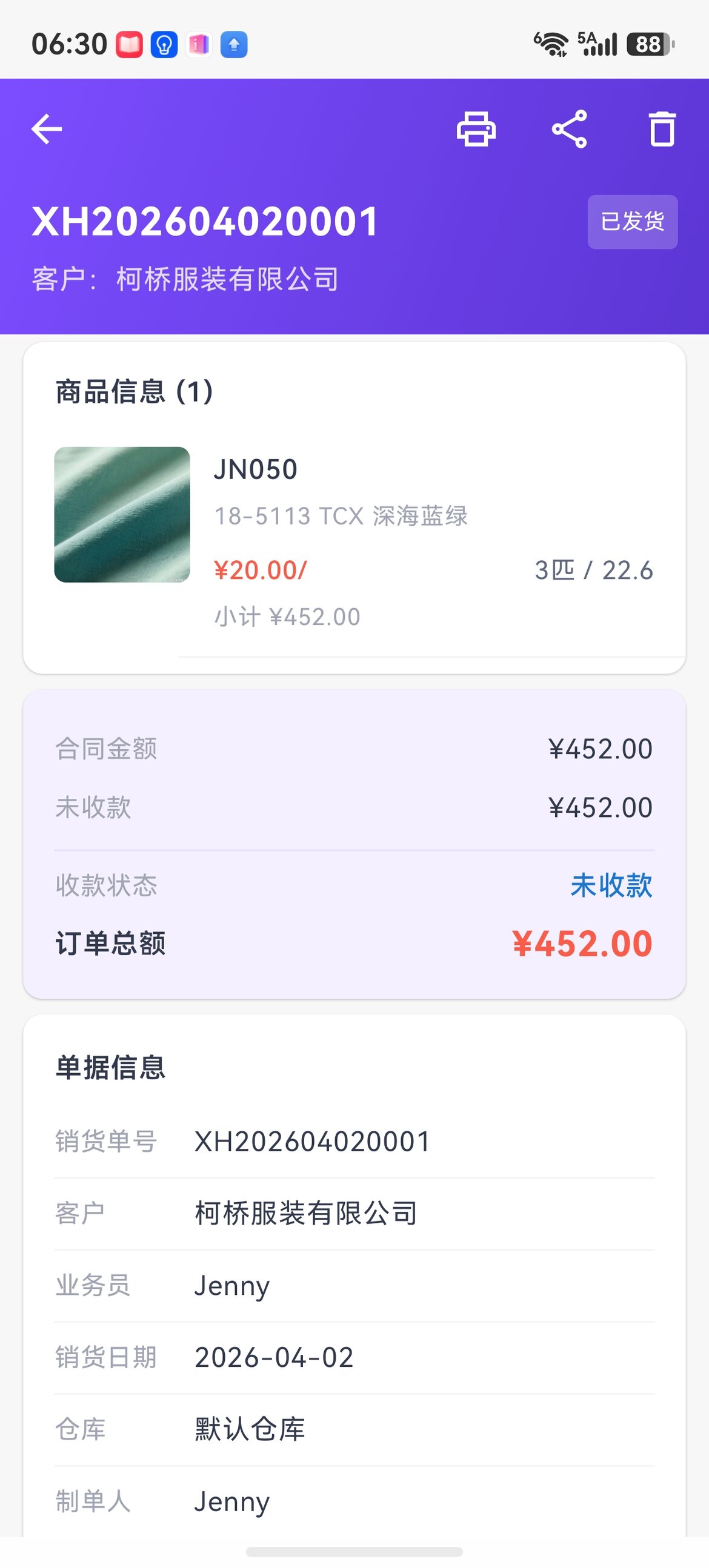
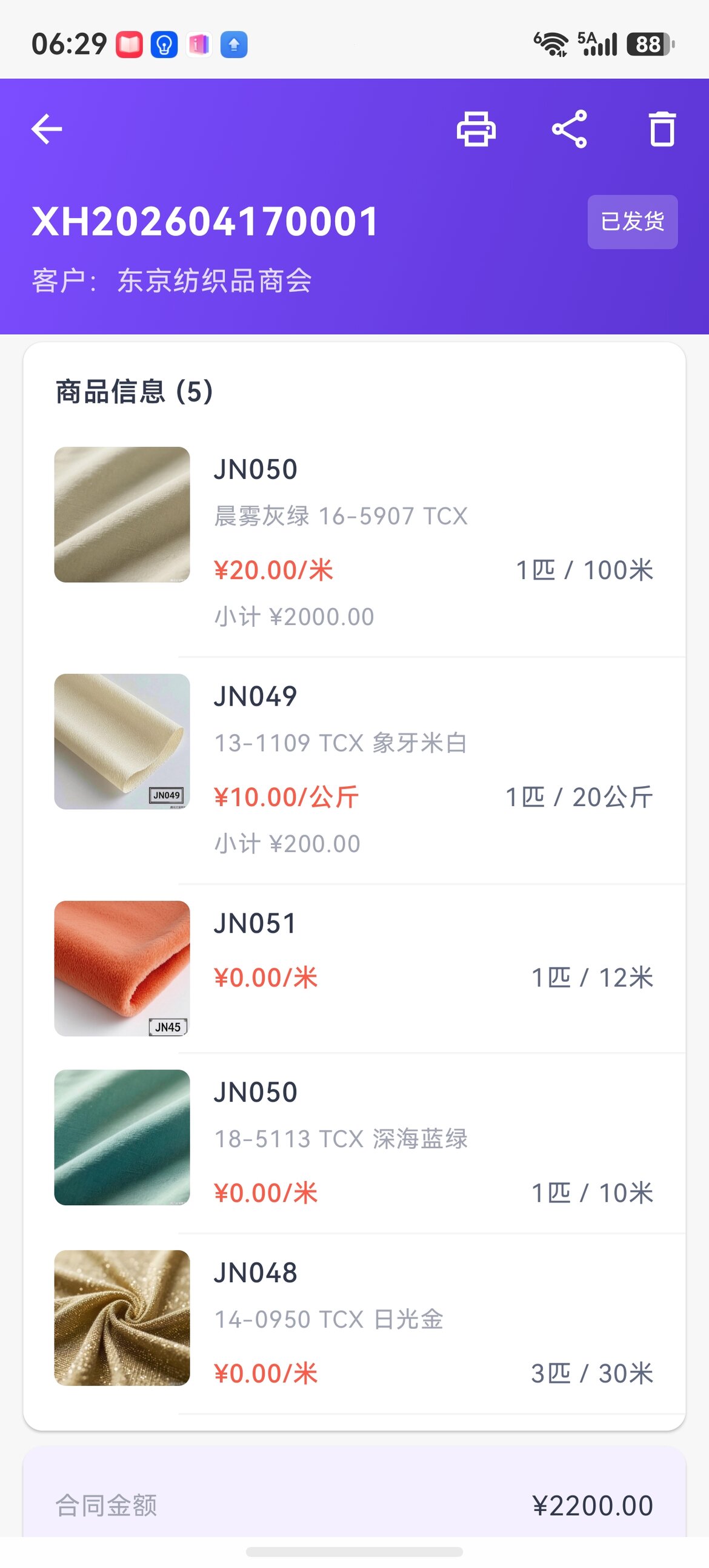
Each line can have its own unit-price unit (meter/kg/bolt), so multiple goods types mix on one order without conflict.
Inventory query
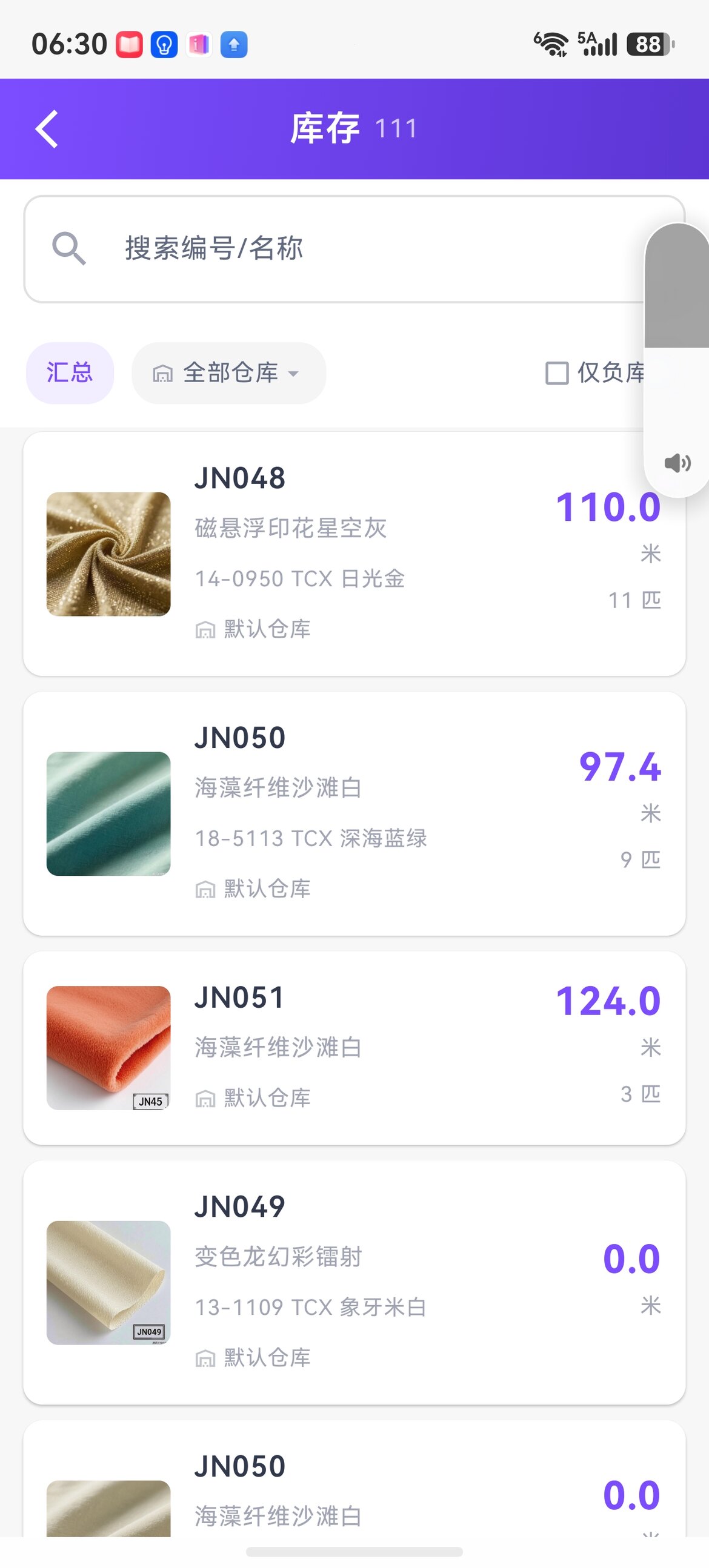
Search by code / name, view both meters and rolls, and filter "show negative stock only" in one tap.
Finance
Finance home
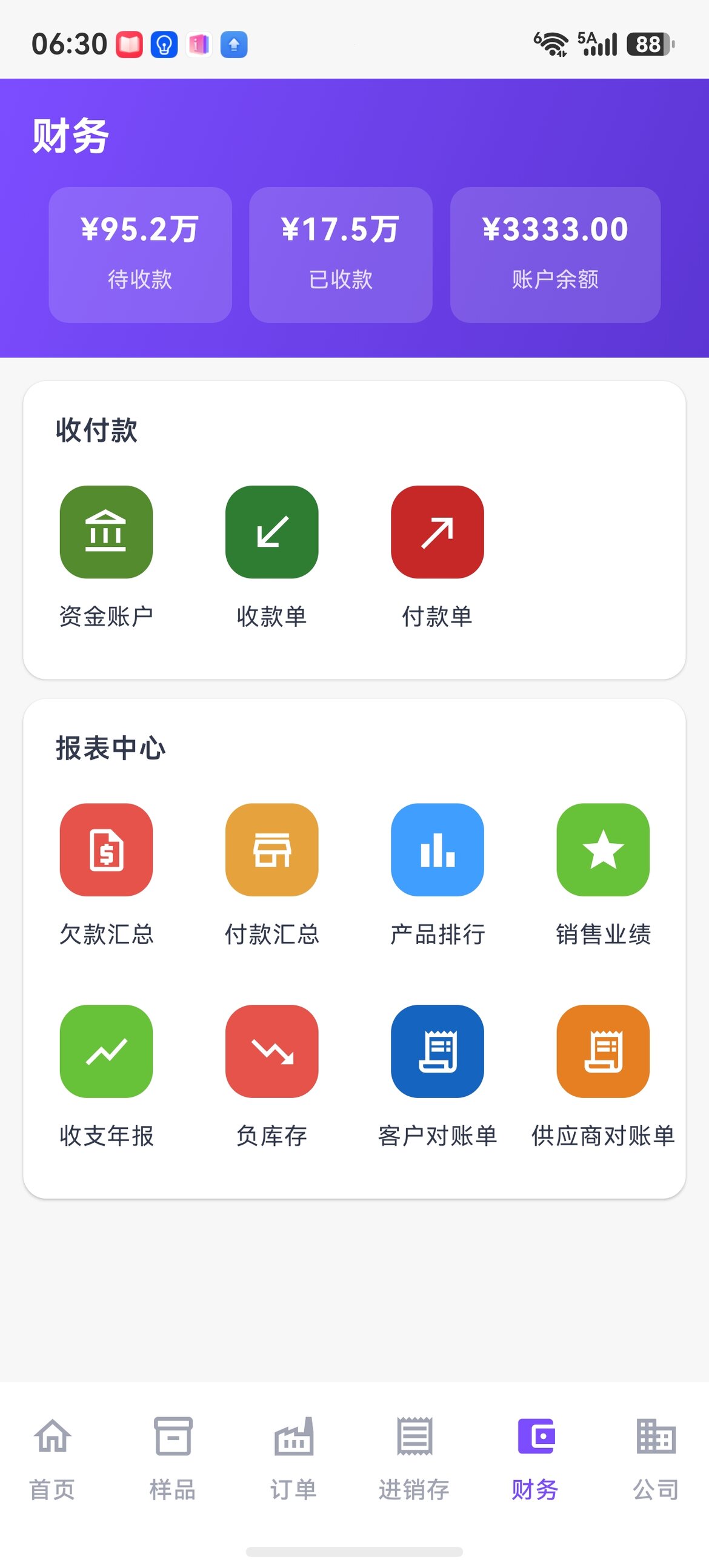
The top shows the trio of receivables / received / account balance; all 8 business reports in the report center are available on your phone.
Receipts + automatic offsetting
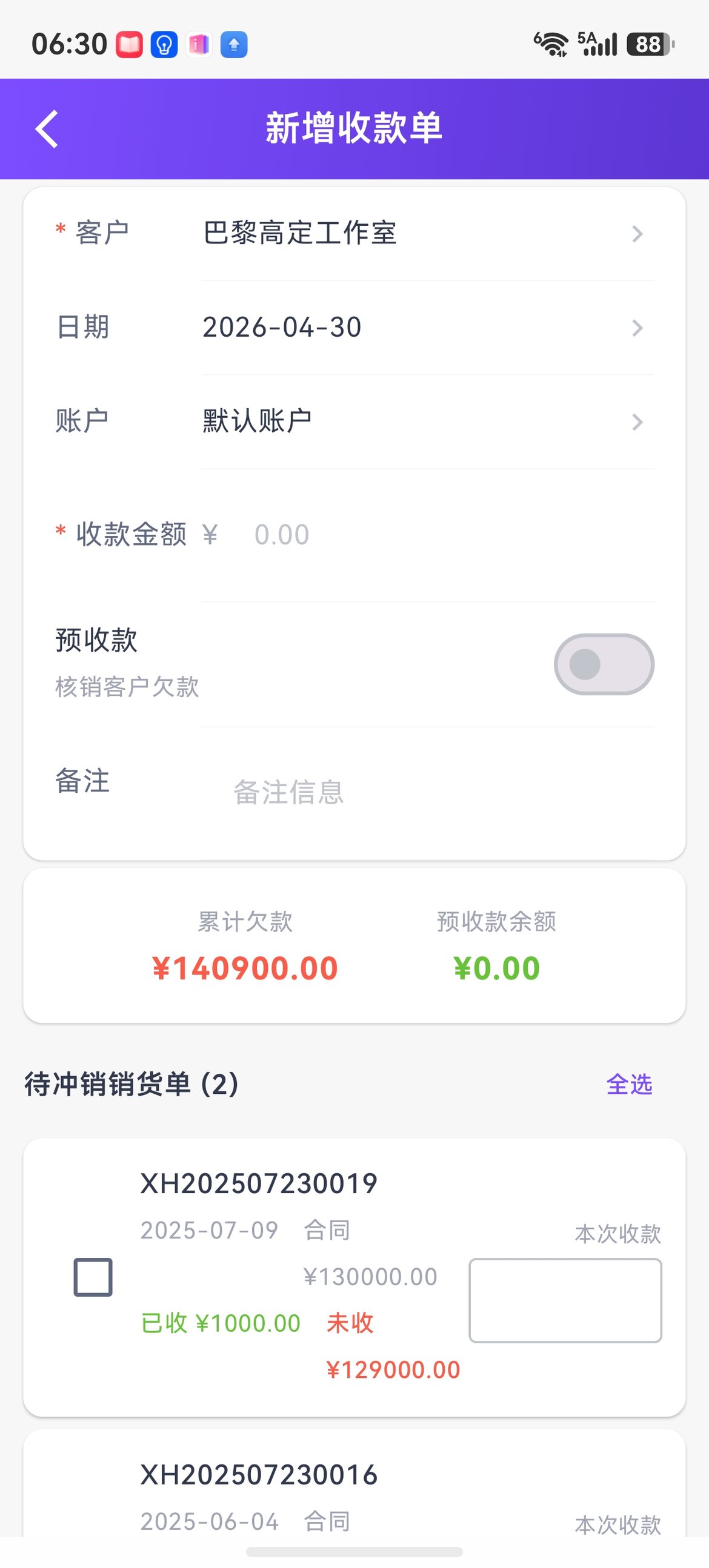
Select a customer to automatically pull up unpaid orders, tick the ones to offset, fill in this receipt's amount line by line, and reconciliation is instantly clear.
Customer / supplier statements
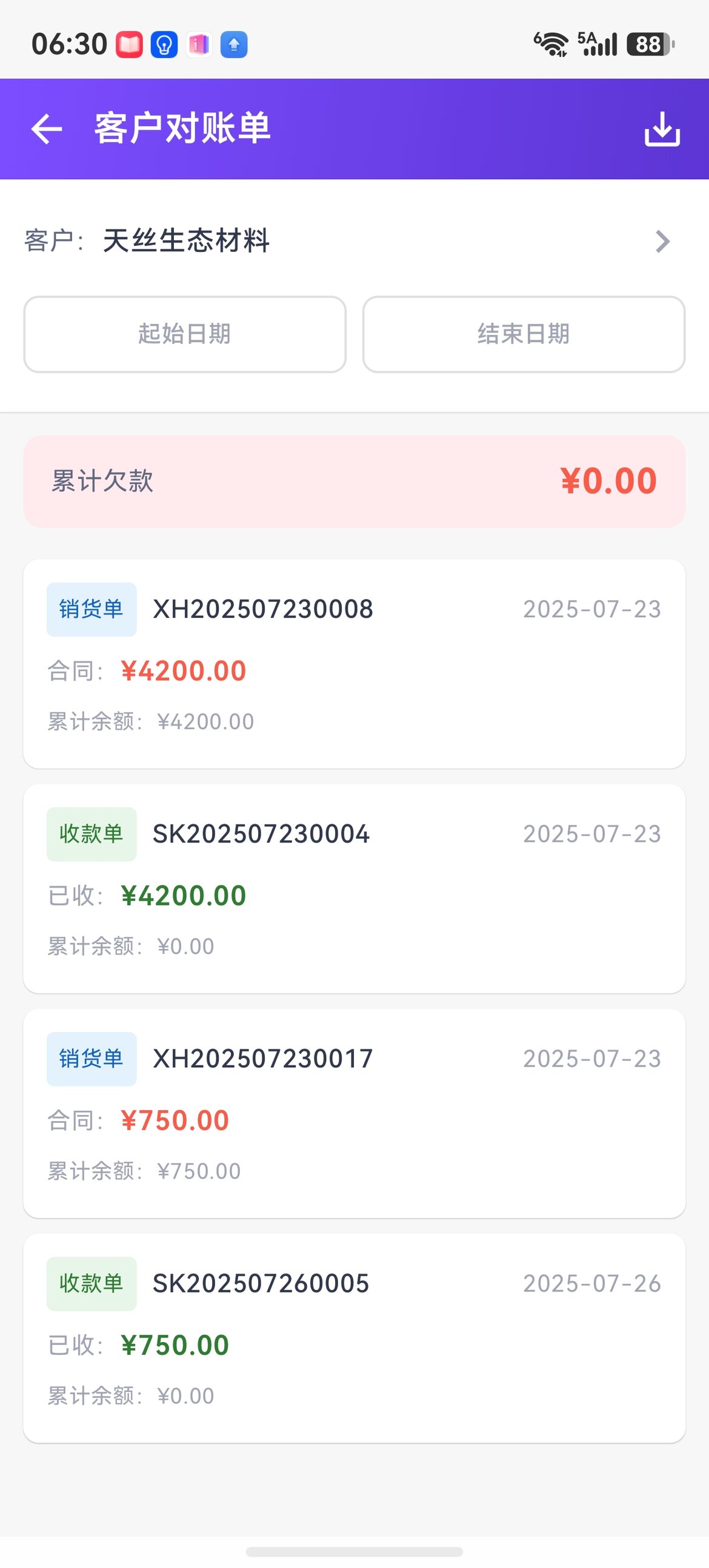
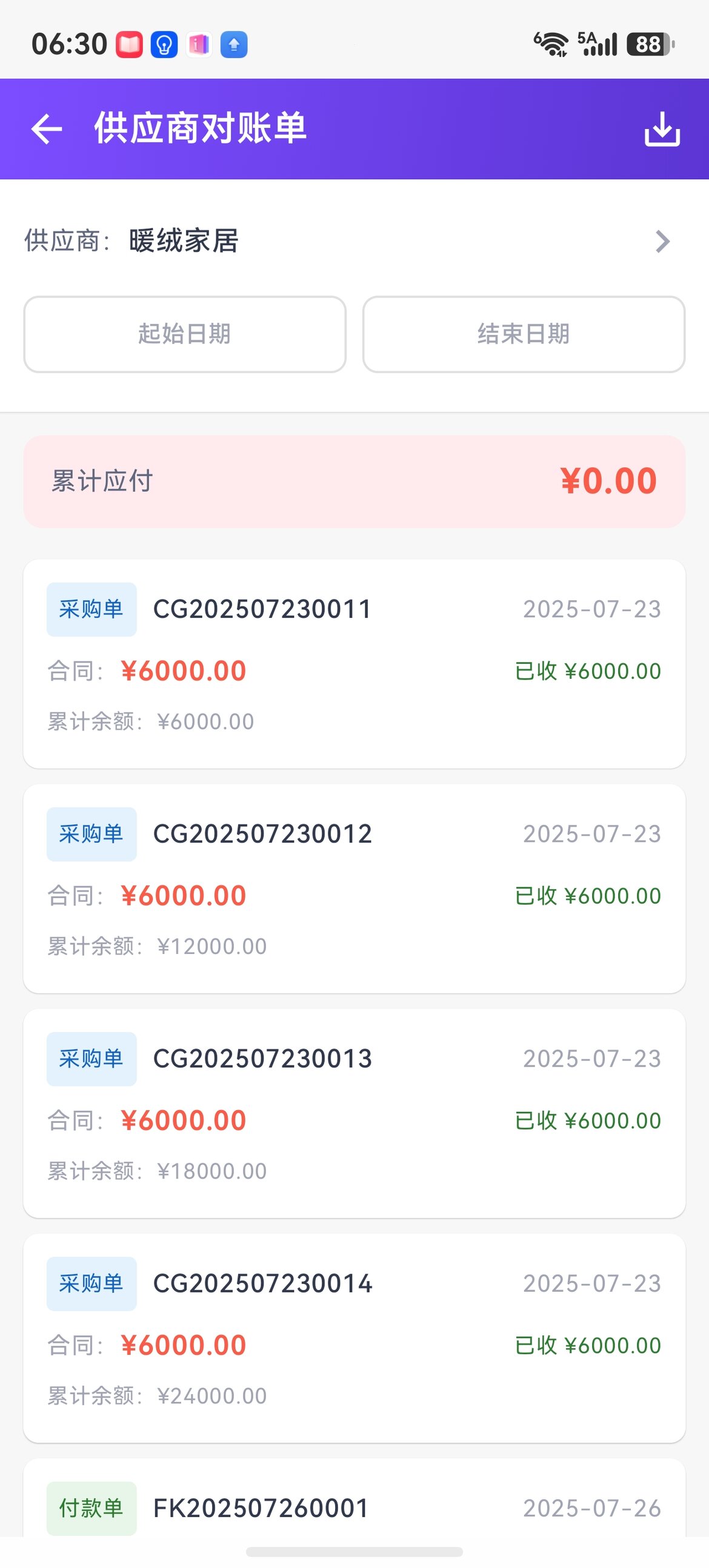
Pull statement details by date range in one tap, and download to share with the other party for verification.
Business reports
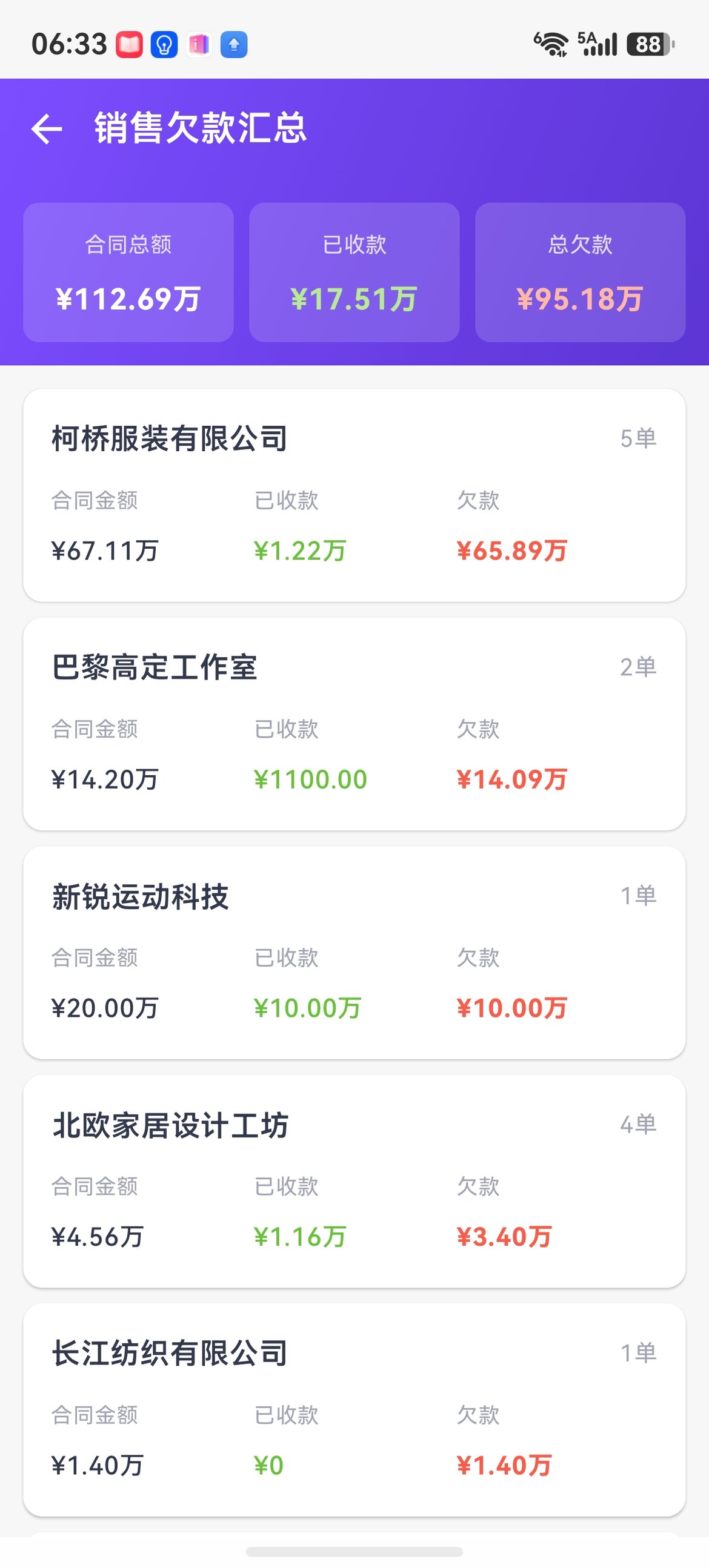
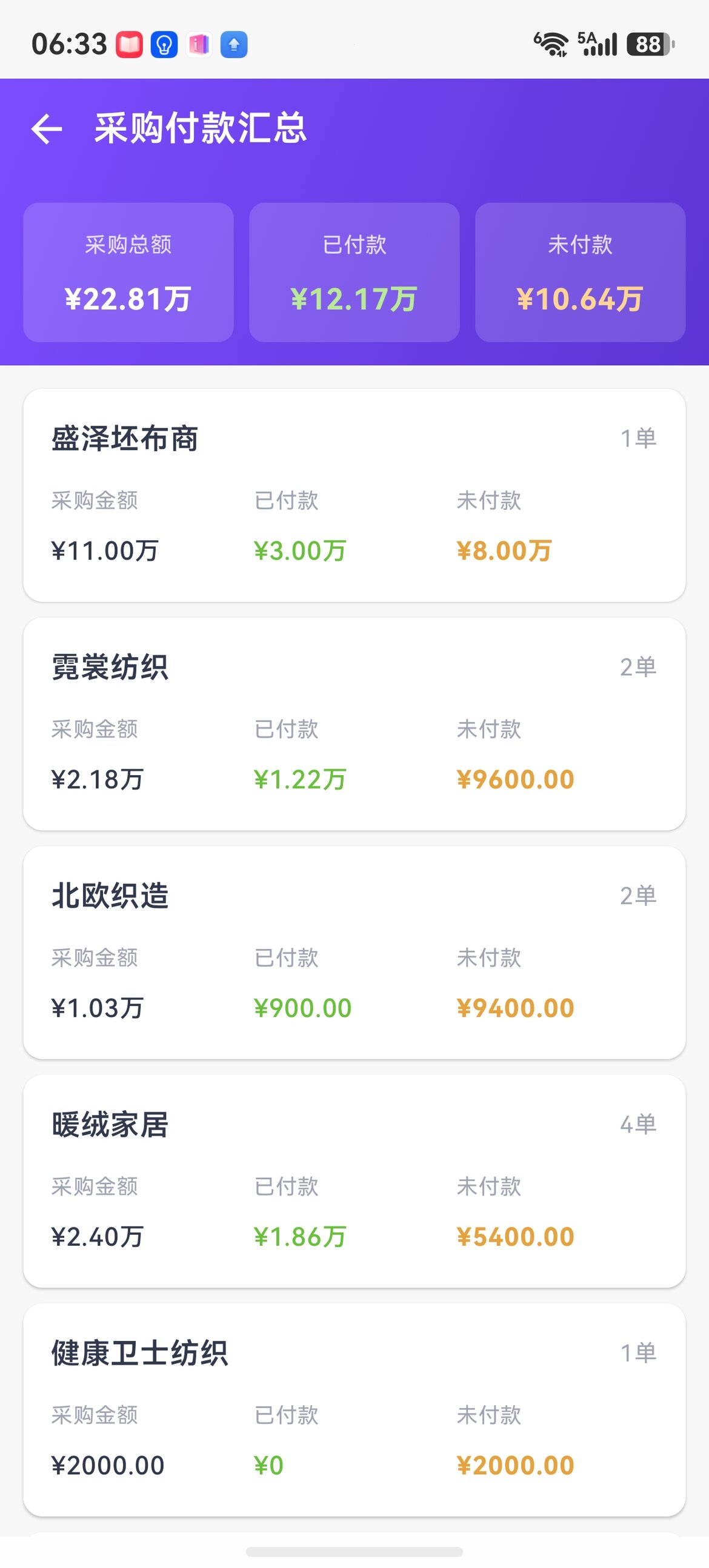
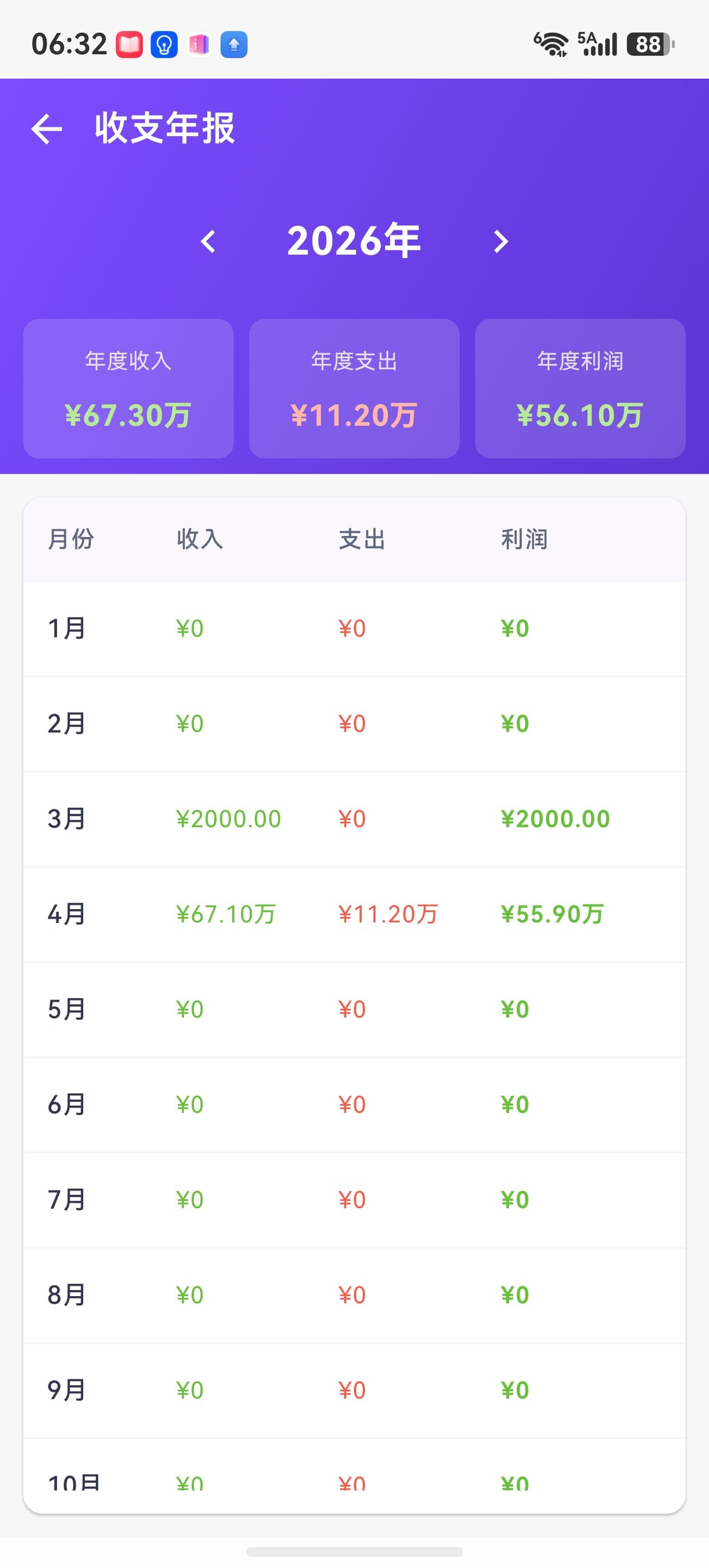
Sales debt summary / purchase payment summary / annual income-expense report — who owes me how much, who I owe how much, and how much I made this year, all answered by three reports.
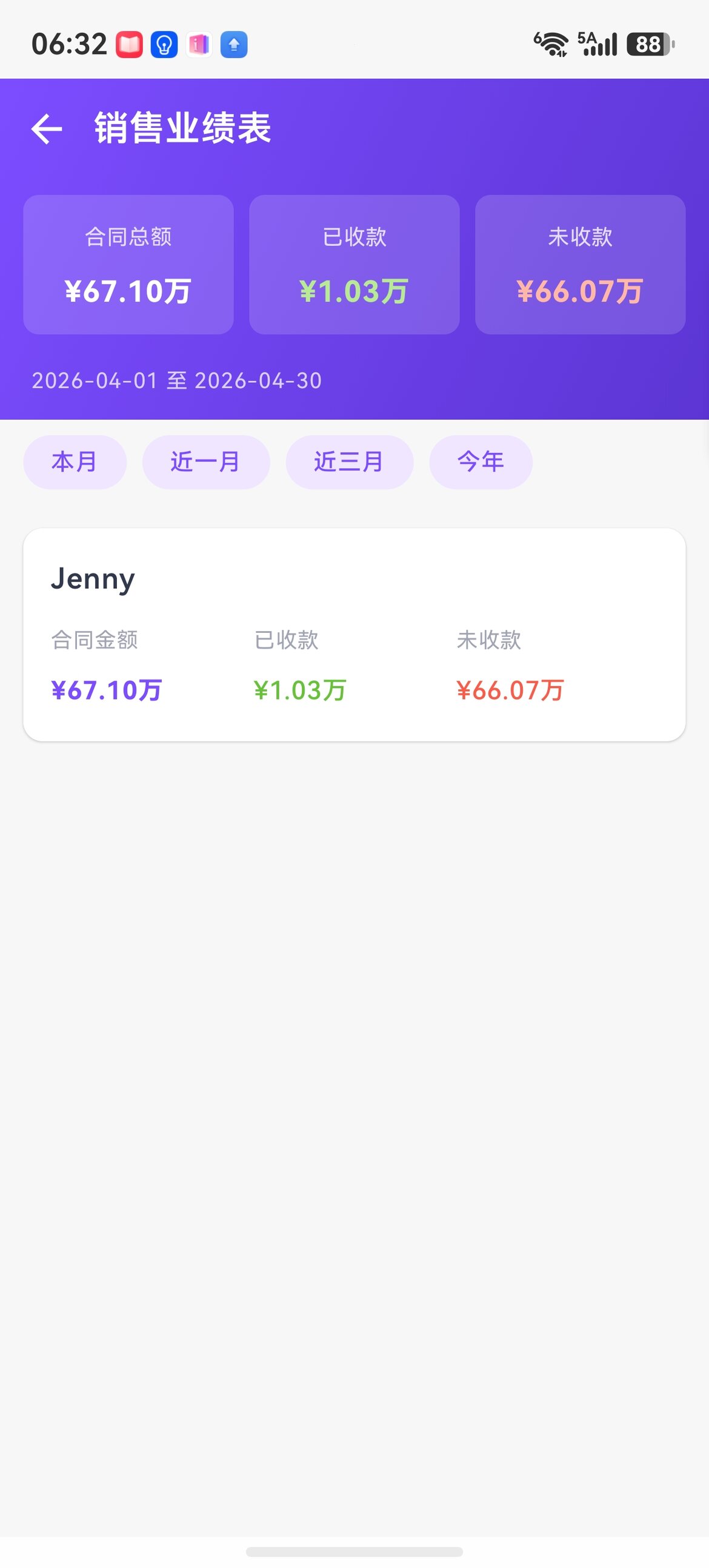
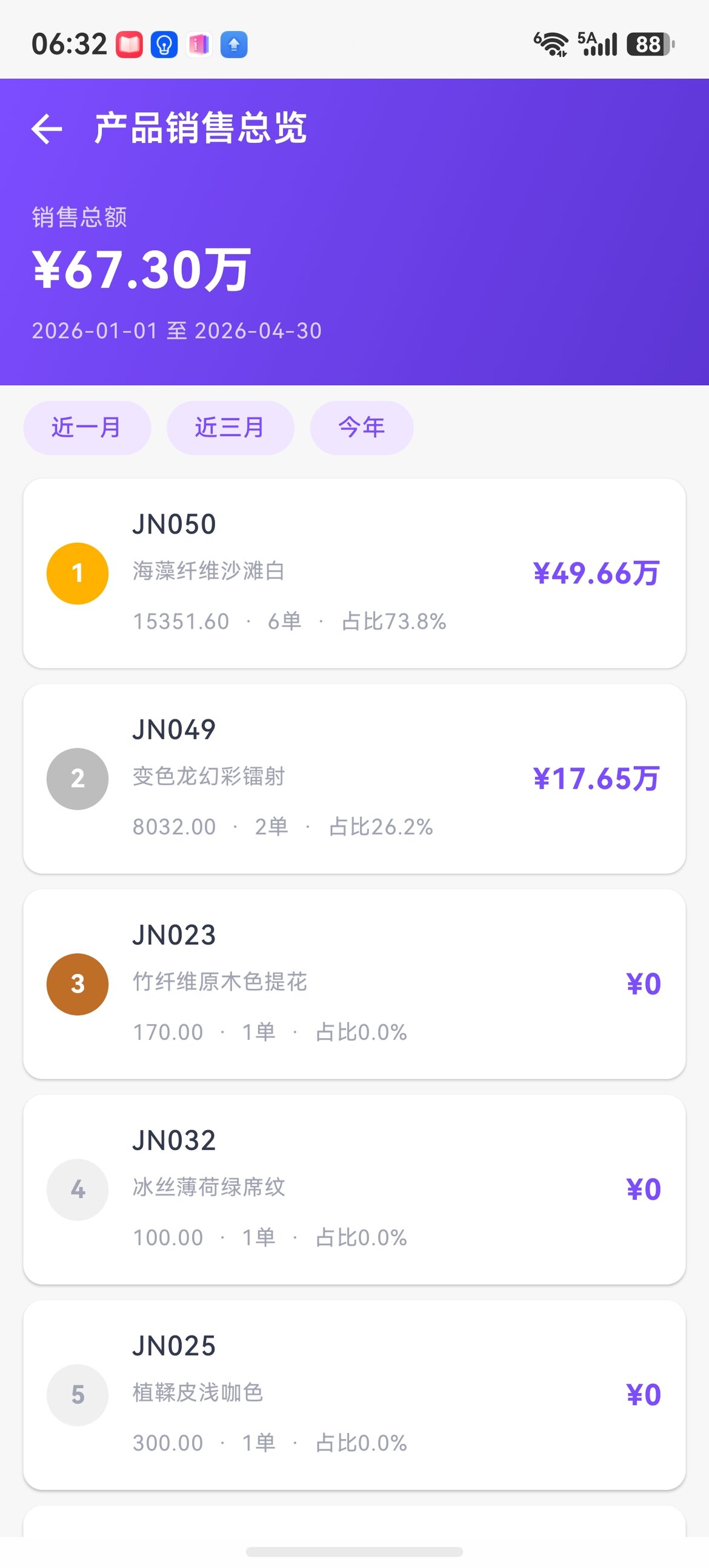
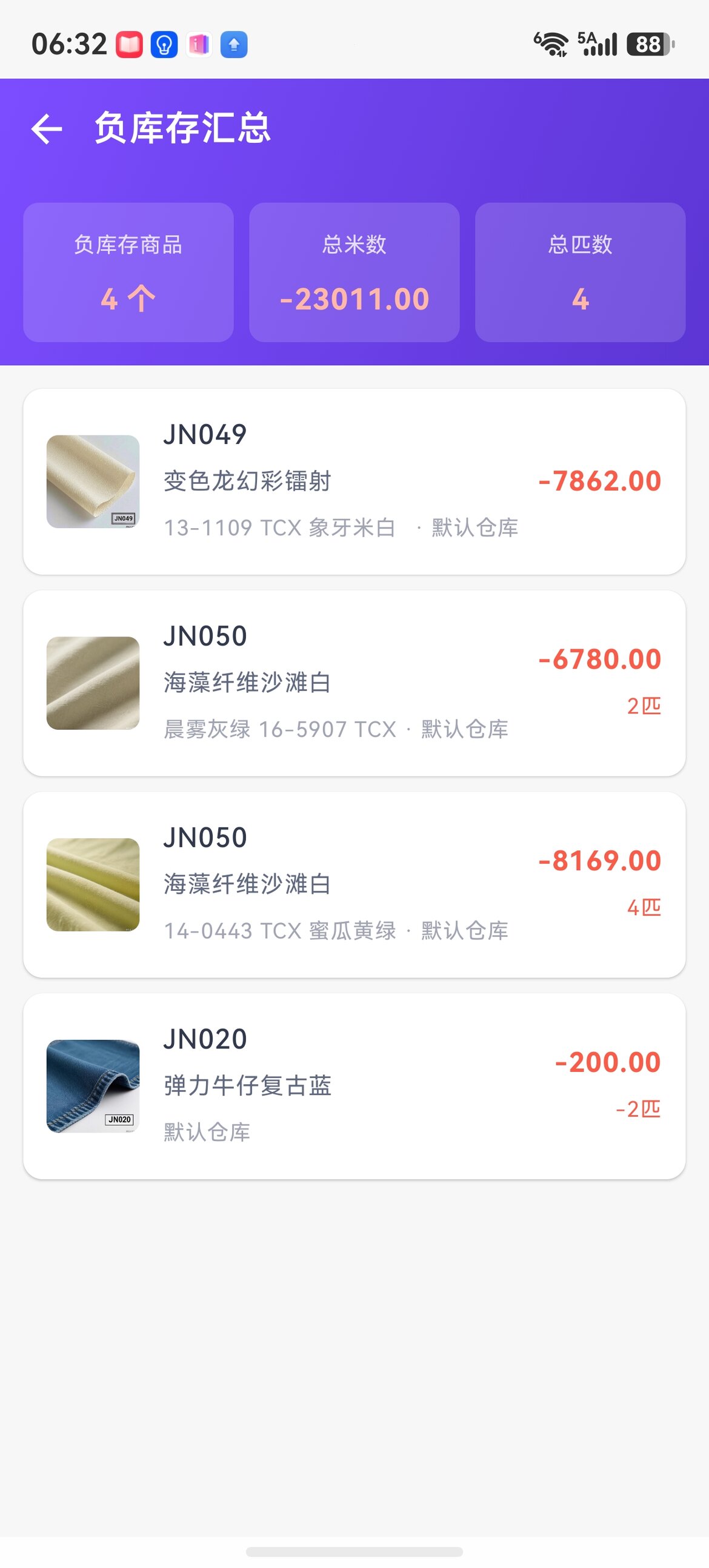
Sales performance report / product sales ranking / negative stock summary — salesperson rankings, bestseller rankings, and error early warnings.
Finished products management (garments / shoes, bags & accessories / home textiles)
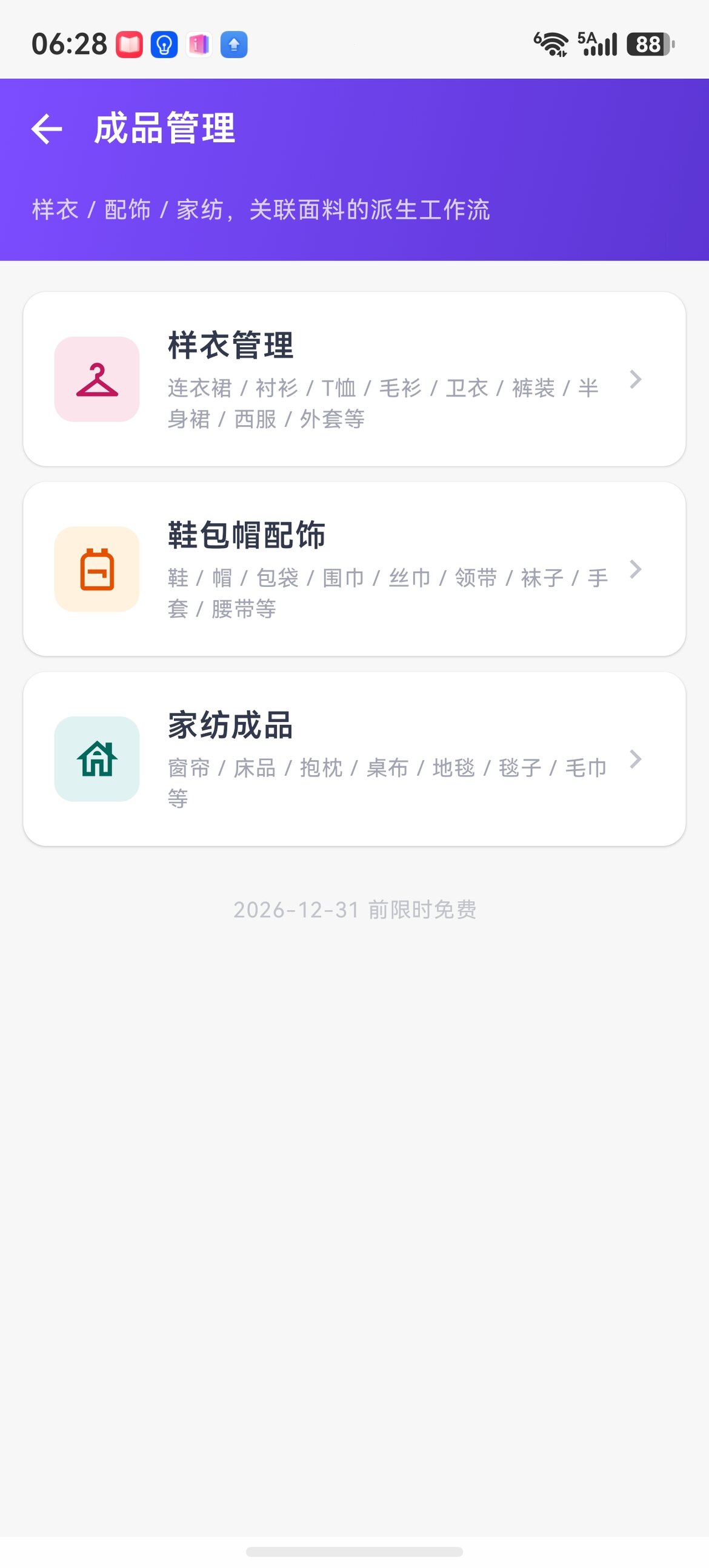
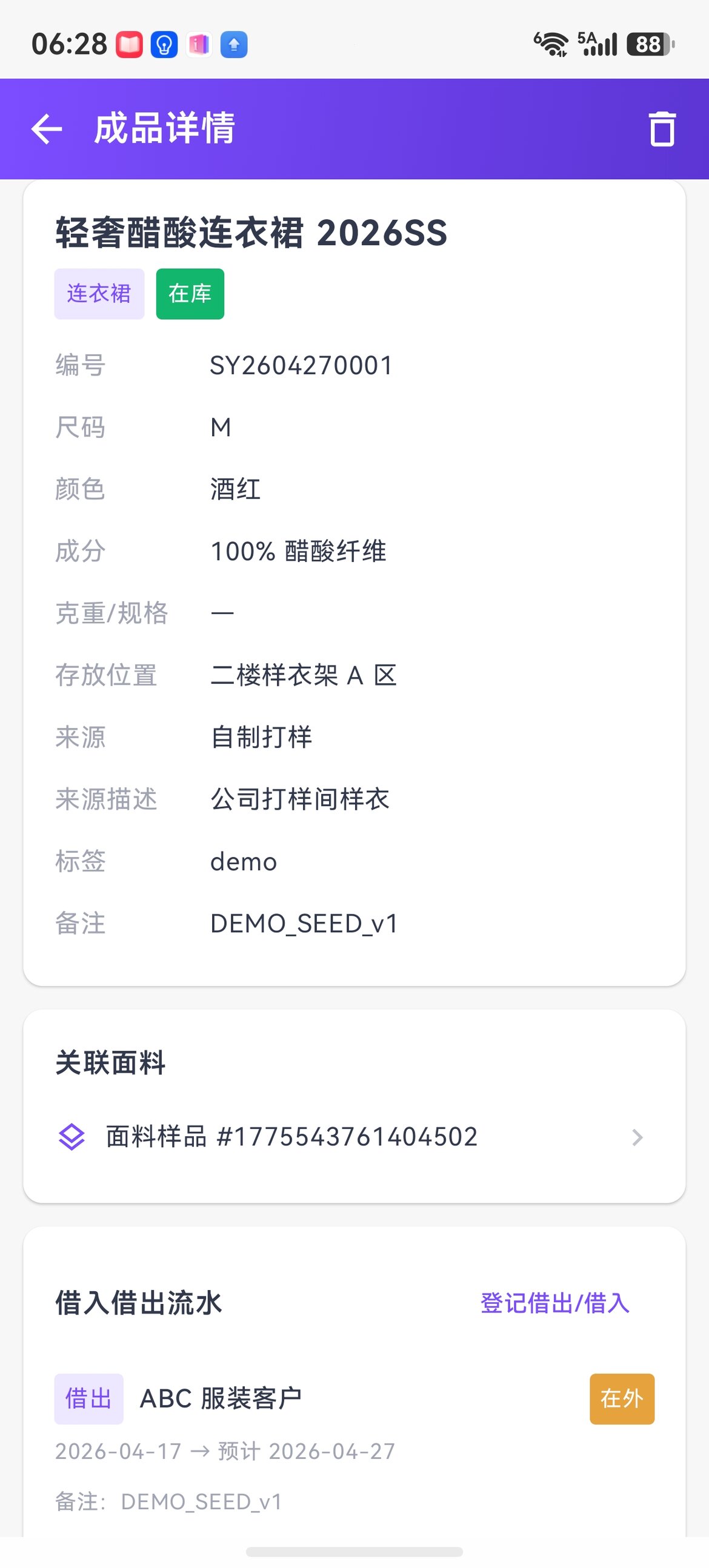
Three categories — garment samples / shoes, bags & accessories / home textiles. The detail page comes with linked fabrics + a borrow/return log, a powerful tool for export trading companies to show customers finished-product cases. Free for a limited time until 2026-12-31.
Sample stock log
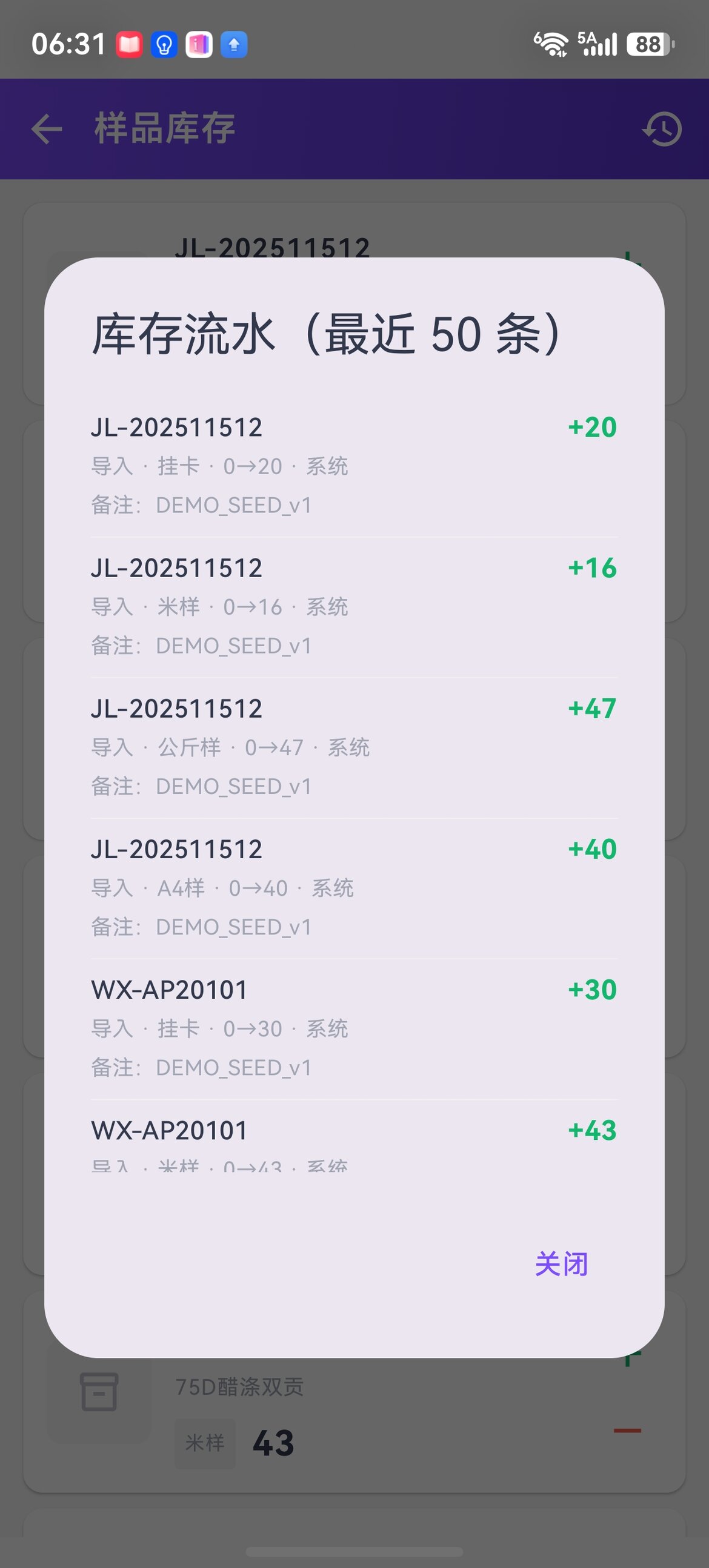
For each sample, the hang-tag / meter-sample / kilogram-sample / A4-sample quantities are deducted automatically along with sample dispatch orders, and the detail page shows 50 log entries. See Sample stock for details.
Order production (pay-as-needed activation)
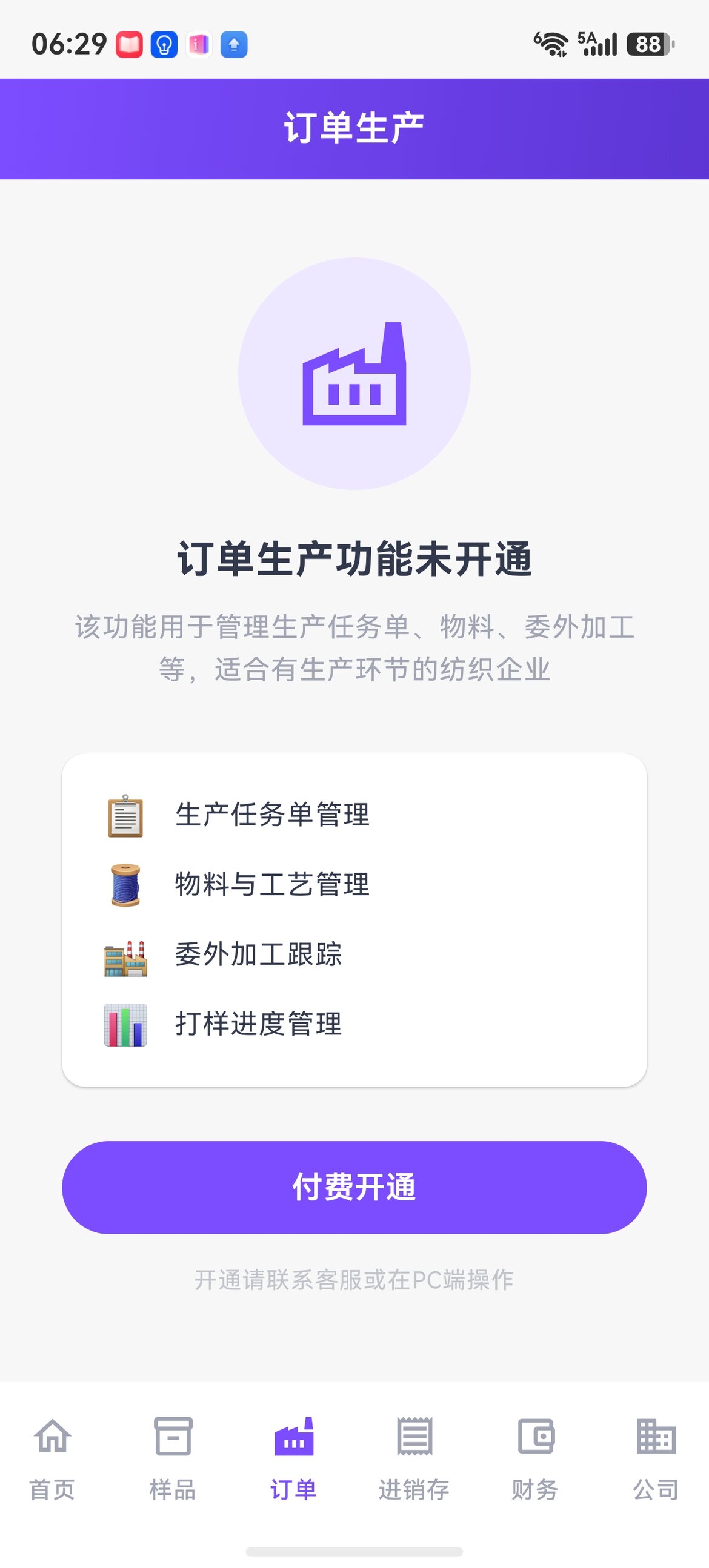
Modules such as production task orders / material and process / outsourcing tracking / sampling progress are aimed at textile companies with production stages, activated as needed. The mobile apps are gradually filling in common order-production actions such as viewing, follow-up, approvals, greige purchase / arrival, shipment, reports, and Excel export. Entries may open in batches across platforms; use what your App actually shows as the source of truth. See Order production management for details.
Contacts
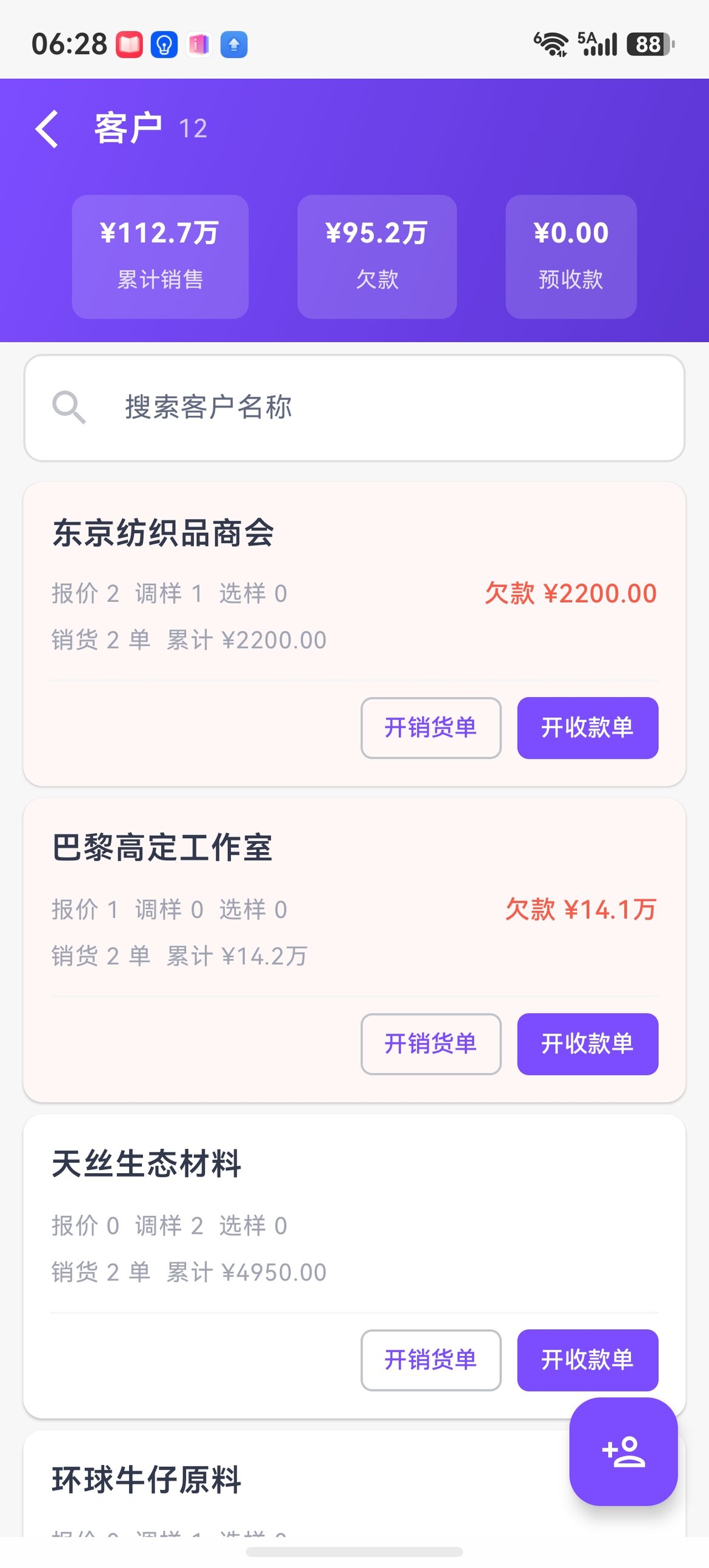
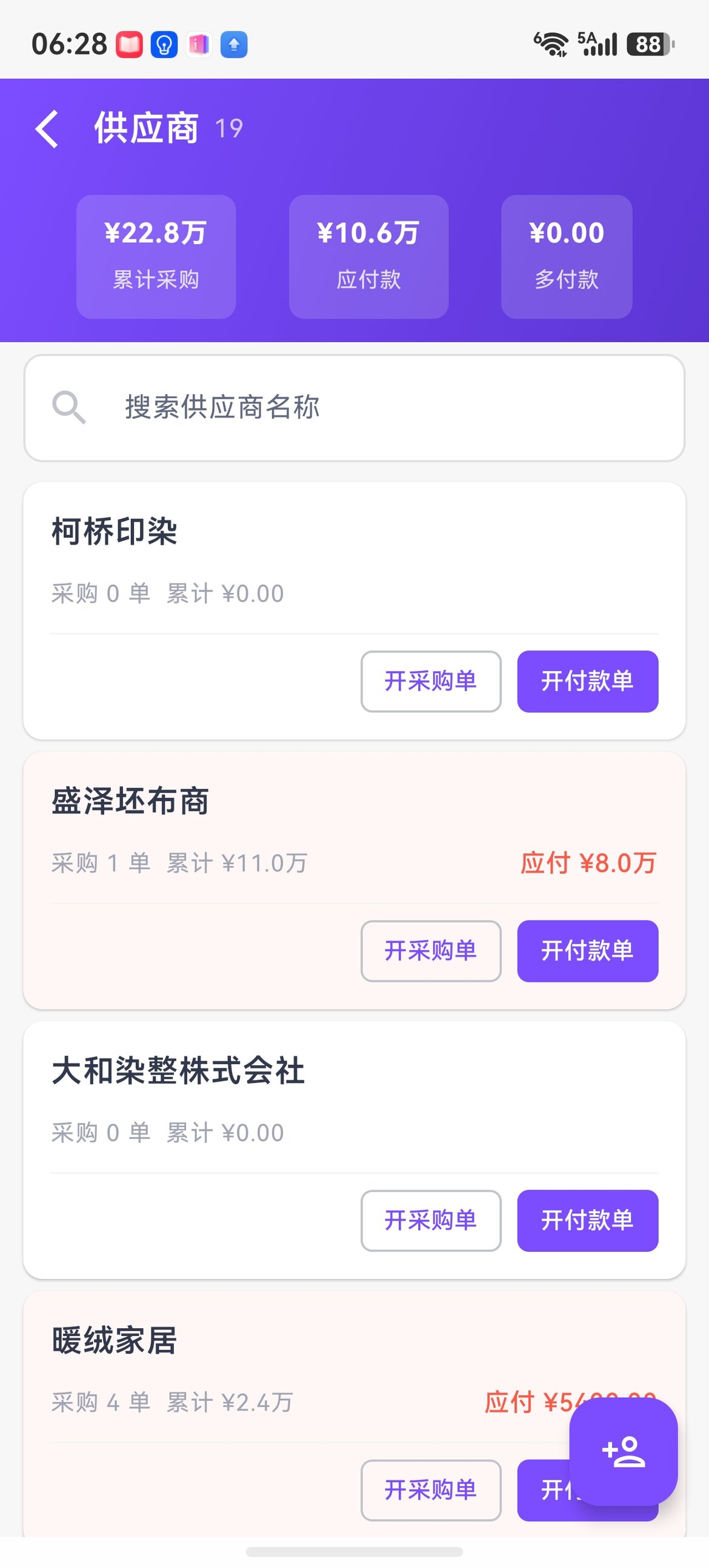
The customer list shows cumulative sales / debt / quotation and sample-dispatch counts; the supplier list shows cumulative purchases / payables. Each row goes straight to creating an order, so you never have to keep returning to the home page.
Sharing and marketing
Domestic: dual channels of WeChat card + link
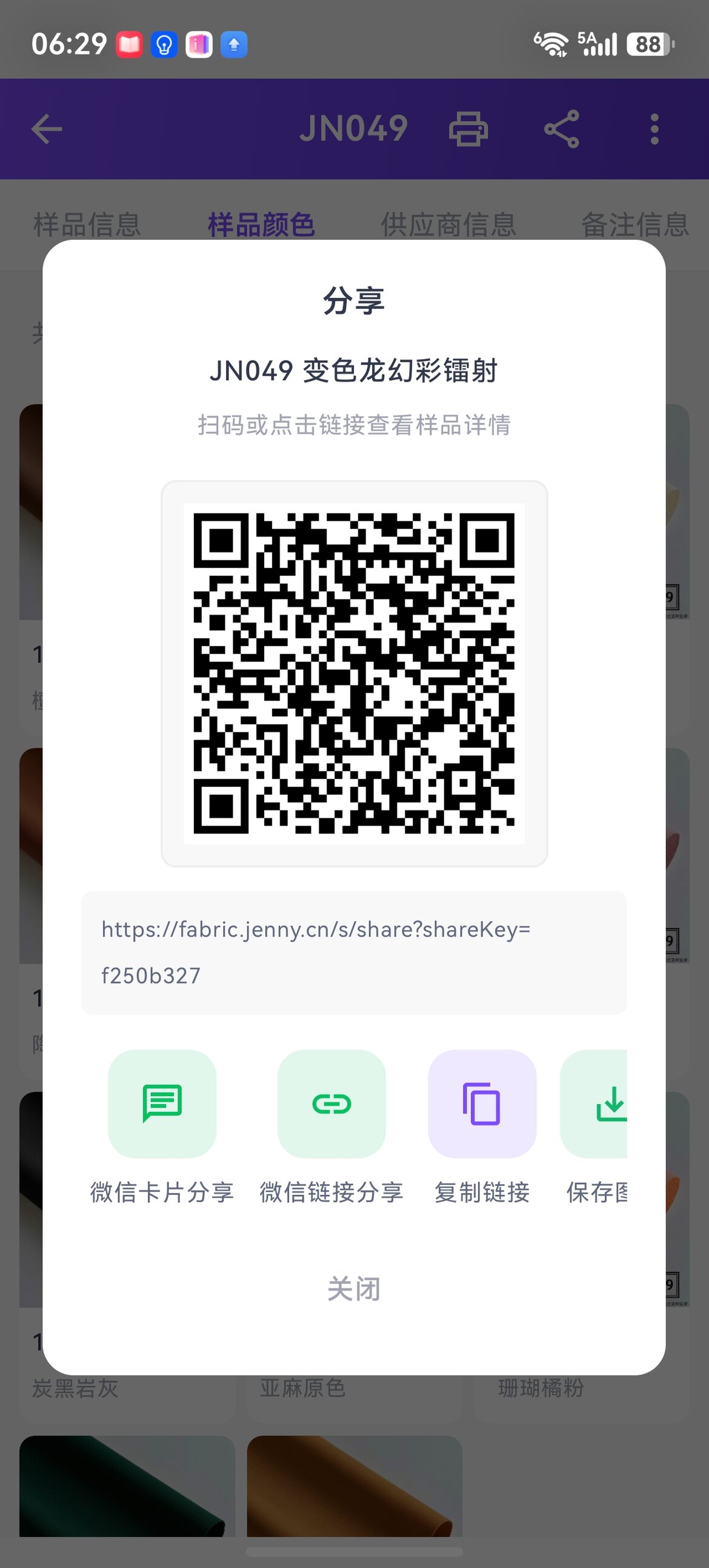
WeChat card sharing (Mini-Program card; tap to enter the buyer portal directly) + WeChat link sharing (a fallback that always works, so you can still send a link if the card fails).
Overseas: Moments / WhatsApp
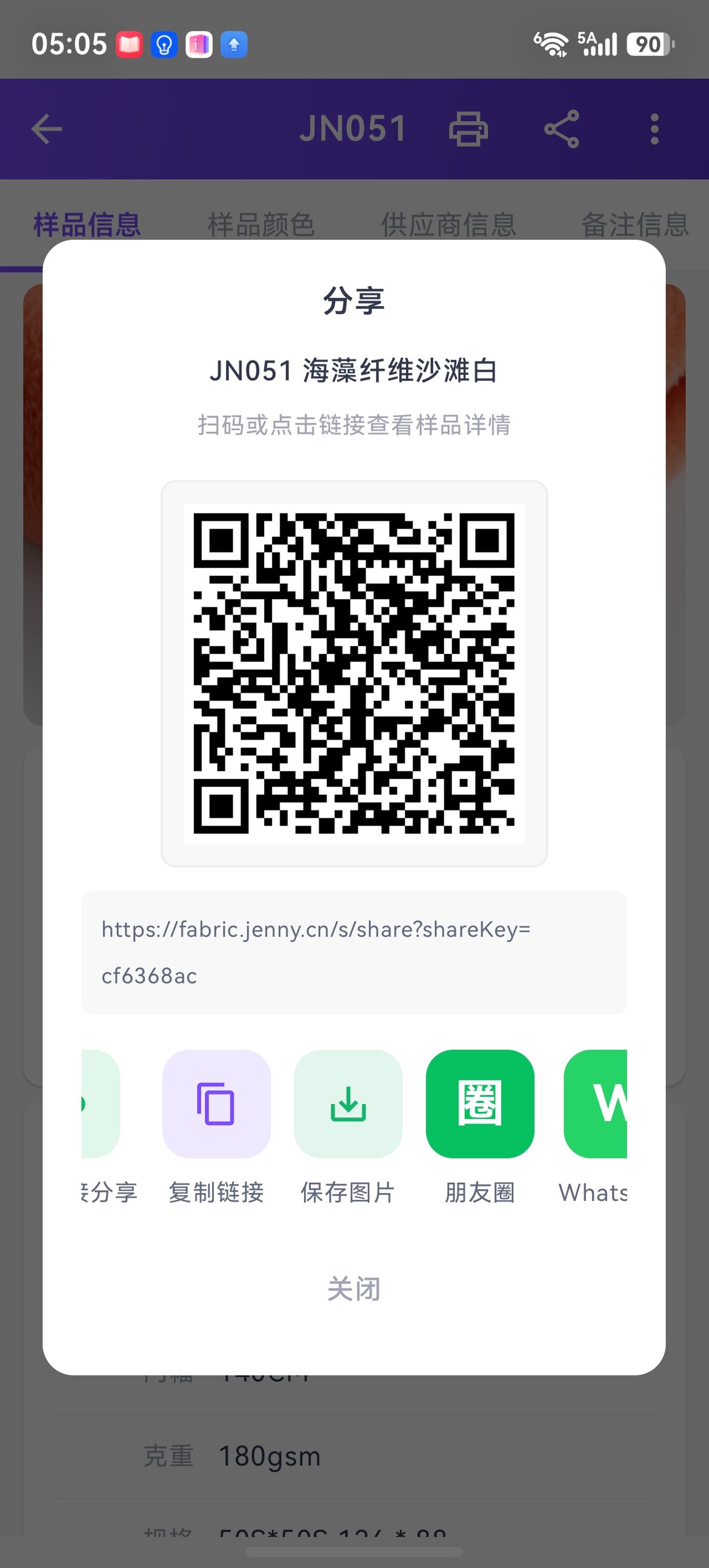
Share directly to overseas social platforms such as Moments / WhatsApp, used together with the buyer portal H5 scan for overseas customers.
Bluetooth label printing
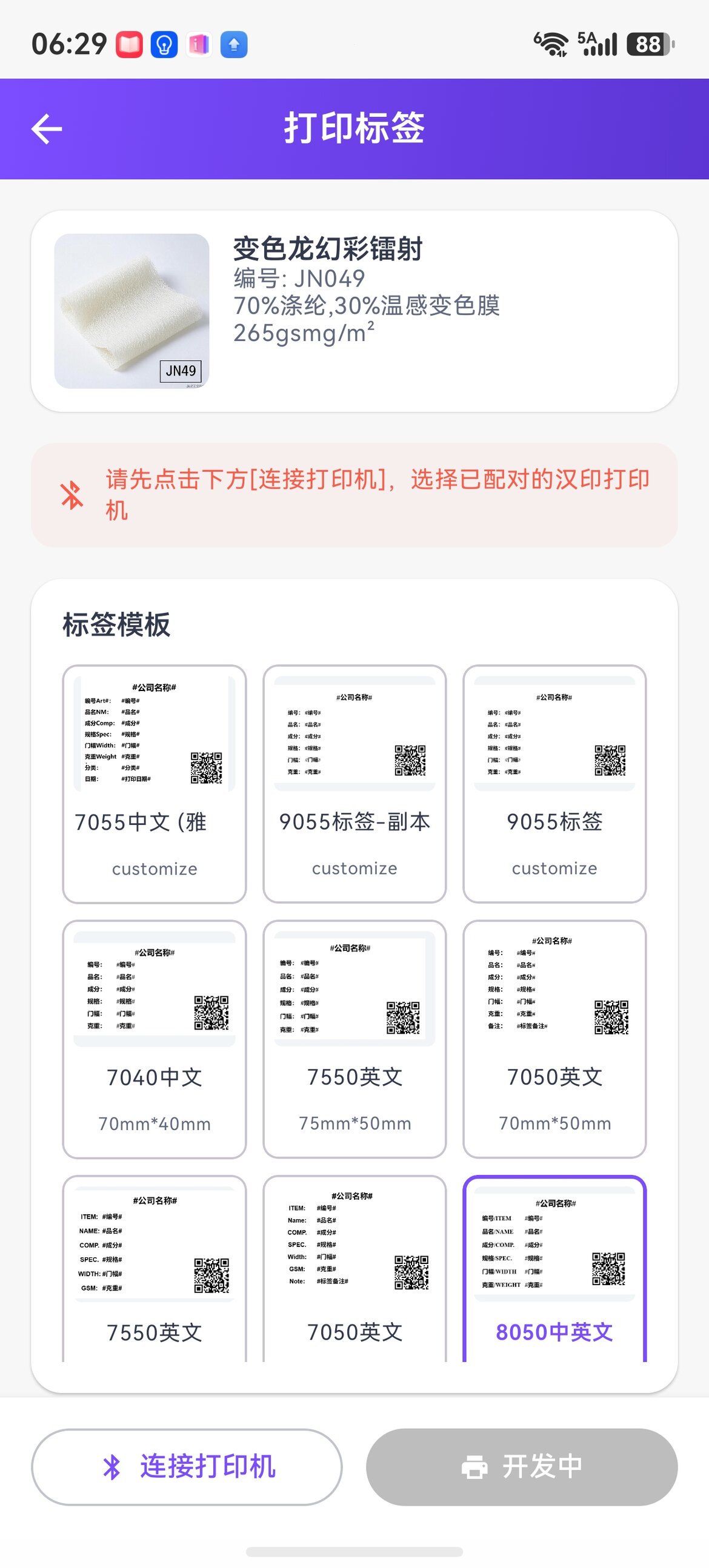
Print hang-tag labels directly via Bluetooth in the app, with multiple sizes + bilingual (Chinese-English) templates to choose from.
Company management
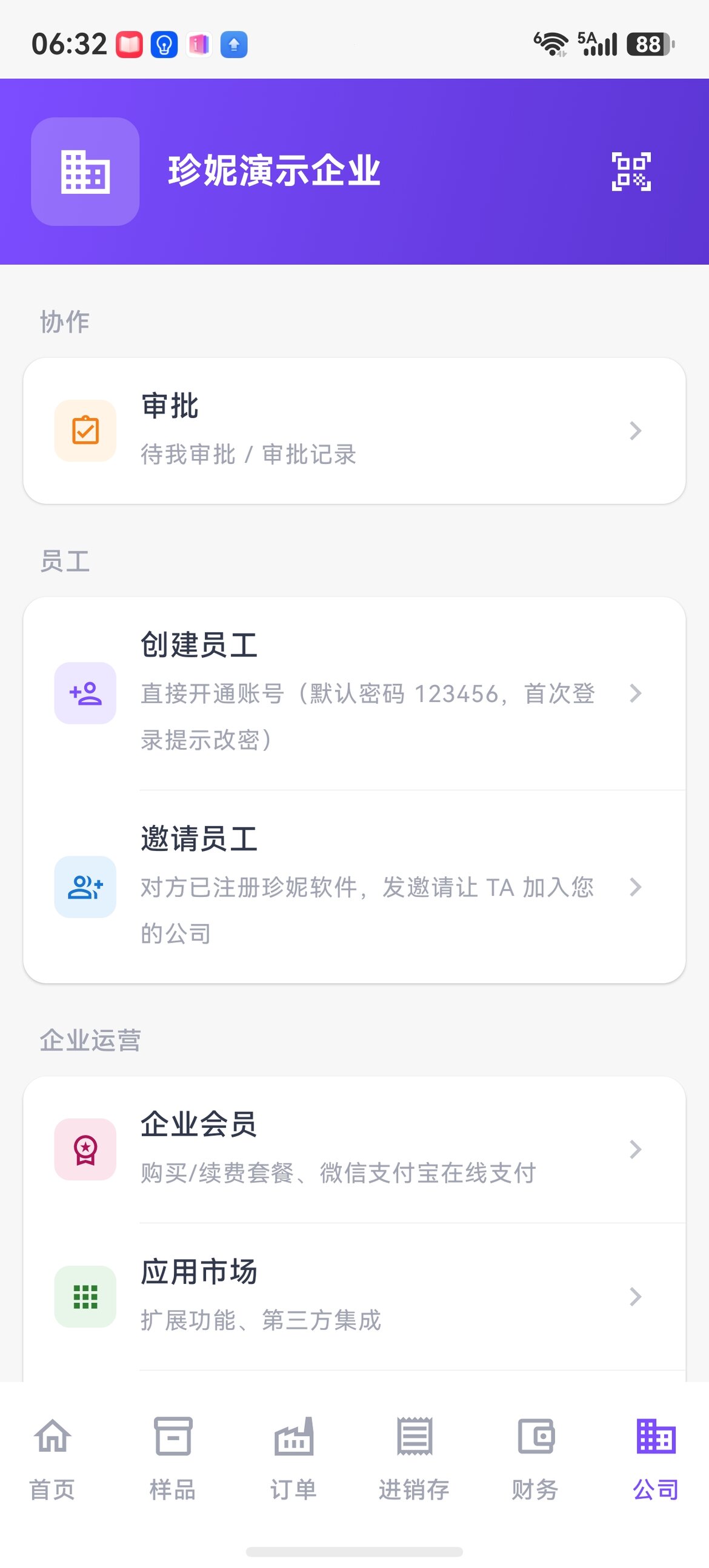
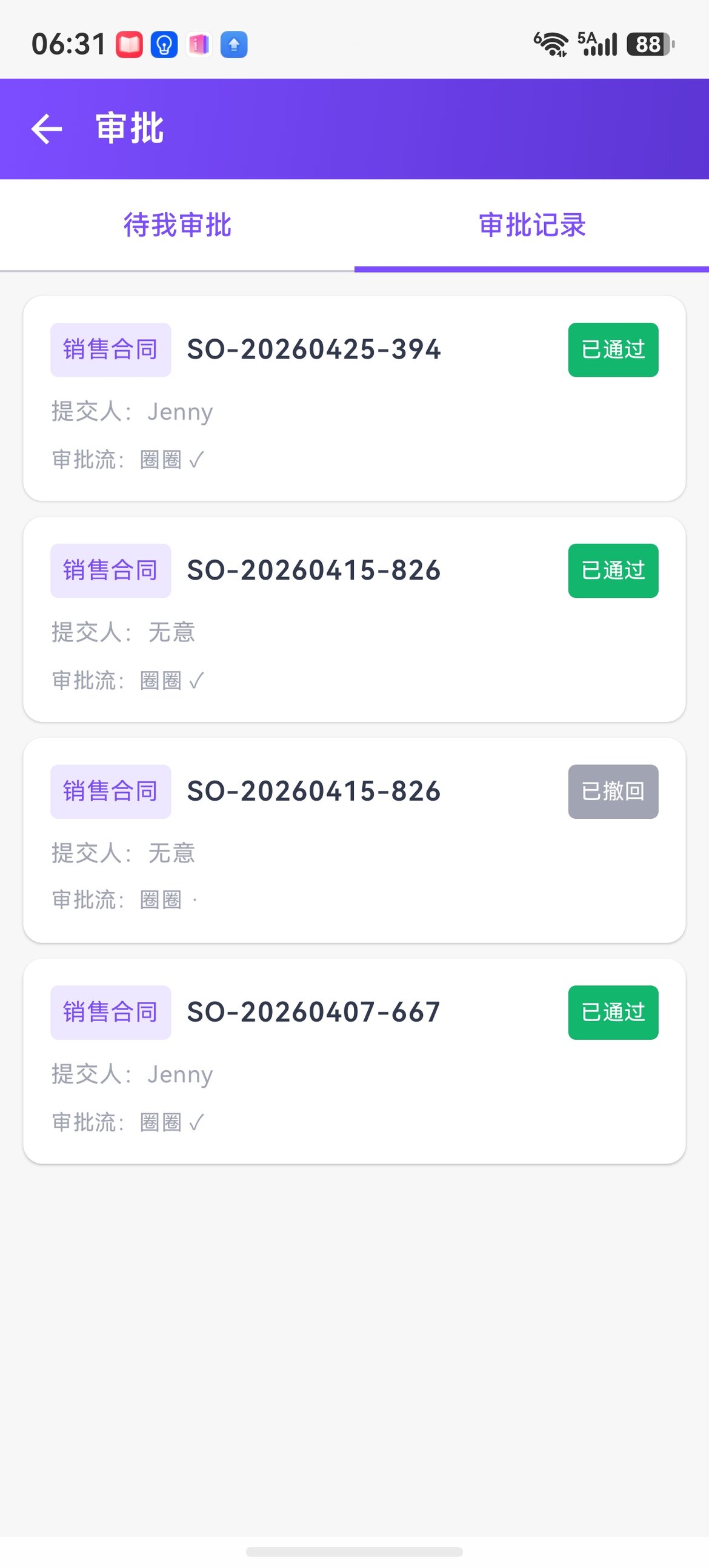
Collaboration (approvals) / Employees (create + invite) / Company operations (enterprise membership + app marketplace) / Switch company — switch between multi-company accounts in one place.
Personal center
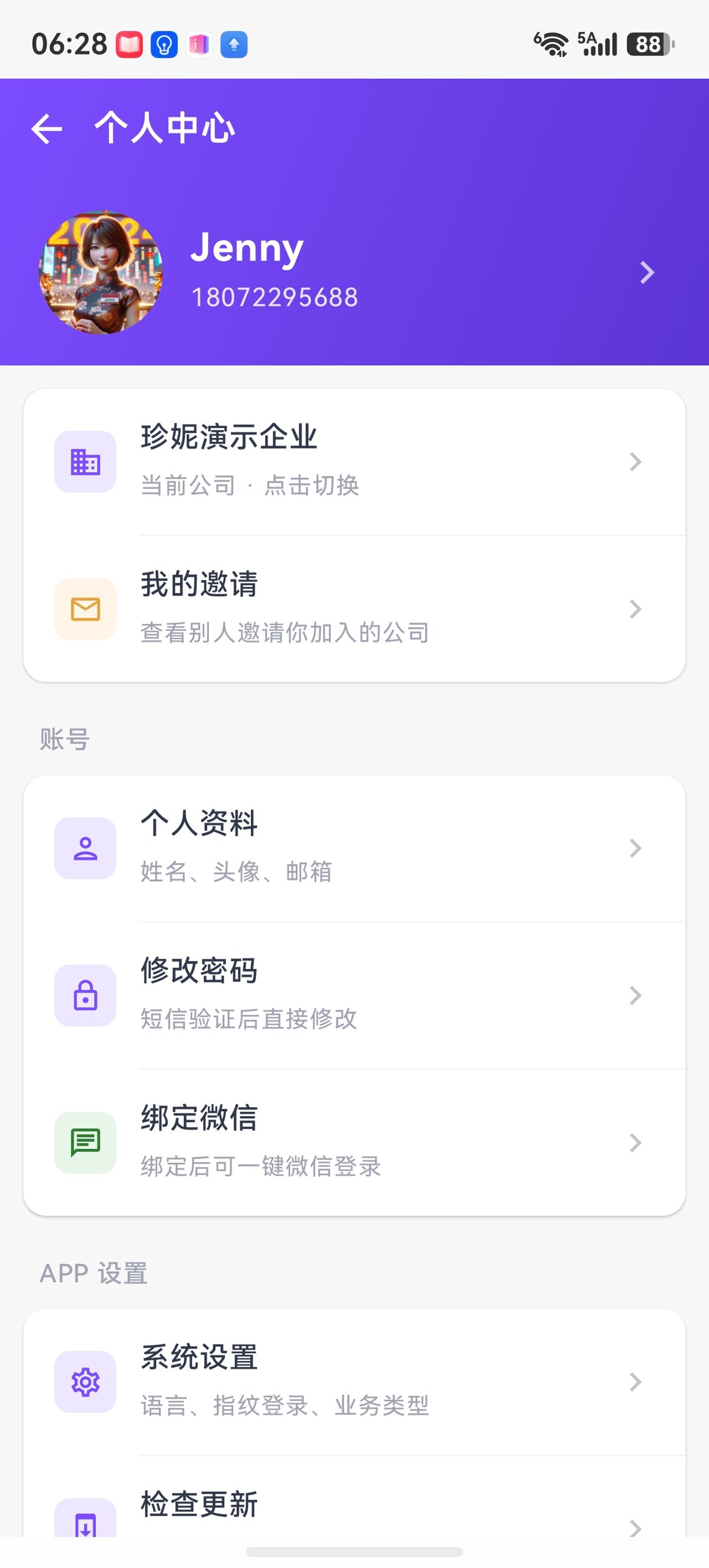
Switch company, change password (SMS verification), bind one-tap WeChat login, switch language, fingerprint login, and stay logged in for 30 days.
Smart hardware
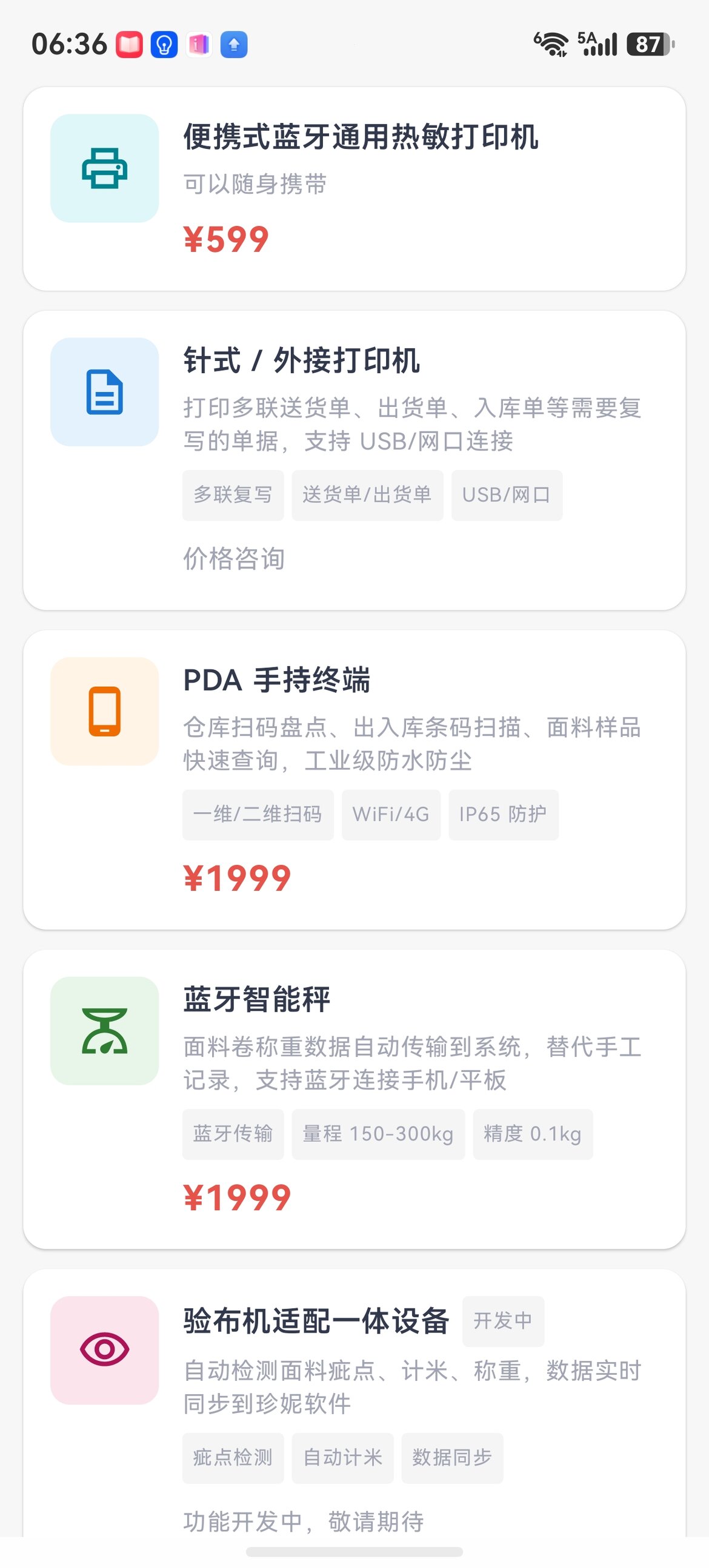
The app supports mainstream hardware and sells its own adapted models:
- Portable Bluetooth thermal printer ¥599
- Dot-matrix / external printers (multi-copy delivery notes / shipping orders)
- PDA handheld terminal ¥1999 (barcode inventory / industrial-grade waterproof)
- Bluetooth smart scale ¥1999 (150–300kg, automatic transmission)
- Integrated fabric inspection machine device (in development: defect detection / automatic meter counting / data sync)
Unsupported hardware can be adapted for free.
Multiple languages
Supports 17 interface languages: Simplified Chinese / English / Russian / Korean / French / Vietnamese / Italian / Turkish / Japanese / German / Spanish / Portuguese / Arabic / Thai / Bengali / Indonesian / Traditional Chinese. Switch under "home page avatar → Personal center → App Settings → System Settings → Language" without restarting.
Download the app
Android
- App store search: "珍妮纺织软件" (Jenny Textile Software) (Huawei / Xiaomi / OPPO / vivo / Tencent MyApp)
- Official website download: https://fabric.jenny.cn
- Scan the QR code in the top right corner of the PC version to download
iOS
iOS is on the App Store — search "珍妮纺织软件" (Jenny Textile Software). iPhone users can also use the WeChat Mini-Program "Jenny Software" as a supplement.
FAQ
Q: Is there a free trial?
A: Use it right after registering — a 7-day free trial of all basic features for 5 users. See Pricing for details.
Q: Is the data on the phone the same as on the computer?
A: Yes. The cloud account holds the same set of data — samples entered on the PC are visible in the app immediately, and sales orders created in the app sync to the PC in real time.
Q: Does AI recognition cost money?
A: AI recognition is billed by usage in points (about 5 points per use), and new users get a free quota. Basic entry can still be done manually for free. See Pricing for details.
Q: When can I download it on iOS?
A: It is on the App Store — search "珍妮纺织软件" (Jenny Textile Software). It has the same features as Android.
Related articles
- Jenny Fabric Software App (introduction version) — a quick look at the key points
- Pricing
- Sample management
- Sample stock
- Finished products management
- Inventory & Sales explained
- Quotations, sample dispatch orders, and selection orders
- Buyer portal major redesign · H5 scan
- Image search
- Software changelog
Running into problems
Tap the customer support button in the bottom right of the app, or submit directly via "My profile → Feedback".