
Cloud Drive, File Templates, and Sharing
Cloud drive overview
Jenny Software offers a practical cloud drive for companies to store and share files centrally. There's an upper limit on single-file upload size; once the collaboration module is activated you can upload larger files, and if you need to upload very large files, contact support to enable it.
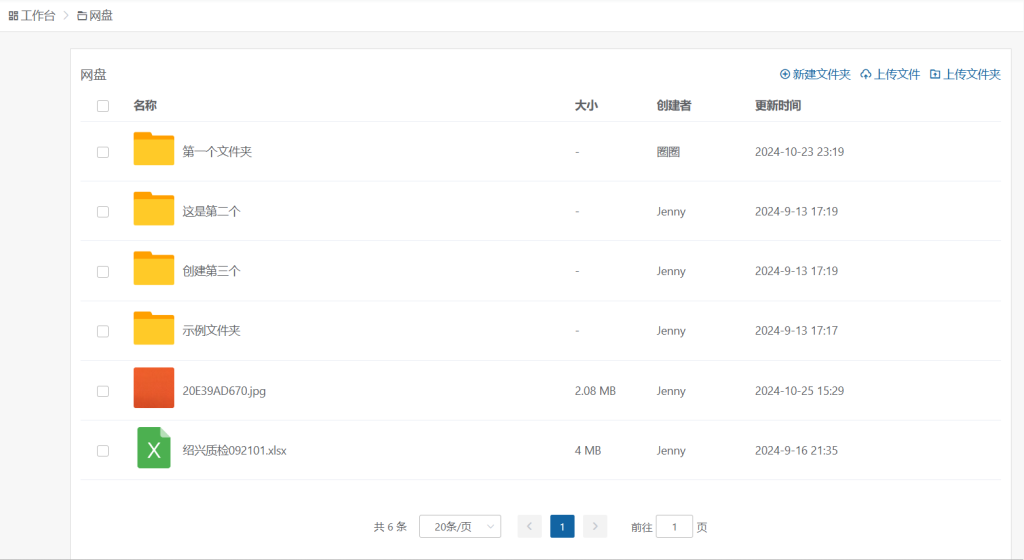
Key features
File management
The interface is clean and tidy, supporting folder and file-list views with unlimited subfolder nesting. You can upload files or entire folders directly, with no need to compress them first.
File viewing and editing
You can open and preview mainstream file formats directly (Word, PPT, Excel, PDF, images, etc.).
File operations
- Move files / folders to other directories
- Download files or folders
- Delete and copy functions
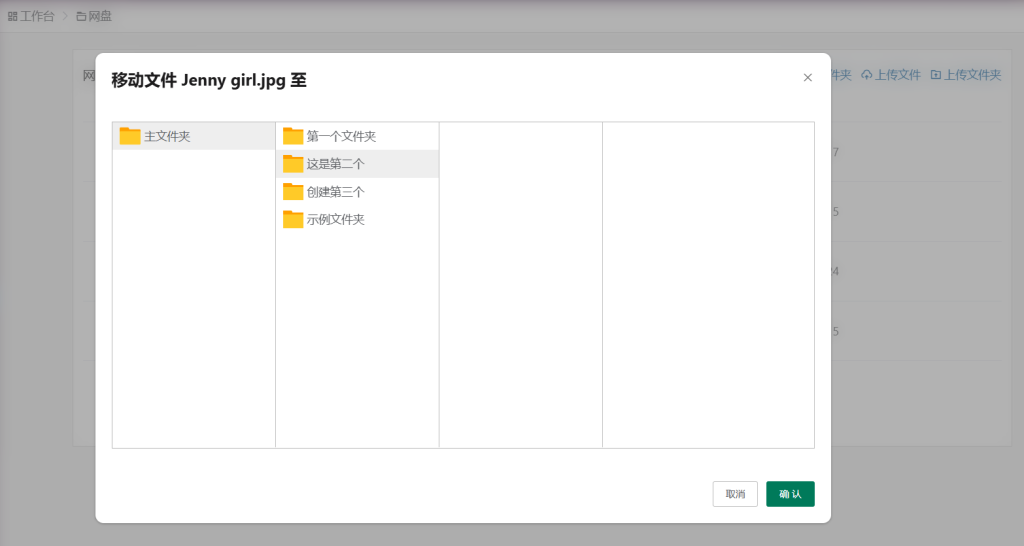
Permission settings
For files and folders you create, you can switch between "public mode" and "private mode." In private mode, only you (the creator) can see them.
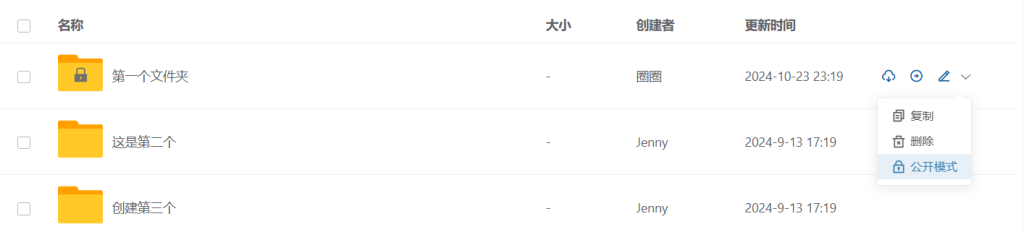
Temporary upload links: collect files from outsiders, no login required
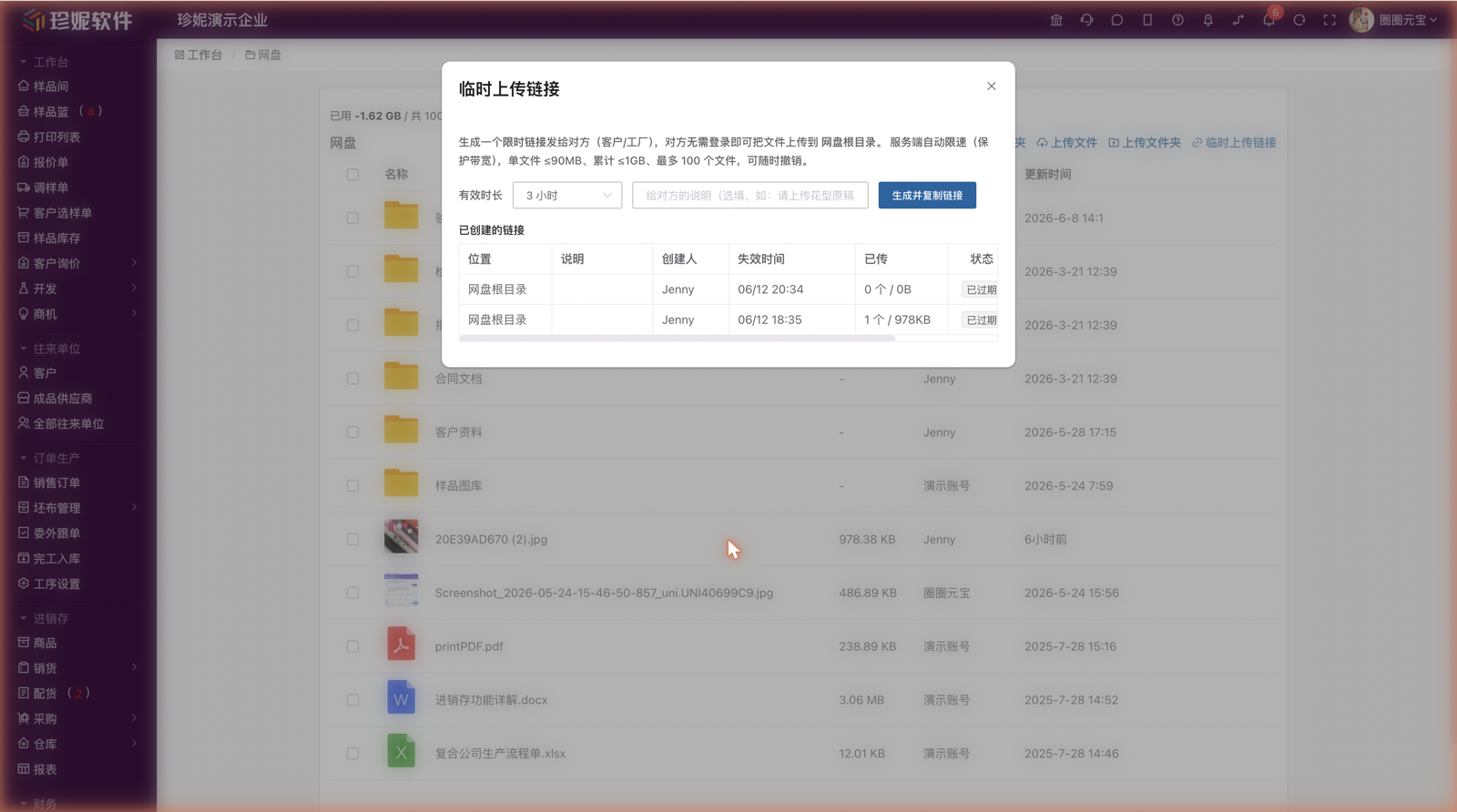
Need a customer or factory to send you files, but they don't have a Jenny Software account? No more collecting pictures over chat or saving email attachments by hand — click the Temporary Upload Link button on the cloud drive page to generate a public upload page that requires no login. Send the link to the other party; they open it and upload files directly, and the files land in the cloud drive folder you specified.
- Generate a link: Cloud drive page → "Temporary Upload Link", pick the target folder, set the validity period, and generate.
- They upload directly: outside parties open the link in any browser and upload — no registration, no login.
- Revoke anytime: the "Temporary Upload Link" management dialog lists every link you've generated; revoke one at any time and it stops working immediately.
Validity period and upload limits
| Item | Limit |
|---|---|
| Validity period | 30 minutes to 3 days, chosen when generating |
| Single file | Up to 90MB |
| Total size | Up to 1GB |
| File count | Up to 100 files |
Note
- Visitor uploads are rate-limited, so they won't slow down your own team's normal use of the cloud drive.
- Files uploaded by outsiders count toward your company's cloud drive quota as usual.
- The link is public — anyone who has it can upload. Share it only with the people who need it, and revoke it once you've received the files.
Typical scenarios
Great for collecting greige fabric inspection reports, pattern artwork, payment/reconciliation receipts, and other external files. For example:
- Collecting greige fabric inspection reports: send the dyeing mill or inspection agency a link, and the inspection report for each dye lot goes straight into the "Inspection Reports" folder you set up — no more digging through chat history to save images one by one.
- Collecting pattern artwork: customers' pattern files and design source files are often huge, and chat apps either choke on them or compress the quality. Send a link and let the customer upload directly; the files land in that customer's folder, and you can later attach them to samples or orders via Resource Linking.
File templates
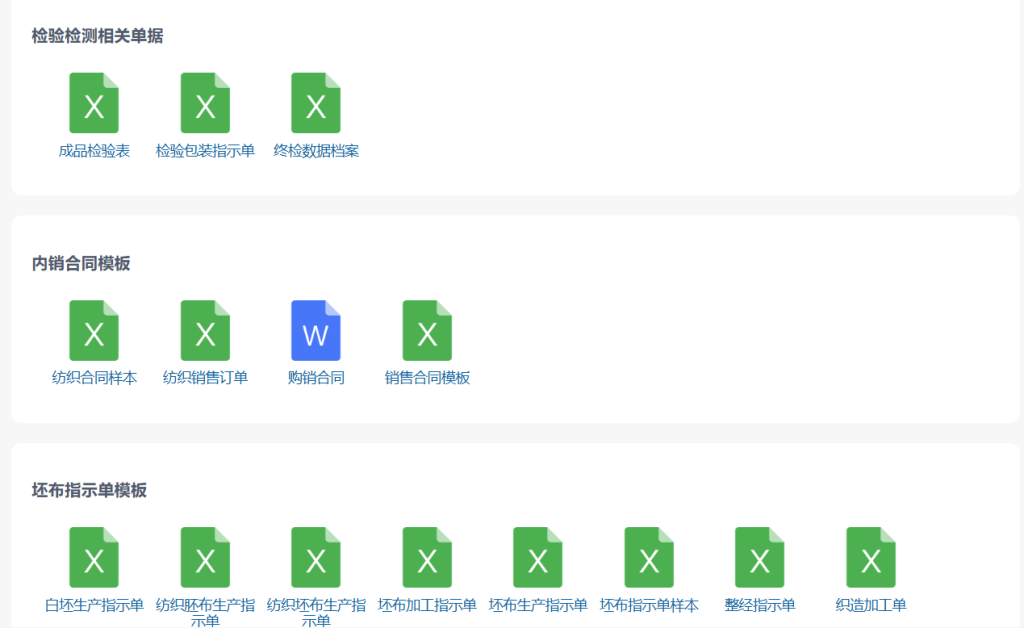
Jenny Software provides a large set of prebuilt file templates, developed from over 10 years of textile-industry experience. They cover all kinds of forms, with new templates added on an ongoing basis.
Resource linking
Each file can be linked to various data objects in Jenny Software, including samples, quotations, sales orders, customers, and more, so files fit into your actual business workflow.
Online sharing
Creating documents
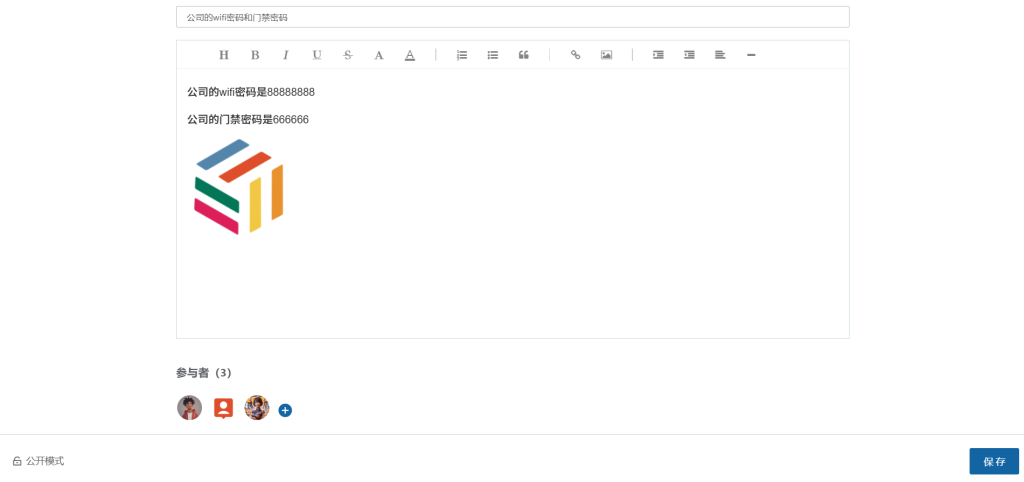
You can create online documents and enter text, links, images, and more, with rich-text editing that includes:
- List formatting
- Bold text
- Font selection
- Indentation settings
- Dividers
Sharing permissions
- Supports private sharing
- Participants can be set
Commenting
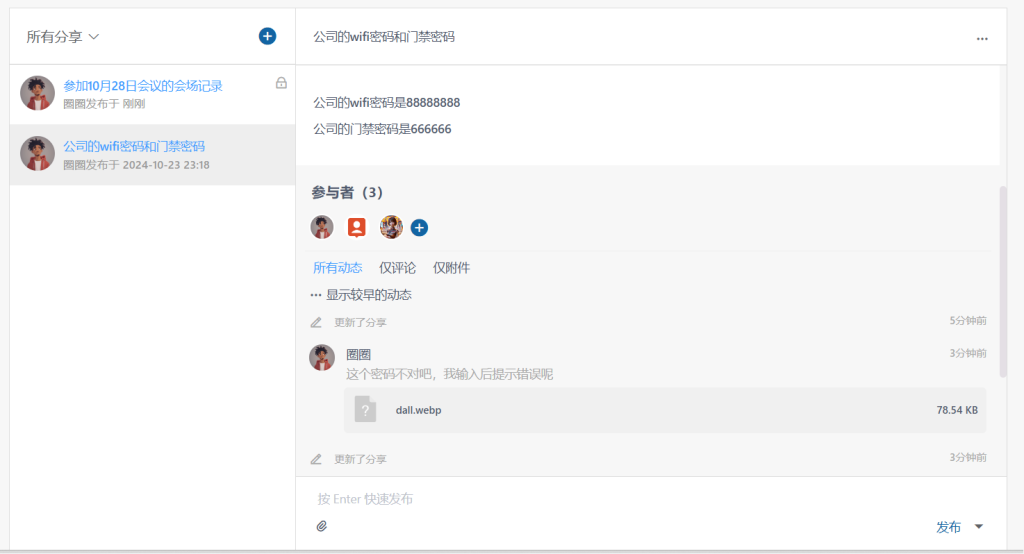
Multiple comments are supported, and users with permission can comment on shared content. Comments can also include attachments.
Resource linking + mobile app
- Cloud drive files can be linked, via "+ Add from resources" in their details, to the corresponding sample / quotation / sales order etc., matching files to business objects. See Resource Linking
- The cloud drive is now live on the mobile app, so you can view and upload files even when you're out
Related articles
- Resource Linking — attaching business objects to files
- Multi-User Task Collaboration
- Internal Sharing