
Software update and iteration log
The software's update log has been public since 2025-05-05, with 2–3 iterations continuing every week to this day.
October 5, 2026
Improved approvals, costing, and sample operations
- Document approval now covers regular sales and purchase orders with separate rules. While approval is pending, downstream shipment, receipt, and payment actions are restricted; approved documents still require staff to record the actual business operation;
- Daily approval work is separated from approval configuration: staff use the approval center, while administrators maintain rules for each business module in settings;
- Greige costing adds an optional Excel worksheet calculation policy, with drafts, confirmed versions, quotation creation, and retained history. Existing costing and quotation records keep their original policy and are not recalculated automatically;
- The color-image limit has increased from 3 to 10 images per color, with multiple-file selection;
- Sample and fabric-product toolbars now group help, web showroom, bulk actions, and creation entries more clearly;
- Companies with the Development bundle can use sampling, the pattern library, and fabric-related sample-garment management together, while existing standalone access remains available;
- Fixed known issues.
See Document Approval, Sample Management, and Sampling Management.
October 4, 2026
Safer production, shipment, and yarn issue/return workflows
- Production shipment now matches prices by product, color, and detail line. Ambiguous data must be checked before inventory and receivables are posted;
- Actual production quantities are based on valid receipts, reversals, and business records, while planned dates and planned charges remain distinct from actual results;
- Yarn issue, return, inventory movements, and order material cost are updated together, with checks for retries, insufficient stock, and approval status;
- Foreign-currency orders retain their original-currency contract and settlement snapshots, preventing settlement in the wrong currency;
- Companies can choose whether internal sample and fabric-product details display the creation time. This does not change the original timestamp or public sharing content;
- Fixed known issues.
See Order Production and Sample Management.
September 28, 2026
Upgraded web showroom browsing, sharing, and inquiries
- Product lists now support paged browsing while preserving category, search, and sorting choices when visitors change pages or return from a product detail;
- Companies can review showroom visits to understand which pages and products attract attention;
- The showroom home page, category pages, and product details can be shared as copied links, QR codes, or posters for the current page;
- Visitor image search now explains company usage limits, and a failed submission can be retried without creating the same inquiry twice;
- Inquiries submitted from the web showroom now enter Workbench → Customer Selections with Web Showroom as their source, so staff can confirm colors, quantities, and sample-delivery requirements;
- Fixed known issues and improved the stability of legacy share links, selection carts, and inquiry submission.
September 21, 2026
Order drafts, production overview, and customer development samples
- Save an incomplete sales order, stock order, or production instruction as a draft, then reopen it from the draft box to continue. Required details still need to be completed before final submission;
- The order overview groups contract, production, inspection, and shipment information by stage, and distinguishes shrinkage for each process from overall loss;
- Contract, process, and shipment template settings have clearer entry points and save feedback. Dyeing production notes are included in document previews and Excel exports;
- Customer details can link, show, and remove development samples for that customer;
- Fixed known issues.
See Order Production and Sampling Management.
September 10, 2026
More complete web and Android workflows for Jenny Fabric Inspection
- The Jenny Fabric Inspection web app can now create inspection tasks, record length, weight, width, defects, and photos roll by roll, and complete automatic grading;
- Save status clearly distinguishes server-confirmed data from locally retained drafts. After a network problem, inspectors can check the server record and recover a local draft, reducing duplicate records and accidental overwrites;
- Completed rolls provide inspection reports and an 80 × 60 mm roll-label preview that can be printed or saved;
- The Android inspection terminal has been updated to version 1.0.15, with improved draft recovery, photo retry, save verification, duplicate-action protection, roll completion, and label preview;
- The web and Android clients continue to share the same company inspection tasks and records, with interfaces and printing methods suited to computers, Windows touch devices, and Android industrial tablets;
- Fixed known issues and improved the stability of roll-by-roll inspection and saving.
See Jenny Fabric Inspection and the Inspection Terminal App.
September 7, 2026
Upgraded Excel document workflows for production and sampling
- Order Production documents—including contracts, production instructions, greige purchasing, packing, and shipping—now use a more consistent workflow for previewing, downloading, and retaining generated Excel files;
- Excel templates support drafts, published versions, version history, and rollback. Administrators can use the visual field designer, undo / redo, and repeating detail-row tools in template settings;
- After a document is successfully created or edited, the system retains the Excel file generated from the template actually used. Refreshing does not create duplicate copies, and later template changes do not overwrite earlier files;
- Lab dips, SO samples, and trial-yardage samples can preview Excel while creating or editing and from saved details; the sampling list also opens a read-only detail drawer;
- Quotations and sample sendings now provide a lighter Excel preview and export entry, while daily document work is kept separate from company template settings;
- Preview windows support enlargement and browser fullscreen, with common actions kept visible and template management or older versions placed under the additional-actions menu;
- Fixed known issues and improved stability across multi-product production, template use, and document viewing.
See Order Production, Sampling Management, and the Document Editor.
September 1, 2026
Clearer web showroom template previews
- The showroom template list now provides lightweight thumbnail previews, making different styles easier to compare before selection;
- Template previews now apply the selected style correctly and keep preview controls from covering the page content;
- Fixed known issues and improved the stability of template browsing and previewing.
August 23, 2026
Embroidery pattern costing and quotation plans
The Pattern Library now includes dedicated costing and quotation plans for embroidery patterns. Prices can be calculated from process time, materials, fixed costs, tax rate, and target daily output per machine.
- Each costing is saved as a separate version, so locked material prices, process time, and calculation assumptions are not overwritten by later changes;
- One embroidery quotation can compare multiple base fabrics, colors, quantities, and final prices;
- Historical quotations can be expanded, printed, or saved as PDF. Saving a quotation does not automatically create a sales order, production instruction, or inventory transaction.
Create customer selections from the sample basket
The sample basket can now create a customer selection directly. Choose the customer, contact, selection date, and samples, then save and open the new selection detail without entering the same sample list again.
August 21, 2026
AI-assisted English printing for quotations and sample sendings
Quotation and sample-sending details now include an English printing flow. The system first prepares English content for review; after correction and confirmation, it prints through the current document template. Key values such as document numbers, quantities, and prices continue to be checked against the source document. Usage is metered, and availability follows the current account permissions and visible page entry.
Separate personal and company account balances
The account balance page now separates personal and company accounts. Employees can view and recharge their own personal account, while the company owner or authorized staff continue to manage the company account. Metered features follow the account rule shown on the page, with recharge and usage records kept separately.
July 17, 2026
Smoother multi-tab workspace
- Multi-tab mode keeps the final page available, so closing other pages still leaves a page where you can continue working;
- After a browser refresh, safe pages can be restored for the current user and company, while in-progress create or edit drafts are not restored automatically;
- Share lists and share details reuse one tab. After you leave a share page, background loading no longer switches you back to it automatically.
New Order Production workbench and monthly reports
Order Production now includes a Production Workbench that brings together tasks, overdue / high-risk items, quantity exceptions, and watched orders according to each user's responsibilities. It also compares contract quantity, issued sub-orders, outsourced quantity, returned material, inspected quantity, stock-in quantity, and shipped quantity, helping merchandisers, buyers, warehouse staff, and managers review production progress in one place.
Order reports now include monthly production views for material purchasing, outsourced yarn dyeing, sizing, weaving, finishing, dyeing / printing, and shipment. Existing order, profit, customer, process, purchasing, receivables / payables, and delivery-warning reports remain available.
More complete yarn-weaving production flow
For yarn-dyed and weaving companies, Order Production can use a company-configured Yarn Weaving mode. The flow starts with yarn suppliers and yarn purchasing, groups yarn arrivals and inventory by order, and then connects the weaving specification sheet with yarn dyeing / sizing / weaving processes. After weaving produces greige fabric, the order continues through the normal downstream greige-production flow.
- Contacts now include a Yarn Supplier type, while purchasing and material inventory can follow the yarn workflow;
- Weaving specification sheets can record warp and weft yarns, density, width, and yarn requirements;
- Outsourcing orders can be moved to the recycle bin and restored, reducing re-entry after accidental deletion.
July 16, 2026
Image Search can prioritize pattern and outline
Image Search now includes an Ignore color (prioritize pattern / outline) option. For lace, trims, prints, and other same-pattern images in different colors, it can reduce the influence of color, background, and text near the top or bottom of the image and prioritize similar patterns and outlines. Leave the option off when you want to search by the overall color and appearance.
July 13, 2026
Clearer permission for assigning Order Production owners
Assigning the owner / collaborators of a production order is now separated from full order editing. This lets the owner, manager, or order lead adjust the people responsible for the order without changing business content such as amounts, product rows, status, or notes.
- You can assign the order owner as well as collaborators such as merchandisers, buyers, warehouse staff, and finance staff;
- Role assignment is checked against company members and supported role types, reducing accidental assignment to unrelated people or incorrect roles;
- Scenarios that previously required full order-edit permission can now be controlled through a separate role-assignment permission, which fits teams with more detailed production responsibilities.
July 11, 2026
Greige / yarn purchasing supports batch arrivals
Greige and yarn purchase orders in Order Production continue to keep the purchase quantity as the plan quantity. Arrival registration now records the quantity and pieces for each arrival batch, which fits suppliers who deliver in several batches, partial receipts, or a final short shipment.
- Arrival history is kept by batch, making each receipt easier to review;
- You can mark a short receipt as the final batch, and actual cumulative arrival may exceed the planned quantity when needed;
- Each purchase order can choose settle by actual arrived quantity. When enabled, payables, unpaid amount, and overpayment are recalculated from the cumulative arrived value; when disabled, settlement still follows the original planned purchase amount.
More complete Order Production and document export
- Yard quantities in Order Production now participate in greige-demand estimation using
1 yd = 0.9144 m; incompatible dimensions such as meters, yards, and kilograms are not added together by mistake; - Outsourcing processes can preview and download the standard Excel sheet even when the company has no custom template yet;
- Dyeing processes can add common color-matching light sources in one click, reducing repeated entry;
- Customer outstanding balance on sales-order printing can follow the company's setting: snapshot at order time or real-time balance.
Workspace, approval, and ticket improvements
- New users now start with the multi-tab workspace enabled by default, while existing users keep their personal setting; the sidebar collapse control has moved back into the left sidebar;
- Order Production approval details now include contract preview, so approvers can check the related contract directly during review;
- My Tickets submission and replies support pasting images from the clipboard, and submission is blocked while uploads are still in progress; completed tickets automatically close if not reopened within 7 days;
- Fixed known issues and improved everyday stability.
July 3, 2026
More reliable fabric-roll label barcodes
The 1D barcode on a fabric roll label is now bound to the real fabric-roll link by default, so scanning it locates the specific roll instead of depending on a manually selected display field such as roll number. Web printing and high-definition PDF printing also wait for barcode generation before printing. Existing saved fabric-roll label templates are handled compatibly and can continue to work with barcode scanners, phones, or PDA devices for stock-out and picking checks.
Order Production: TBD orders, production sub-orders, and instruction orders
The main Order Production flow keeps moving forward. When creating an order, you can now choose the quantity mode: non-TBD / TBD:
- Non-TBD: colors and quantities are already confirmed, so the order is created with complete color details;
- TBD: the contract confirms the total order quantity first, while colors or per-color quantities can be confirmed later.
TBD orders now have a main Production sub-order / Instruction order flow on the detail page. The business team can issue a sub-order for the colors, color numbers, pattern numbers, and quantities that need to be made in the current batch. Each sub-order has its own process line, tracker, finished-goods arrival, inspection and packaging, and completion stock-in; final shipment and receivables are still summarized back on the parent order.
Order Production: smoother process lines and Excel export
- A sub-order can generate its first dyeing / printing / other process in one click, then continue material issue, return, completion, and stock-in along the same process line;
- After finished-goods arrival is registered on a sub-order, ordinary processes are no longer appended, preventing the closing stage from being changed by mistake;
- Process nodes support instruction-sheet preview and Excel export;
- Packaging instruction sheets and outsourcing instruction sheets continue to improve. Packaging instruction sheets under TBD sub-orders can read product rows from the current sub-order;
- Shipment remains summarized at the parent-order level: after multiple sub-orders complete stock-in, they can be shipped together and receivables enter Finance together.
Sales / stock-out tally Excel templates
The Export tally sheet dropdown on sales order and stock-out order detail pages has been upgraded to export through the company's Excel templates:
- Each template can be previewed before downloading the Excel file;
- If there is no template yet, you can open Manage Excel templates to upload an
.xlsxfile, or download a sample template and adapt it into your company's total tally / detailed tally layout; - Exported filenames follow the template name, making it easier to distinguish different customer formats or layouts.
Stock-in roll details, fabric labels, and scan-based stock-out
- Advanced stock-in mode supports choosing net length / net weight as the main inventory quantity. Woven fabric can be stocked by length, while knit or kilogram-managed fabric can be stocked by weight;
- Each roll can carry gross length, net length, gross weight, net weight, lot number, grade, mark color, production date, warehouse location, and other details;
- Stock-in roll-detail import supports Excel files from external fabric-inspection systems and recognizes common columns by header;
- Fabric labels can use more roll-level fields. Barcodes remain suitable for use with scanners, phones, or PDA devices for stock-out and picking checks.
Inventory settings and sample details
- System Settings now clarifies the forbid negative-stock sales behavior: when enabled, sales orders can only select existing stock rolls, and negative-stock entry is hidden and blocked;
- The product picker shows inventory quantity and piece count, making color-SKU selection easier to read;
- Sample sharing fields, gallery ownership, spec-image preview, and image drag-and-drop upload continue to improve;
- Fixed known issues and improved everyday stability.
June 30, 2026
Multilingual support expanded to 17 languages
Jenny Software's interface languages continue to expand. The current supported set is 17 languages:
Simplified Chinese / English / Russian / Korean / French / Vietnamese / Italian / Turkish / Japanese / German / Spanish / Portuguese / Arabic / Thai / Bengali / Indonesian / Traditional Chinese.
- Login, registration, main navigation, menus, and commonly used business pages continue to receive multilingual coverage;
- Browser language can be matched automatically to supported languages, with English as the fallback when unsupported;
- Arabic supports right-to-left layout;
- Language resources load on demand to reduce the initial wait time;
- Sample records can now carry multilingual data for name, composition, width, weight, and spec, making showroom, buyer-portal, and export-material display easier.
Sample management improvements
- When creating or editing a sample, images can be dragged between the public, internal, and private galleries to adjust ownership, making external sharing and internal archiving clearer;
- Sample bulk import has been enhanced: one sample can include multiple finished-product suppliers / greige suppliers, and the system prechecks headers while recognizing common field aliases;
- Sample stock import can include warehouse-location information when the latest template provides those columns;
- Sample code auto-generation now supports ordered rule segments such as fixed text, initials from the name, year, month, field-mapping codes, and an incrementing serial number; manually entered codes and Excel-imported codes take priority and are not overwritten; previewing does not consume the serial number, and numbering continues from the largest existing code in the same format;
- Electronic color cards and color-card recognition continue to improve. Use the actual in-app entry as the source of truth.
Mobile order production keeps catching up
iOS / Android / HarmonyOS continue to fill in order-production capabilities, including order viewing, follow-up records, approvals, greige purchase / arrival, shipment, reports, and Excel export. Different platforms may open entries in batches through app-store releases; use the actual in-app entry as the source of truth.
Fabric-inspection report template updates
Report templates in the fabric-inspection terminal have been refined so fields, layout, and four-point-system results are more consistent between the PC side and the inspection terminal, making reports easier to print, archive, and send to customers.
Other updates
- Improved multilingual emails, login pages, and mobile display details;
- Fixed known issues and improved everyday stability.
June 16, 2026
Major Order Production upgrade: split by role + dual-receivables basis
The order detail page is now organized into role-based tabs — "Overview / Tracker / Buyer / Warehouse / Finance" — so after logging in, each role sees and operates only its own slice (the tracker handles process progress, the buyer handles greige arrivals, the warehouse handles stock-in / stock-out, finance handles receipts / payments), without stepping on one another, each minding its own stretch.
The finance basis is upgraded to dual receivables, separating "signing the order" from "shipping" into two calculations:
- Expected receivables (contract amount) = unit price × quantity, present from the moment the order is signed, but not counted toward the customer's account payable (nothing shipped yet, so no real debt);
- Shipped receivables = cumulative shipped amount, counted into the customer's account receivable line by line (you only owe for what's been shipped);
- Outstanding = shipped receivables − received.
This way you can see both "the total value of this order" and avoid counting unshipped goods as customer debt prematurely — reconciliation is more accurate.
Other Order Production enhancements
- Proforma Invoice (PI) field: export-trade orders can fill in a PI number, carried out when exporting the contract Excel;
- Custom fields + Excel template for the inspection / packaging step: inspection & packaging can configure their own fields and export with their own Excel template;
- Greige purchase arrivals: arrival registration for greige purchases within an order goes more smoothly;
- Contact units support subcategories: suppliers can be managed in finer detail by subcategory;
- Completion stock-in can export an Excel roll-detail sheet: export per-roll net length / lot number / roll number to Excel in one click, to send to the customer or keep on file.
June 13, 2026
Sample import supports multiple suppliers
The Excel template for batch sample import supports one sample mapping to multiple suppliers (finished-product / greige suppliers each carry a code, name, and quote); before import it pre-checks, with fault-tolerant recognition of header column names, and the supplier columns follow the field settings — supplier columns you haven't enabled under "Field Management" don't appear in the import template, so you won't be tripped up by extra columns.
June 12, 2026
Order Production flow upgrade: full timeline + drawer-style operations
The order detail's project-progress timeline is now complete: every node from "order confirmation → greige purchasing → each process (outsourcing) → completion stock-in → shipment" sits on one timeline, and clicking a node opens a drawer-style operation panel (completion stock-in, sales shipment, and finished-product arrival are all done inside drawers, no more jumping around).
- Outsourcing orders reviewed independently: an outsourcing order runs its own approval flow (pending submission → submitted for review → approved); until it's approved you can't issue material / return goods / complete, and you can't add the next process until the previous one is approved;
- Approved orders can't be changed freely: an approved order's key content is locked to prevent mistaken edits;
- Deleted contracts go to the recycle bin: accidental deletions can be recovered;
- Contract templates moved to a standalone settings page: maintenance of contract field templates and Excel templates moved out of the order detail to the standalone "Order Production → Settings → Contract Template Settings" page (fixing the earlier template value-bleed problem at the root) — when creating an order you just "pick a template + tweak this one order". See Sales order contract fields.
HarmonyOS edition officially live on the Huawei AppGallery
The native HarmonyOS edition previously submitted for review has passed and is now officially live on the Huawei AppGallery: on a Huawei phone, search "珍妮纺织软件" (Jenny Textile Software — the HarmonyOS edition's listing name) in the AppGallery to download, or scan the QR code on the official download page to jump straight to the store listing. The HarmonyOS edition keeps improving — if you run into an issue, the Android edition is a ready fallback.
New "pattern & number" column in order color details, with Pattern Library autocomplete
For printed-fabric orders, pattern info finally no longer has to live in the notes — the color details on the order-creation page gain a 「花型花号」 (pattern & number) column right after the color number:
- Type it in directly, or use Pattern Library autocomplete: as you type, the Pattern Library is searched by number / name / base fabric / tags, suggestions appear as "pattern name + number" combos, and selecting one fills it back in; companies not using the Pattern Library just keep typing by hand, undisturbed
- The 「生产计划单」 (production plan sheet) printed for the dyeing process now auto-fills its pattern & number column — when the outsourcing detail line has none of its own, the value is matched back to the order's product row by color
- Excel contract templates' product detail rows gain the
{{产品.花型花号}}(pattern & number) placeholder (the field chips in the template manage dialog are updated in step — click to copy) - The product rows at the top of the order detail show the pattern & number in small orange text — visible at a glance
Bind an instruction-sheet Excel to a process — outsourcing exports apply it automatically
Give each process its own instruction-sheet Excel template, and stop digging through the template list when exporting outsourcing instruction sheets:
- New "Instruction Excel" column on the process settings page: each process can bind / rebind one outsourcing-instruction Excel template (a green tag shows once bound); in the dialog, pick an existing template or upload a new one directly — it's auto-selected after upload
- Auto-applied on outsourcing export: in the "Export with my template" dropdown of the outsourcing detail drawer, the process-bound template is pinned to the top with a green "process-linked" tag; when no template is specified, the system automatically applies the process-bound one as well
- One-click export from the timeline: the process nodes of the order detail timeline gain an "Excel instruction sheet" button next to "View details" — click it to export with that process's bound template directly, no need to open the outsourcing detail first
- No hand-typing placeholders when building a template: the binding dialog lists clickable field chips in groups — outsourcing order fields / contract fields / product detail rows / this process's craft fields — one click copies the
{{字段名}}(field name) placeholder, curly braces included - If a process has no bound template yet, a clear prompt points you to "Order Production → Process settings" to bind one
Outsourcing instruction Excel combines data sources: contract fields + contract product fields
An outsourcing instruction sheet often needs the craft requirements plus the customer, delivery date, and product parameters spelled out — the instruction-sheet Excel template can now pull data straight from the order contract this process belongs to, combining sources in one template:
- Contract fields:
{{合同编号}}(contract number),{{单据日期}}(document date),{{交货日期}}(delivery date),{{款号}}(style number),{{客户}}(customer),{{客户地址}}(customer address),{{我方抬头}}(our company header),{{合同备注}}(contract notes),{{合计数量}}(total quantity),{{合同金额}}(contract amount) and more; custom fields from "More contract info" use the field name directly - Contract product fields: the document-level 产品编号 (product code) / 产品名称 (product name) / 成分 (composition) / 门幅 (width) / 克重 (weight) / 规格 (spec) / 花型花号 (pattern & number) take the first product; detail rows auto-match the contract's product row by color, filling in
{{产品.色号}}(color number),{{产品.花型花号}}(pattern & number),{{产品.成分}}(composition),{{产品.门幅}}(width),{{产品.克重}}(weight),{{产品.规格}}(spec),{{产品.单价}}(unit price) - Data priority: fields the outsourcing order has filled itself are never overwritten by the contract; the process's craft fields take top priority
New "tracker" Excel placeholders — and outsourcing instruction sheets can pull the "salesperson" too
Both contract and outsourcing-instruction Excel templates can now pull the people handling the order: {{业务员}} (salesperson) takes the order's salesperson (contract templates supported it all along — outsourcing instruction sheets now do too); {{跟单员1}} / {{跟单员2}} / {{跟单员3}} (tracker 1 / 2 / 3) take the order's trackers in order, and {{跟单员}} (trackers) joins all the trackers with the Chinese enumeration comma. The field chips in each template manage dialog are updated in step — click to copy.
Contract "seller header" renamed "our company header"
The "seller header" on order contracts is now uniformly called "our company header": the order-form field label, the optional field block on the detail page, and the Excel template placeholder all carry the new name; the field has also moved from its own row to the 3rd column of the style number / delivery date row, right below the customer field, so the fill-in order feels more natural. Existing data is unaffected — only the name and position changed.
Note: in Excel contract templates, switch the placeholder to {{我方抬头}} (our company header) — the old {{卖方抬头}} (seller header) has been discontinued. If a template still uses the old name, just rename the placeholder and it exports as before.
Excel contract templates: set default / duplicate-name block / manage dialog
"My Excel contract templates" gains three management capabilities:
- Set a default template: each document type can designate one default template, which new orders bind automatically; on export, the template is picked in the order "order-bound template → default template → the company's only template", and if an order's bound template gets deleted, export falls back to the default automatically — it never fails for that reason
- Duplicate names blocked: uploading or renaming a template to an existing name is blocked, avoiding same-name confusion
- New template "Manage" dialog on the order edit page: set default, rename, and delete all in one place (the detail page's existing delete / rename entries also gain "set as default")
"Frequently used" toggle for processes
The process settings page gains a "Frequently used" toggle (shipped yesterday as "Enabled", now renamed with an explanatory hint added): switch off the processes you rarely use and they no longer appear in the "Add process" picker on orders, keeping the picker lean; the process settings page still shows every process, so you can switch one back on anytime. The "Add process" picker also gains guidance — if you can't find the process you want in the list, a hint points you to "Process settings" to mark it frequently used or create a new one.
- The toggle only affects the picker: processes already on orders are snapshots and are never affected
- Existing companies' processes all default to frequently used, so nothing changes; for newly registered companies, only the dyeing / printing presets and those with "packaging" in the name default to frequently used — switch on the rest as needed
- The three basic processes — dyeing / printing / packaging — are always frequently used: their toggle cannot be switched off (hover hint 「基础工序,始终常用」, "basic process, always frequently used"); the preset process 「包装指示」 (packaging instruction) has been renamed 「包装」 (packaging)
- Fixed "a process taken off frequently-used still shows up in the order's Add process list" — the picker now follows process settings exactly: what's marked frequently used is exactly what shows; legacy processes whose toggle display didn't match their actual state were corrected along the way
- Marking a process frequently used while it has no instruction-sheet Excel bound yet triggers a soft reminder (nothing is blocked) — you can click "Bind" right on that row to set it up
Preset contract templates seeded for new companies
The first time a newly registered company opens the contract template list, the system lays out a set of preset contract templates automatically — ready to use out of the box, no building from scratch; existing companies are unaffected.
Experience improvements
- When an order has more than 6 contract fields, the order detail's "Contract info" now shows only the first 6 by default, with a new "Expand all N fields / Collapse" button — contract-heavy order detail pages no longer get stretched out
- The yellow "estimated greige" banner at the top of the order detail page is gone; instead, a single line of gray text next to the greige guidance on the "Order confirmation" node shows "estimated greige requirement ≈ X m" — same data, same algorithm, just no big banner in your face
- The 「字段配置」 (field configuration) in process settings switches to drag-and-drop ordering: hold the drag handle at the start of a row (four-way arrow icon) and drag up / down to reorder fields (the old move up / down buttons are gone)
- Process field types gain "multi-line text": long text like dyeing requirements and craft notes finally has a place to go — shown as a 3-row-high multi-line input occupying a full row in the order's "Add process" form and the outsourcing detail editor
- The order's "Add process" dialog no longer forces a 「缸号」 (dye-vat number) field, and "planned quantity / unit" are tucked away at first too (record them at material issue) — data on existing orders is unaffected; if you need a vat number, add one yourself in the process's field configuration, or fill in the batch number when registering an issue batch
- The metric cards at the top of the "Business Data" dashboard switch to a fixed two-row, full-width layout with wider cards — longer amounts like "55.09万" (¥550.9K) no longer overflow the card
June 11, 2026
Outsourcing processing fees flow into payables, offset them on payment orders
The first step of wiring Order Production into Finance: outsourcing processing fees now enter financial payables — no more side spreadsheets to track how much you owe each mill and how much you've paid:
- Counted in payables: the payables summary and each processing mill's supplier statistics now include outsourcing orders' unpaid processing fees; the accrual scope is outsourcing orders that are partially returned / fully returned / completed (orders just created or only issued are treated as estimates and not accrued yet)
- Offset via payment order: when creating a payment order, you can tick outsourcing orders directly to offset their processing fees — the offset amount writes back to the outsourcing order's paid amount automatically, and voiding the payment order rolls the offset back. Entry: the outsourcing offset section on the create / edit page under "Finance → Payment orders"
- The original manual payment-entry option in the outsourcing detail remains as a supplement (a hint has been added); the two added together make the total paid
Note: all of the above applies only to companies with Order Production enabled — zero change for pure-inventory users.
Deposits / progress payments can be linked to the production contract
The 30% deposit or progress payments your customer pays finally have a proper home: the receipt order gains a "link to production order contract" offset section — a receipt can be attached directly to a contract, and the contract's received deposit accumulates automatically; the profit-card area of the order detail page gains a "received deposit" card.
Note: a deposit attached to a contract still counts toward the customer's advance balance until it is offset against receivables — the customer's statement net amount won't be wrongly deducted.
Don't-forget-the-sales-order reminders
To keep you from finishing production and forgetting the sales order — leaving receivables unrecorded — the system now reminds you in three places:
- After the completion stock-in saves successfully, a dialog asks "generate the sales order now?"
- The production order detail page shows a yellow banner with a "Go generate the sales order" button
- The order list tags the corresponding document "sales order pending"
Reminders only — no amounts are ever changed automatically.
Stock-in on partial completion
"Completion & stock-in" no longer requires every process to be finished — as long as any process has returned goods, you can stock-in and sell first (a partial-completion stock-in asks for a second confirmation). After a partial stock-in the order stays "In production", later batches can keep stocking in, and the order only advances to "Completed & stocked-in" once all processes are done — built for staged-delivery scenarios.
Undo completion
Completed outsourcing processes gain "Undo completion": after undoing, you can edit the issue / return batches — the system automatically recalculates shrinkage, totals, scrap remainders, and the paid amount, and reverses the related financial offsets; just re-complete the process when you're done. Undo is not allowed once the next process has issued material. Undo operations are recorded in the order timeline for the audit trail.
Note: the rules tighten in step — once a process is completed, its issue / return batches can no longer be added or removed directly; undo completion first. Text such as notes, and the unit price, can still be edited directly after completion.
Sales order auto-carried after completion stock-in
Once the completion stock-in is saved, the system jumps straight to a sales order with the stock-in document's products and detailed rolls (roll numbers, yardage) pre-filled as-is — no more searching for products or picking rolls one by one; the whole line is wired up. The sales order ships exactly the real inventory rolls from the stock-in, so legacy dirty data no longer triggers false "insufficient inventory" blocks; also fixed the blank product name when Order Production products were pre-filled into the sales order.
Business Analysis gains "this year's production order profit"
The Business Analysis page gains a big "This year's production order profit" card: a per-order roll-up of this year's production orders' net revenue and profit margin under a unified calculation, matching the per-order profit on the order detail page; the total-payables figure now also includes outsourcing processing fees, so the number reflects reality. Visible only to accounts with the "Orders – View Profit" permission in companies with Order Production enabled — the page is completely unchanged for pure-inventory users.
Business Data Dashboard open to all companies
The old "Production Board" is upgraded to the "Business Data Dashboard", with the trial restriction removed — every company can use it:
- Three new cards: receivables, payables (including outsourcing processing fees), and account balance; profit data uses the same calculation as Business Analysis
- Pure-inventory companies automatically hide production metrics — no interference from production features
- The entry is unified as "Business Data" in the left menu, opening in a new browser tab (the old dashboard icon in the top bar is gone)
- The shipping province is configured in the settings drawer behind the gear icon in the dashboard's top-right corner (the gear's previously unresponsive click is fixed), with card layout and styling polished along the way
- Access control: visible only to the company owner by default; the owner can authorize specific employees under "System Settings → Order Production Settings" — unauthorized employees won't see the menu entry, and direct access to the page is blocked as well
Cloud drive temporary upload links
Collecting files from outside parties no longer means passing them back and forth over chat: the cloud drive page gains a "Temporary Upload Link" button that generates a no-login public upload page link — send it to customers, factories, or other outside parties, they open the page and upload files directly, and the files land in the cloud drive folder you specified.
- A link can carry a validity period (30 minutes to 3 days) and can be revoked at any time
- Limits: 90MB per file, 1GB in total, up to 100 files; guest uploads are rate-limited, so your own team's use isn't affected
- Uploaded files count toward the company's cloud drive quota as usual
Process categories reorganized into five groups
Outsourcing process categories have been reorganized into five major groups — dyeing, printing, post-processing, inspection & packaging, and weaving: the "sampling" category is removed; "embroidery" is merged into post-processing; under printing, the former "printing" process is renamed "water printing" and "direct-jet printing" is newly added; the dyeing category is ordered as dyeing / finishing / yarn dyeing. The process settings page now shows per-category tabs, and adding an outsourcing process also picks by the new categories; older processes without a category are auto-classified by name for display. Existing companies' processes are not forcibly migrated — let us know if a category looks off.
Outsourcing material issue supports hand-typed batch numbers (no inventory deduction)
The outsourcing material-issue dialog no longer forces a greige inventory pick — it's now either-or: pick greige (deducts inventory), or type a batch number by hand (no inventory deduction) — material can still be issued when the greige was never entered into system inventory.
Lay out every process in advance
Adding the next process no longer requires the previous one to have returned goods: you can lay out all processes at once before work starts (they can be added with issue / return still empty), then work through them at the actual pace — more flexible scheduling.
Excel contract templates: four new product detail-row fields
The product detail-row placeholders of "My Excel contract templates" gain {{产品.成分}} (composition), {{产品.门幅}} (width), {{产品.克重}} (weight) and {{产品.规格}} (spec) — on a multi-product contract, every line can show its own product's values (previously these four were document-level only, taking the first product's values).
Greige product fields slimmed down
The greige product form has been slimmed down considerably, keeping only the fields the greige scenario actually uses: code / name / composition / width / weight / spec / lot number / main unit / greige supplier / supplier's code / supplier's name / notes; fields greige doesn't need — category, dye-vat number, secondary unit, conversion ratio, unit price, etc. — have been removed. Existing data is unaffected.
Experience improvements
- When saving an order's "More contract info" as a template, each field's currently filled value is now stored into the template as its default value — brought in automatically the next time the template is applied, no refilling
- The greige purchasing list's row actions keep only "Edit" and "Delete"; goods-arrival registration is handled on the purchase order's edit page, avoiding the confusion of two entry points
- The system print entries for the outsourcing material-issue / return / transfer sheets are temporarily hidden; these documents are planned to switch to generated-Excel output — let us know if you need them
- Fixed the automatic greige cost computing as 0 in batched material-issue scenarios, which inflated the gross margin. Note: the profit figures of existing batched-issue orders will change accordingly — they're now correct (the greige cost is included), not wrong
June 10, 2026
New "Development" entry in the left menu
The workspace gains a new second-level "Development" menu (above "Opportunities"), containing Sampling Management, Pattern Library, and Finished Products moved over from "Opportunities" (sample garments / shoes, bags & accessories / home textiles — functionality unchanged). "Development" is a standalone permission point, available to the owner and administrators by default; other roles can be granted access under "Personalization → Role Management" (roles that already have the sample-garment management permission can still open Finished Products as before).
One-click "Convert to Bulk" for approved sampling orders
Once a sampling order is approved, it can be converted to bulk production in one click: the system jumps to the Order Production sales-order creation page with the sample info carried over; saving the order writes back to the sampling order — the list then shows "Converted to bulk →" linking straight to the bulk order, and a second conversion attempt is automatically blocked. The sampling list also gains stat cards at the top (total / in sampling / awaiting confirmation / approval rate / average cycle time / converted to bulk).
Pattern Library launched
A printed-pattern asset library: one pattern with multiple colorways / base fabrics, managed as image cards, filterable and searchable by category (floral / geometric / animal, etc.), source (in-house design / purchased artwork / customer-supplied) and tags. The "pattern number" field on SO-sample sampling orders offers autocomplete suggestions straight from the pattern library.
Pattern Library "search patterns by image"
The Pattern Library ("Development → Pattern Library") adds a 「以图搜花」 (Search Patterns by Image) button: drag in or upload a pattern image and find similar patterns in your library within seconds.
- It searches only your own company's pattern library images — fully separate from sample image search
- It shares the same activation as the sample "image search": if samples have it enabled, the pattern library works right away; if not, you'll be guided to the app marketplace
- Saved patterns are added to the search index automatically — give it a moment and they become searchable
Labels support 1D barcodes (Code128)
The label editor toolbar adds a "Barcode" element: bind it to a field such as roll number or sample number (fabric labels default to the roll number, others to the sample number; custom fields can be bound too), and a Code128 1D barcode is generated at print time that barcode scanners can read directly. Supported across sample / color / fabric labels, both web printing and high-definition PDF.
Note: barcode content supports digits / letters only, up to 80 characters (a barcode bound to a field containing Chinese characters is skipped at print time), and the barcode shouldn't be drawn too narrow. Before printing in bulk, print a single test label and confirm it scans.
8 new system presets for fabric labels
Label Management → Fabric Labels → "Add preset label" gains 8 general-purpose fabric label templates (multiple layouts in Chinese and English). Company name, sample number, lot number, roll number and so on are all dynamic fields — print right after adding, or use them as a starting point for your own design.
"Dyeing & finishing" field
Field Management adds an optional "Dyeing & finishing" field: once enabled under "Personalization → Field Management", it can be filled in on the sample form, bound in the label editor, and is automatically replaced with the sample's actual value at print time. Other custom fields enabled in Field Management can likewise be bound to labels and printed.
Sample price, supplier and cost information reorganized
In response to feedback that "the same money has to be typed in several times" on the sample edit page, the price / supplier / cost information got a round of focused cleanup:
- Clearer default price-field names (only the default names change; names a company has customized are untouched): 「进货价格」(purchase price) → 「成品进货价」(finished-product purchase price), 「成品价格」(finished-product price) → 「成品销售价」(finished-product selling price), 「样品价格」(sample price) → 「米样价格」(meter-sample price) — same meanings, much harder to mix up
- "Adopt" one-click pricing: the "finished-product purchase price" and "greige price" inputs gain an "Adopt" dropdown on the right — one click fills a supplier's quote into the price field (for suppliers with itemized costing enabled, the converted quote is used)
- Standalone cost block on the detail page: cost fields are gathered into a grey "Cost calculation" block with formula notes, shown only to users with cost permission
- Suppliers at a glance on the detail page: finished-product suppliers / greige suppliers / factories are listed row by row — number, name, spec, quote, processing fee all show directly once filled in
- New permission point "Sample - view costs": check it per role under Personalization → Role Management (unchecked by default); it works alongside the original finance-settings authorization list, for more flexible access control
- Quick-add completed: the quick-add dialogs for greige suppliers / factories now include contact info (multiple entries supported), region and street address, consistent with finished-product suppliers
Excel template export for documents: contract / quotation / sample dispatch order / outsourcing instruction
No more bending to the system's layout — use the Excel documents you already work with as the template:
- Replace the cells you want auto-filled with
{{field name}}placeholders (they can be mixed with text, e.g. "Contract no.:{{单据编号}}"), save as .xlsx and upload; on export, the order data is filled into your own layout - For product line items, write a single row in the table area with
{{产品.颜色}}(product color),{{产品.数量}}(product quantity), etc. — on export the row is duplicated automatically per color line, formatting included - Custom contract fields from "More contract info" and the per-process process fields of outsourcing orders map by simply writing the field name — zero configuration
{{金额大写}}is supported for the RMB amount in Chinese capital characters; a placeholder occupying a whole cell keeps its numeric type, so SUM formulas in your template keep working- Orders can bind an Excel contract template: bind it at the very top of "More contract info" when creating an order; "Export contract Excel" on the order detail page is then one click, with the bound template marked "★ bound to this order" in the dropdown
- Quotation / sample dispatch order detail pages and outsourcing order details gain "Export with my template", plus a "Download example template" (it ships with an "instructions" worksheet listing every available field) — starting from the example is the fastest way
The previous web-print entries on the order-production detail page ("print contract / print instruction sheet", etc.) are temporarily tucked away in favor of Excel template export; they will return once the print feature is fully polished.
Order Production: sales order creation page revamped
- Product info focused on six everyday fields: number / name / composition / width / weight / spec; picking "from the sample library" auto-fills the product number
- Smoother color line items: for products taken from samples, the color column becomes a dropdown of the sample's colors; type a new color and press Enter to quick-add it
- "Contract info" is renamed "More contract info", with two fields per row for a tighter layout; contract field templates support "Set as default" — new orders auto-apply the default template, with field defaults (e.g. payment terms T/T 30%+70%) pre-filled
- New "contract seller header" field: defaults to your company name, editable; reference it in Excel contract templates as
{{卖方抬头}} - Staff assignment (sales / merchandiser / purchasing / finance) moves to editing after the order is saved; on creation, the salesperson defaults to the document creator — placing the order is faster
- Simplified buttons: the standalone "temp save" is gone; with approval enabled the buttons are "Save" (saves a draft) + "Submit for approval"; with approval off, "Save" takes effect directly
Sales order "previous balance" frozen at issue time
The "previous balance" shown on sales order details / prints is now a snapshot frozen at the moment the order is issued: later orders or receipts from the customer no longer retroactively change the previous balance displayed on historical documents (it used to be computed live, so the previous balance on old documents got "polluted" by subsequent business). For documents created before this release, the value is back-calculated once as of the document's creation time and permanently fixed the first time the document is opened.
Android App 2.6.8 submitted to app stores
Android 2.6.8 has been submitted to the app stores:
- System field names follow the desktop "Field Settings": rename a field on the PC (e.g. "purchase price" to "finished-product purchase price") and the App's Chinese-language forms / details / search follow along automatically — the two ends no longer disagree on names
- The sample detail supplier summary rows show the quote / processing fee: finished-product / greige supplier rows show the quote and factory rows show the processing fee directly, without opening the supplier tab; quote visibility follows the desktop field-permission settings
Experience improvements
- Fixed the label editor issue where, right after opening a template, elements could not be selected by clicking directly (previously you had to drag-select once before clicks would register)
June 9, 2026
Brand-new "Development" module · Sampling Management launched
Fabric development sampling and bulk production are now formally separated, with the new Sampling Management:
- One list manages three types of sampling orders: lab dip (solid-color matching) / SO sample (hand strike-off for prints) / piece sample (small pre-production batch), each with its own dedicated fields (dye recipe / color-matching light source / number of print colors / process route / acceptance criteria, etc.)
- One-click status flow: pending → in sampling → awaiting confirmation → approved / rejected, where a rejection automatically bumps the version by +1 — how many rounds it took is visible at a glance
- Order numbers are auto-generated (DV + date + sequence number), with filtering by type / status and search by order number / sample / customer / factory
System process fields refined + new lamination / inspection processes
- The process fields of the system preset processes have been re-curated process by process, instead of one shared set per whole category (for example, "soaping" now uses soaping agent / temperature / time / number of cycles / fastness)
- 4 new system processes: bonded lamination and coating lamination (lamination category), finished-product inspection and physical & chemical testing (inspection category)
- Existing outsourcing orders store a snapshot of the process fields taken at creation time, so they are not affected by this adjustment
Experience improvements
- Fixed an issue where generating a purchase order through sales-driven purchasing could duplicate piece-level details, doubling the quantity / amount shown on the sales order; repeatedly saving / editing the purchase order no longer stocks in twice
- After deleting a purchase order generated by sales-driven purchasing, the related piece-level details automatically return to the "not purchased" state and a purchase order can be generated again
June 8, 2026
CRM customer management listed in the app marketplace
JennyCRM (a standalone AI-native CRM: customer public pool / follow-up records / the full opportunity-funnel flow) is now officially listed in the app marketplace, and any company can purchase and activate it:
- Find "CRM customer management" under "Enterprise Operations → App Marketplace" and purchase to activate (pricing as listed in the marketplace)
- Once activated, a "CRM customer management" entry appears under the left-menu "Opportunities" — click for password-free access straight to jennycrm.com, no separate registration needed
- Whether employees can use it is controlled by the new "CRM" permission point in "Role Management" (unchecked by default; the company owner has access by default)
See JennyCRM Customer Relationship Management for details.
In-app "changelog" moved to a top-right button
Updates ship frequently, and the automatic pop-up was too intrusive — the in-app changelog no longer pops up on its own. Instead, the desktop gains a rocket-icon button in the top-right (to the right of the help question mark): when there's something new, only a red dot lights up; clicking it slides out a timeline drawer from the right where you can browse all published updates by date — read it only when you feel like it.
Quotations / sample dispatch orders searchable by product number and name
The quotation and sample dispatch order lists add a "product number / name" search box: type a style number or product name to find every document containing that product. Combined with the customer filter, "what have we quoted this customer for that style" takes a second to answer — no more flipping through documents one by one.
Experience improvements
- Purchase / renewal payment fix: fixed an issue where clicking "Pay now" occasionally spun forever with no response; payment failures now show a clear message; companies whose Enterprise plan has expired can now purchase the Personal plan
- The quote input for a sample's greige supplier can now be cleared normally (previously a cleared value was force-refilled with 0)
- Stock-In / purchase order piece-level details show the advanced-field columns: for rolls entered in advanced mode, the details directly display gross length / weight (kg) / batch number / production date / grade
- Stock-In advanced mode no longer requires a width for every roll in roll-by-roll entry (each roll's width uniformly takes the sample's nominal width, cutting redundant input)
June 7, 2026
Jenny Smart Assistant (AI agent) lands on the desktop
The desktop top bar adds a Smart Assistant entry (robot icon): ask about your own business data in plain language — "who owes me the most money", "find some brown linen samples", "what's this month's sales" — and the data is fetched within the asker's own permissions. Samples come back as cards, receivables aging as charts, and it can even draft quotations / sample dispatch orders and other documents for you (saved only after you confirm).
- Who can use it: only the company owner by default; the owner can authorize employees one by one under "Personalization → System Settings → Smart Assistant" (employees still only see data within their own permissions)
- PC floating button: the same page can enable an always-on floating entry in the bottom-right corner (off by default; the top-bar entry is always there)
- Trial credit: paid-plan companies automatically receive a ¥5 trial credit on first use
See Jenny Smart Assistant for details.
Customer inquiries convert to quotations / sample dispatch orders in one click
The showroom inquiry and share inquiry lists add a "Convert" dropdown: when the customer picked samples in an inquiry, you can convert it directly into a quotation or a sample dispatch order — the samples the customer chose are carried into the document line items, and the customer's name / phone / company name are written into the document remarks, so you can respond with a quote that much faster.
Sales-driven purchasing: saving the purchase order now clears negative stock automatically
One less step in the common "sell first, buy later" flow of secondary wholesalers: when you "generate a purchase order" from a sales order (sales-driven purchasing), the carried-over piece-level details are automatically marked as received — the moment the purchase order saves successfully, the system replenishes stock per the piece-level details and the earlier negative stock zeroes out, no separate manual "receive goods" step needed (previously, if that receiving step was missed, stock stayed negative indefinitely). Manually created regular purchase orders are unaffected — they still stock in upon confirmed receipt.
Experience improvements
- Better compatibility for vertical label printing: fixed text now supports vertical layout too, and PDF output adds compatibility handling for older print engines
- Stock-In single-roll label printing: roll numbers containing special characters such as # and & no longer cause errors
June 6, 2026
Stock-In: print a barcode label for every roll in one click
Stock-In piece-level details add a "Print all roll barcodes" button — one QR-coded label per roll; stick them on the fabric rolls and you can scan to pick / stock out. Reprinted single-roll QR codes are also upgraded to identify the specific roll when scanned (previously they were plain text and unscannable). For very large batches (roughly 50+ rolls), printing in batches is recommended.
Inventory supports storage locations
- Bulk goods (roll level): in Stock-In advanced mode, each roll can record a storage location (e.g. Zone A - rack 3 - level 2) noting where the roll sits in the warehouse; the Stock-In piece-level details show a "location" column. Locations are find-the-goods markers only and do not affect stock quantity calculation or deduction
- Sample inventory: the sample inventory page adds an inline "Edit location" action — pick or type locations in a dialog (multiple allowed, with autocomplete from existing locations); saving writes them to the sample's location field and the list updates in sync — no more opening the sample edit page just for this
Sample image limit raised to 50
The limit for all three galleries (public / internal / private) rises from 9 to 50 images per sample — no more trade-offs for styles with many color cards. Single images over 10MB are automatically compressed before upload, no manual handling needed.
Sample basket: one-click selection booklet export (PDF / PPT)
The sample basket toolbar adds "Export selection booklet": a cover page plus one page per style (large image + number / name / composition / width / weight / spec), A4 portrait. Choose PDF (send straight to the customer) or PPT (editable afterwards) — up to 50 styles per export, generated entirely locally in your browser.
"Inquiry" menu renamed "Customer inquiry"
The workspace "Inquiry" menu is renamed "Customer inquiry", making the distinction clearer between "a customer asking us for a price" (customer inquiry) and "quoting samples from our own library" (quotation). The three entries — reference-sample (image) inquiry / showroom inquiry / share inquiry — are unchanged.
Statements: quantity totals + product details shown inline
- Quantity totals: customer statements add quantity totals, grouped by unit (meters / yards / kilograms are never added together) — the internal statement shows the "quantity total for the period", and the public statement page shared with customers shows the same "quantity total" at the top
- Product details shown inline: the product details (item, quantity, amount) of each sales / return entry on the statement are now permanently displayed inline beneath the document number — no more expanding row by row
Weaving (fabric-forming) process chain + yarn dyeing
Order Production fills in the processes before greige:
- Process settings add a "Weaving" category of system preset processes: winding / warping / sizing / drawing-in / weaving / knitting / greige inspection, covering the yarn-to-greige fabric-forming stage, with matching process-field templates (warp yarn / weft yarn / warp density / weft density / width / weave / machine / batch number)
- The dyeing category adds a "Yarn dyeing" process (package / hank dyeing), supporting the yarn-dyed "dye the yarn first, then weave" flow
Mistakenly submitted tickets can be deleted
The "My tickets" detail page adds a "Delete ticket" button in the top-right, so a ticket submitted by mistake can be deleted by yourself (with a confirmation prompt before deletion).
Experience improvements
- The Stock-In main table adds a "width" column (taken from the sample's nominal width); the piece-level dialog also falls back to the product width when a roll's width is empty
- Corrected the sample-image upload hint: the old message "images over 10MB will fail to upload, please compress first" was wrong — they are in fact automatically compressed and uploaded; the wording has been fixed
- The premium-website banner at the top of showroom management is toned down to a small top-right link "Learn about the premium website ›", no longer taking up page space
June 5, 2026
Vertical label text
Select a text / auto field in the label editor and click the "Vertical" button to typeset it vertically — WYSIWYG inside the editor, with printed output vertical in sync. Handy for things like a vertical sample number along the side of a label (printing a single test label first to confirm the result is recommended).
Sharper label printing (high-definition PDF)
- New "HD PDF labels" capability: for companies with it enabled, clicking print at the Stock-In piece-level entry point directly opens a server-rendered high-definition PDF (in a new tab), crisper than printing from the browser; companies without it keep using web printing as before — contact support if you'd like it enabled
- The "Generate PDF" button on the label print page is available to all companies — if printouts come out fuzzy, click "Generate PDF" first and print from there
- Server-side concurrency protection added: if you see "label printing is busy, please retry shortly" during bulk peaks, just wait a moment and click again
Smart contact registration: paste text / upload a business card to auto-fill the form
No more typing customer / supplier forms cell by cell — the form adds a "Smart recognition · paste a passage to auto-fill" box at the top:
- Paste recognition: paste the other party's WeChat signature / chat message / email signature into the box and click "Recognize" — the company name / contact person / phone / email / address are extracted and filled into the form automatically
- Business card recognition: click "Upload business card" with a photo of a card, and the text is recognized and filled in (the first use downloads the recognition model — give it a moment)
Both run entirely locally in your browser — free, consuming no AI credits. Recognition may contain errors; please review before saving.
Greige suppliers support sub-categories
Following finished-product suppliers, greige suppliers now support sub-categories: add greige sub-categories under "Personalization → System Settings → Contact categories", then pick one when creating / editing a greige supplier; both the greige-supplier tab in the contact book and the "all contacts" list can filter by sub-category.
Reference-sample (image) inquiry upgrades
- Internal images: besides the customer's reference images, an inquiry can carry "internal images" — internal-only, never shown to the customer (analogous to a sample's public / internal images), so process-analysis shots and color-matching photos are safe to upload
- Multi-supplier comparison: one inquiry can link multiple suppliers at once, for comparing quotes / sampling with several factories
- Richer quote info: the quote follow-up area adds supplementary fields such as style number / composition / weight / width / factory, so the specs you settle on are captured right on the inquiry
Smoother quotation / sample dispatch order creation
- Picking a customer auto-fills that customer's first contact person, which can be changed or cleared
- The contact person is now optional — a document can be issued with just the customer selected
- The quotation detail page now shows the "remarks" column — previously, when the remarks field was unchecked in the company's field settings, per-line remarks saved fine but were invisible on the detail page
Voided receipts / payments can be viewed anytime
The receipt / payment lists add a "Normal / Voided" toggle at the top: switch to "Voided" for a read-only view of every voided document, with void time / voided by / void reason shown in the list and a grey "voided" badge on each document.
- Voided documents are for tracing only — they cannot be edited, restored, or voided again, ruling out accidental ledger edits at the source
- Backed by matching server-side validation, voided documents can no longer be modified, so account balances and receivables / payables cannot be posted twice
New ticket status "under evaluation"
Requests submitted through the top-bar "My tickets" gain a new under evaluation status: the request has been received and is being assessed internally for the best approach, and conclusions are replied in the ticket as soon as they're reached. The existing flow — "submitted, awaiting handling → in progress → completed, please confirm → closed" — is unchanged.
Instant duplicate check when the sample number loses focus
When creating / editing a sample, the number is checked the moment the cursor leaves the field: if the number is already taken, a red "this number already exists" message appears under the input (showing the name of the sample that holds it) — no more finding out only when saving the whole form.
Itemized supplier cost calculation
Each finished-product / greige supplier can individually enable itemized cost calculation: finished products convert the quote by conversion method (full meter / net weight) + short-meter rate + tolerance + tax rate + target profit; greige uses loss rate + tax rate + target profit. Entirely optional — leave it off and everything works as before. A prominent "Cost settings" button now sits under the supplier name (no longer just the small expand triangle at the row head); the cost calculator title also gains a "?" tooltip (explaining that it's visible to the owner only by default, and how to authorize others).
Sample detail field grouping follows Field Management
After moving fields into other groups in Field Management, the sample detail page now reflects the same grouping and ordering as the edit form (previously the detail page didn't follow the grouping settings).
Sample stock-out can record a salesperson / customer
Manual sample stock-out can now optionally record a "salesperson" and a "customer" (who the sample went out to / for); the inventory ledger adds salesperson and customer columns — exactly who a sample was sent to is now visible at a glance in the ledger.
Collaboration task details can be printed
The collaboration task detail page adds a "Print" button in the top-right; the task content, status, linked resources and activity comments can be printed for filing — handy for offline meetings and reconciliation.
Order Production refinements
- Outsourcing processes add a "greige input meters" field (meters of greige fed per dye lot, optional) — different dye houses require different per-lot quantities, so record it right on the outsourcing order
Experience improvements
- The sample composition "quick add" presets now include long-staple cotton
- Fixed HEIC / WEBP images over 10MB failing to upload (silently dropped); they now automatically fall back to uploading the original image
- Image search results can now be checked and added to the sample basket properly (fix)
June 4, 2026
HarmonyOS edition submitted to the Huawei AppGallery
The native HarmonyOS edition of Jenny Fabric Software has completed development and full real-device regression testing, and has been submitted to the Huawei AppGallery for review (version 1.0.2). Jenny Fabric Software now covers all three major mobile platforms: iOS / Android / HarmonyOS.
Mobile sample fields fully synced with the desktop
On mobile (Android), sample field display / ordering / permissions / searchable fields all follow the desktop "Field Settings": the field order on the detail page and the create / edit forms matches the desktop; field permissions (partial visibility) are now in effect, and fields you have no permission for are automatically hidden on mobile; the fields available in advanced search follow Field Settings, fixing the "search results only show part of the data" issue.
Mobile experience enhancements (Android)
- The inventory list now hides zero-stock products by default, with a one-tap toggle to view all
- Added a To-Do Center bell to the top bar: approval to-dos / unread work-order alerts / delivery-date alerts are gathered in one place, with a red-dot reminder
- Tap a product in inventory to view its stock-in/out movement ledger
- Search results support pull-to-load paging to view everything
Showroom management · Premium website entry
Showroom management adds a premium-website upgrade banner at the top, with one-tap access to learn about the international high-end website templates.
June 3, 2026
iOS App 1.0.7 released (network label printing)
The iOS edition has been upgraded to 1.0.7, adding network label printer support: configure the printer IP under "Company → Smart Hardware → Network label printer" to print fabric labels directly from the sample detail page (supports LAN printers such as the Dascom TL-332/333).
Purchase order piece-level tally receipt download & sharing
Purchase orders support downloading / sharing the piece-level tally receipt (per-roll roll number / lot number / meters), consistent between desktop and mobile, making it easy to send to suppliers for verification.
One-tap statement image sharing (mobile)
Customer / supplier statements of account can be composed into a long image in one tap on mobile and shared directly to WeChat.
June 2, 2026
Smart Hardware · Label printers listed
The marketplace "Smart Hardware" section now lists the Dascom TL-332 / TL-333 thermal label printers, with accompanying brochures (online viewing / PDF download) and online quotes, used to print fabric hang tags / roll labels.
One-tap electronic color card for samples / products
Sample and product colors support generating an electronic color card in one tap (in a hang-tag style), for easy online display and sharing.
Ten-year buyout for the Enterprise edition
Enterprise membership renewal adds a "ten-year buyout" tier (shown after the price is configured in the backend), suited to enterprises in it for the long haul.
Experience improvements
- The customer name in a sample-image inquiry is now optional, making registration faster
- Label printing automatically shrinks the font to fit the label frame when the composition text is too long, so it no longer overflows
June 1, 2026
Business operations dashboard upgrade
The business operations dashboard has been upgraded to DataV-grade visualization: a gold tech theme, a nationwide sales-flow map (shipping province → customer receiving province), the June sales trend, a top-customer ranking, a production-progress ring chart, and a real-time document feed.
Renewal priced by actual seat count
The renewal page pre-fills and displays the price breakdown based on the enterprise's actual seat count (making it clear at a glance how each charge is calculated), fixing an issue where the renewal amount displayed too low for multi-seat enterprises.
Stock-In advanced form rearranged for piece-level entry
The Stock-In advanced-mode form fields have been regrouped and aligned, with a standalone action bar, for smoother entry.
May 31, 2026
Android App update submitted to the Huawei AppGallery
The Android edition has submitted a new version (2.6.1) to the Huawei AppGallery, fixing issues such as the back button not working and an Alipay merchant-order parameter error.
Universal template designer for sample Excel export
Exporting the sample list to Excel adds a universal template designer: you can set a brand header and customize the table headers and export columns to export a sample sheet that fits your own habits.
Stock-In field and batch-number improvements
- Stock-In field adjustments (net length / gross length / weight, with the secondary unit hidden when there is a single unit)
- Atomic batch-number allocation, fully resolving occasional number collisions when multiple people receive stock at the same time
- Adding products to a Stock-In now uses the unified product picker (consistent with sales / purchase / Stock-Out, supporting quick add + color-level selection)
May 30, 2026
Stock-In advanced mode + fabric roll label printing
Stock-In advanced mode is now on by default, supporting roll-by-roll (roll-level) field entry, and can print 70×90 fabric roll labels directly.
Stock-Out tally receipts (detailed / summary)
Stock-Out supports generating a detailed tally receipt / summary tally receipt, both of which can be printed / exported to Excel / saved as an image.
May 25, 2026
Jenny Fabric Inspection goes live
Added a standalone fabric inspection module (left menu "Jenny Fabric Inspection → Inspection Tasks"): the complete fabric inspection feature set is now commercially ready, paired with the integrated fabric inspection machine device, automatically detecting defects / counting meters / weighing and syncing to the system.
May 19, 2026
Inquiry module made standalone (new feature)
The workspace adds an "Inquiry" entry to register external demand brought by customers (unrelated to the samples in your library) and follow up with quotations, across three channels:
- Reference-sample (image) inquiry: a customer brings their own sample / an image to ask for a price, registered manually
- Showroom inquiry: an inquiry started by a customer in the web showroom
- Share inquiry: an inquiry started by a customer in a shared collection
See Inquiry management for details.
Personal edition goes live
Added a "Personal edition" at ¥688/year (annual payment only, 1 seat), suited to individual owners managing samples. Edition (Personal / Enterprise / private deployment), seats, and renewals are all self-service under "Company operations → Enterprise membership". See Pricing for details.
App marketplace additions + custom document logo
- Order production and the like are listed as app marketplace modules, activated as needed
- Documents support a custom enterprise logo; added an order-number field
May 18, 2026
Order production process enhancements
- Process fields are connected across the whole chain, locked after material issuance to prevent accidental changes
- Process settings can now be customized by each enterprise (system templates + enterprise-private)
Top-level menus can be hidden entirely
Top-level menus you don't use can be hidden for a cleaner interface; the order production module is expanded by default.
May 17, 2026
Color SKU batch color card import
Sample color SKUs support dragging in multiple color card images to generate multiple colors at once, making it faster to enter multi-color samples. See Sample management for details.
May 16, 2026
Sales order / purchase order list "column settings"
The list can hide columns you don't want to see, so each person can customize it to their own habits.
Sales order "stock-out document" masked view + external link sharing
A sales order can generate a stock-out view for warehouse staff / workers (hiding sensitive info such as prices), and can be shared as an external link.
Interface experience improvements
- Added hover tooltips to the 6 buttons in the top toolbar, plus a new force refresh button
- Added a page zoom button at the top of the main interface (similar to a browser's Ctrl + scroll wheel)
- Renamed the sample field "Application scenario" to "Suitable scenario", and added a "Fabric function" field
May 15, 2026
Sample image batch recognition (new feature)
A new "Batch recognize" entry has been added next to the "Batch import" button in the sample list:
- Place several fabric hang tags in one photo, and AI automatically slices and recognizes each one
- Also supports uploading multiple images at once, each with several hang tags
- Recognizes core fields such as composition / width / weight / color / code / name
- After recognition, a review table appears for checking line by line, changing values, deleting rows, and adding notes
- Duplicate codes within the same image are highlighted in yellow as a reminder
- Choose "own product / supplied by supplier" for the whole batch to determine where the codes go
- Batch save in one tap, and all new samples enter the library
See Sample image batch recognition for details.
May 14, 2026
iOS app on the App Store
- The iOS version of Jenny Fabric Software is officially on the App Store; just search "Jenny Fabric Software" to download
- The Android app continues to update across the 5 major stores
Business analysis / sales detail switched to native pages
- The business analysis reports and sales detail reports have been switched to native pages (previously an iframe wrapping the PC version)
- A smoother experience and faster loading
May 13, 2026
Sample batch editing
In the sample list, tick multiple items → tap "Batch edit" → edit fields inline, row by row, in a single table, without entering the detail page one by one.
- One screen can edit fields such as code / product name / composition / width / weight / specifications / color / supplier for 20+ samples
- The "Batch revise" button at the top: change a particular field of the selected samples to the same value in one tap
- "Detailed field editing" at the end of a row lets you enter the full editing page for a single item
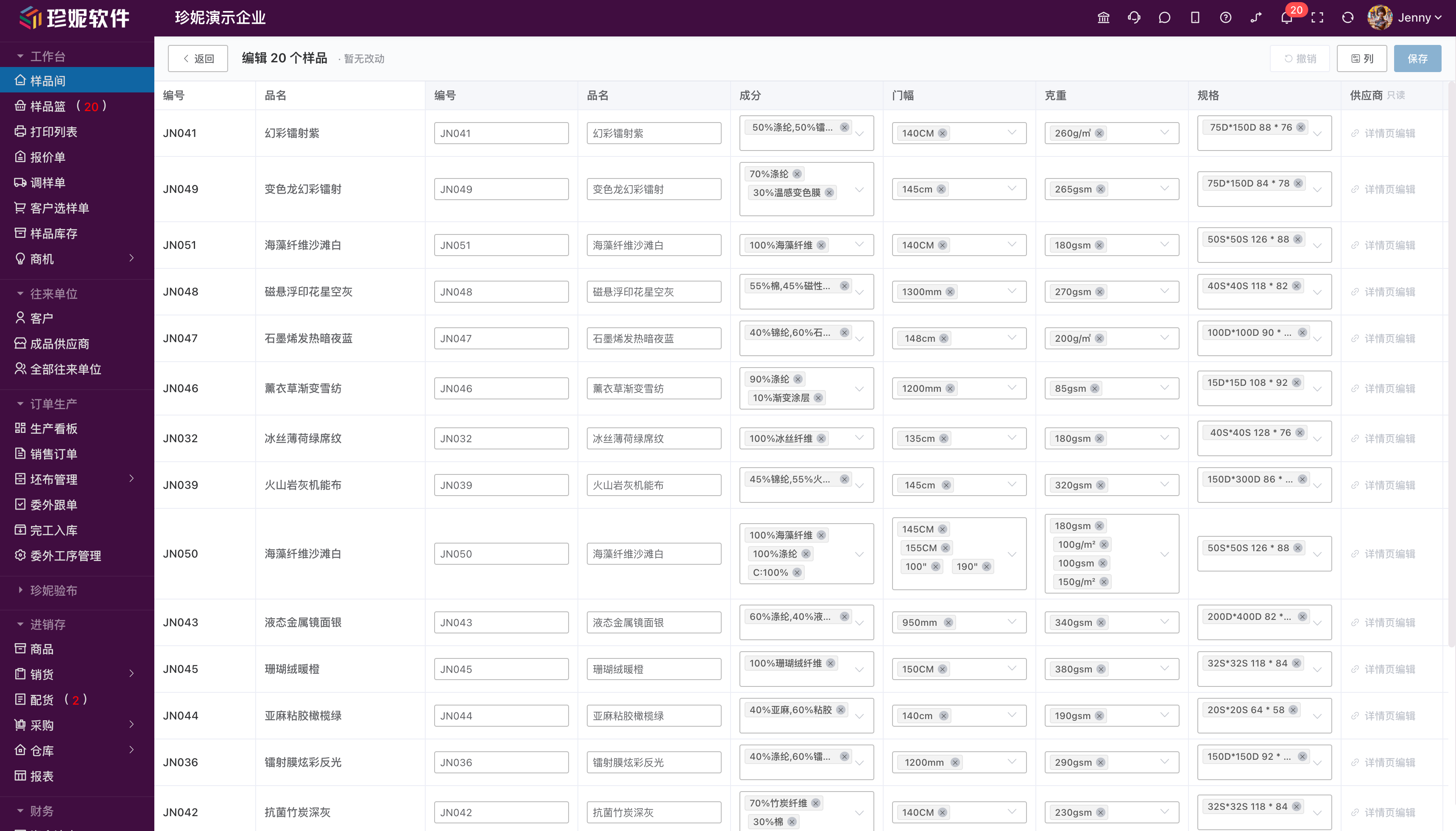
May 11, 2026
Cost calculator (built into samples)
- A cost calculator built into the sample detail page
- Estimate costs in one tap, and compute actual cost by formula (including exchange rate / loss / tax point, etc.)
- "Cost calculation view" can be authorized separately, granted only to the owner and business supervisors
Sample list fields in four groups
When displayed in the list, sample fields are split into four groups: basic information / physical specifications / commercial information / supplier information, for a tidier look.
Inventory & Sales other income / expense can be linked to orders
"Other income" and "other expense" documents can be linked to a specific sales order / purchase order, making it easy to account for the gross margin of a single order.
May 10, 2026
iframe turned into drawers + online user tracking
- Several modules now open as drawers (greige inventory, document details, etc.) instead of jumping to a page
- The backend can show which employees are currently online, making it easy to understand usage
Process status axis
The outsourcing order list adds a "process status axis" column, so the progress of each process — dyeing / printing / finishing — is clear at a glance.
May 7, 2026
Follow-up factory-visit loop D1 / D2 / D3
A closed workflow loop for follow-up staff stationed at the factory:
- Take photos / record video on site → upload directly to the corresponding outsourcing order
- Forward to the customer group in one tap (with watermark / without watermark, optional)
- Progress feedback from the factory side can also accumulate on the same order
Outsourcing process management 11 major categories + custom fields
- Processes are divided into 11 major categories by business type: dyeing / printing / finishing / fabric inspection / packaging / etc.
- Each process category can have its own custom fields (such as dyeing color matching, printing pattern number, fabric inspection grade)
Major copy polish for outsourcing
Document copy for "dye house stock-out order", "dye house stock-in order", and the like has been standardized, with optimized field ordering.
Dashboard KPI reordered
The KPI at the top of the production dashboard changed from "gross margin" to "alerts" (overdue / pending shipment / pending stock-in), surfacing problems first.
May 5, 2026
Owner-exclusive mode (company-level switch)
- Company operations → System settings → enable "Owner-exclusive mode"
- Once enabled: sales / purchase / sample dispatch / quotation / sales orders are strictly isolated by
owner - Salespeople see only the documents they're responsible for; the boss sees everything
- Off by default, the switch can be toggled at any time
- See Personnel and role management for details
May 4, 2026
Fabric label V2 + scan to pick / ship
- The fabric label QR code is upgraded; scan straight to piece-level measures
- Scan to pick: warehouse staff scan the label + sales order to complete picking registration
- Scan to ship: scan once when shipping to offset automatically
- See Label printing settings for details
Statement share links
- Reports → customer statement / supplier statement, generate a share link in one tap
- Send the link to the customer to view statement details without logging in
- Overseas customers can use it too, with no dependence on WeChat
Contact category configuration
- Customers / suppliers can have categories created (such as "KA customers / retail customers / weaving / dye houses")
- Lists / filters / reports all support viewing by category
SMS channel switched to Alibaba Cloud
- SMS verification codes / notification SMS all switched to the Alibaba Cloud channel, with the signature "Shaoxing Jenny Digital Technology"
- More stable delivery rates across China's three major carriers
May 2, 2026
Buyer portal email login + multilingual emails
- The buyer portal H5 / Mini-Program showroom adds email login (in addition to mobile number)
- Registration / password recovery emails support bilingual Chinese-English templates, friendly to export customers
April 27, 2026
Quotation fields filled in
Quotation fields aligned with the PC:
- Multiple currencies (CNY / USD / EUR, etc.)
- Unit-price unit dropdown (meter / yard / kg / piece)
- Minimum order quantity / SPU delivery time / price history
AI recognition of dye house stock-out orders
Photograph the other party's purchase order / stock-in order / stock-out order, and AI automatically recognizes multiple line items, saving manual copying.
April 26, 2026
Finished products management
Added a standalone finished products management module for managing three categories — garment samples, shoes/bags/hats/accessories, and home textiles. See the full introduction in Finished products management.
- Auto-generated codes, multiple images (up to 20) + videos (up to 5)
- One garment sample can be linked to multiple fabrics, so a customer who's interested can jump straight to ordering the fabric
- The detail page lets you "derive a new fabric sample from this garment" in one tap, with code / product name / hang-tag image pre-filled automatically
- A complete borrow/return log: borrow registration, expected / actual return dates, automatic status changes
Sample stock
Added a standalone sample stock module to track how much of each sample remains. See the full introduction in Sample stock.
- 4 default types: hang tag / meter sample / kilogram sample / A4 sample, which companies can customize and extend
- Entry: Sample Library → Sample stock
- Operations: batch stock-in / stock-out, in-row +1 / -1, set directly to a number, view log
- Sample dispatch orders can tick "deduct sample stock", which deducts automatically on save and restores automatically on deletion
- A complete log marks the source (manual / sample dispatch order / selection order / batch import / finished-product borrow), traceable anytime
Fill-as-you-type field presets + dynamic recommendations in advanced filter
Two smart experiences in the sample list work together:
- Field values you've entered for composition / range / weight / specifications while entering samples automatically become field dropdown presets, ready to select next time
- The advanced filter panel dynamically recommends based on real data; only values you've used appear, and once all samples with a value are deleted, the filter option disappears automatically
- System settings → List browsing settings can turn off the "fill-as-you-type sample field presets" switch
Frozen headers for long lists
- All long lists such as sales orders, purchase orders, receipts, payments, return orders, stock-in orders, stock-out orders
- Quotations, sample dispatch orders, selection orders, inquiries, contact lists
- The header automatically stays fixed while scrolling, so column names remain visible
Customer ticket system
- A new ticket entry in the top bar, with a red dot reminder for unread messages
- Customers can start a ticket in the help center or within the software, with image / video attachments supported
- Ticket statuses: awaiting handling / in progress / not adopted for now / completed, please confirm / closed
- Both parties can have multiple rounds of replies within the ticket, with real-time reminders for unread messages
Other
- Sample Library paginator improvement: shown only when scrolled to the bottom of the list, no longer always present
- Fixed known bugs
April 24, 2026
AI recognition features (scan labels / scan color cards / scan stock-out orders)
The three common paper documents of the fabric industry can now all be entered by photo recognition:
📷 Scan labels (Sample Library)
- Added a "Scan label" button in the Sample Library
- Photograph a sample hang tag sent by a supplier to automatically recognize fields such as code, product name, composition, width, and weight
- Fill them into the new sample form in one tap, saving manual entry
🎨 Scan color cards (Sample Library)
- Added a "Scan color card" button in the Sample Library
- Photograph a color card to automatically recognize each color code and color name, and crop the image swatch for each color
- Create SKUs in batch in one tap
- ⚠️ This feature is still being improved; recognition of some handwritten color codes or densely arranged color cards may be affected, so we recommend trying it in small batches first and treating manual verification as authoritative
📋 Scan stock-out orders (stock-in order / purchase order)
- Added a "Scan stock-out order" button on stock-in orders / purchase orders
- Photograph the stock-out orders of processors such as dye houses and printing mills to recognize and enter them
- Three-state reconciliation of recognition results:
- ✅ Matched (item in stock + fields consistent)
- ⚠️ Conflict (field differences need confirmation)
- ❓ New item (not found in the library)
- Write to the stock-in order or purchase order in one tap, with prices auto-filled
Purchase order historical purchase price
- When entering a unit price on a purchase order, the most recent 10 historical purchase prices for that supplier + that item are automatically displayed
- Tap the unit-price input box once to pop them up and fill in a historical price in one tap
- Solves the problem of "I forgot how much it cost last time"
Quotation field upgrade
- Three new fields added to the quotation header:
- Delivery time: in stock / 7 days / 15 days / 30 days / 45 days / 60 days / 90 days / custom
- Currency: CNY / USD / EUR / GBP / JPY / HKD
- Minimum order quantity: free text, with multilingual support
- The 13 quotation print templates have been synced to display these fields
Document drawer preview (new setting)
- System settings → List browsing settings adds a "document drawer preview" switch
- When enabled, tapping a document in the sales/purchase/receipt/payment/sales-return/purchase-return/quotation/sample-dispatch/selection list shows a preview directly in a right-side drawer, without jumping to a page
- On by default for new companies; existing companies can enable it manually
ProductPicker color-level checkboxes
- A multi-color SPU in the product selection dialog can be expanded with ▶ to tick colors individually
- The number on the "Batch add N" button reflects the actual number of ticked SKUs
Quotation / sample dispatch order / selection order detail page redesign
- A full redesign: stronger titles, clearer information zones, more readable headers
- Responsive layout: 3 columns on wide screens → 2 columns on tablets → 1 column on phones
Showroom visitor feature switch
- The showroom settings page adds a "visitor features" group
- "Whether showroom visitors can use image search" can be toggled independently
- A secondary confirmation prompt appears when toggling
Sales order print header repeated across pages
- The 8 main sales order print templates now support "print the company header on every page when there are multiple pages"
- Suited to long documents with many fabric line items that need to print 2 or more pages
Other
- The styles of the sales / purchase return buttons are unified with the edit button
- Added a secondary confirmation reminder when closing the dialog during OCR recognition
- Fixed known bugs
April 16, 2026
Finance module upgrade
- Finance made a top-level menu: split out from the original "Inventory & Sales - Funds", with permissions split into 8 fine-grained sub-permissions (receipts/payments/other income & expense/statements/cash flow/account management/account adjustment/opening data)
- Added an account adjustment feature: Finance → Account adjustment, a standalone document for fund adjustments
- Added opening data entry: Finance → Opening data, for entering historical balances when an enterprise first uses the system
- Other income & expense changed to can only be voided, not edited (a financial standard, for document traceability)
Invoice management
- Added an invoice management menu (Finance → Invoice management)
- Output invoices link to sales orders, input invoices link to purchase orders, with many-to-many support
- Fields: invoice number, invoice header, amount excluding tax, tax amount, amount including tax, tax rate, invoice date, status
- Can add/edit/void, cannot delete (a financial standard)
Sales gross margin analysis
- The sales order detail header adds 3 KPI cards: average cost, gross margin, gross margin rate
- The sales detail report adds 3 columns: cost / gross margin / gross margin rate
- Cost algorithm: each SKU is computed using the most recent purchase unit price
- An SKU with no purchase history shows "-" for cost, to avoid being misleading
Cost and margin viewing whitelist
- System settings → Finance settings adds "cost viewing personnel" management
- Only the owner (company creator) can set who can view cost and gross margin
- Prevents an administrator from granting themselves viewing permission (an administrator can edit roles but cannot change the whitelist)
- For users not on the whitelist, the cost / gross margin / gross margin rate fields are automatically hidden when accessing sales orders / the sales detail report
Sales detail report
- A new report: Reports → Sales detail
- Expanded at the SKU level, including customer/date/quantity/unit price/amount/cost/gross margin/gross margin rate
- Suited to assessing by salesperson and analyzing by product
Business decision reports
- A new "business decision" group in Reports
- Financial overview: 4 cards — total receivables, total payables, account balance, estimated inventory value
- Receivables aging analysis: 5 brackets by customer/supplier (0-30 / 30-60 / 60-90 / 90-180 / 180+ days)
Sales order salesperson field
- The sales order adds a "salesperson" field, which can be independent of the owner
- Supports selecting non-seat personnel (part-time/external personnel who don't occupy a seat)
- Used for sales performance attribution and commission accounting
Non-seat personnel
- Personnel management adds a "non-seat personnel" tab
- Doesn't occupy a paid seat, used only for document linking (such as salesperson, buyer)
- Suited to temporary workers, part-timers, and third-party contacts
April 14, 2026
Smart hardware store
- Company operations adds a "smart hardware" menu
- Showcases Jenny's matching hardware devices: electronic color cards, scanning guns, thermal label machines, dot-matrix printers, etc.
- Device cards include product images, specs, detailed introductions, and a purchase entry
Recycle bin search
- The sample recycle bin adds a search feature
- Reuses the same search logic as the Sample Library (code/product name/composition, etc.)
- Solves the problem of "can't find an accidentally deleted sample"
Stronger sample code deduplication
- The system enforces a check on code uniqueness, avoiding duplicate codes
April 13, 2026
Sales order print configuration
- Sales order print settings add several switches: company header, payment info, QR code, amount in words, page subtotals, etc.
- The payment info title links automatically to the data
- Sales order payment info and QR code are shown by default
Sample list sort memory
- The sample list adds a "remember sort" button (a manual button, not auto-saved)
- The Sample Library automatically restores the last sort order next time you open it
Mini-Program image search
- The buyer Mini-Program adds a photo search feature
- Customers take a photo in the Mini-Program to automatically match similar fabrics
Showroom overhaul
- The showroom menu is split into multiple sub-menus
- Added a standalone showroom settings page
- Showroom templates connect to 19 real templates from the platform
- The three-level category tree syncs to the showroom
- Showroom templates are all free (some templates were previously paid)
- The guest showroom syncs automatically
April 12, 2026
Unified app form components
- 8 app form pages are unified and migrated to the FormComponents component
- Improvements to color management, search field dropdowns, and the tag cloud
- Sample basket batch operations
- Electronic color card feature integrated
Sales order export image improvement
- When exporting a sales order image, it captures completely (including the payment info and QR code at the bottom)
April 11, 2026
Standalone customer/supplier list pages
- The customer list and supplier list become standalone pages (Contacts → Customers / Suppliers)
- The top shows statistics cards: total sales, total debt, total purchases, unpaid, etc.
- The list shows each one's quotations, sample dispatch orders, sales orders, debt, and other data
- Quick order-creation buttons: the customer list directly "creates a sales order/receipt", the supplier list "creates a purchase order/payment"
Range search
- The sample list advanced filter supports weight/width range search (min-max)
- For example: all fabrics with a weight between 100g/㎡ and 200g/㎡
Tare difference by ratio / by value
- Piece-level tare difference entry supports two methods: by percentage (such as 98%) or by specific value
Inquiry module
- The showroom adds a customer inquiry feature
- Showroom items sync to the showroom platform
Finance bottom tab (mobile)
- The app bottom tab adds a "Finance" entry
Contact type expansion
- Contacts add multiple processor types (dye house, printing mill, weaving mill, finishing plant, etc.)
- Processor-type detail pages are handled the same way as suppliers
April 10, 2026
Sales order detail page rebuild (order production module)
- The sales order detail page is rebuilt into a tab structure
- Added a production execution timeline — displaying the full lifecycle of an order in chronological order
- Intuitively see the complete flow from order placement → sampling → production → shipping → payment
App marketplace trial mechanism
- The app marketplace (feature module activation) supports a flexible trial mode
- 3-day trial / permanent / custom expiry date
Enterprise edition multi-year purchase
- Plan management supports 1-year/2-year/3-year purchases, with bonus months for multi-year
Advanced filter range search
- The global advanced filter panel supports range search
- Tag cloud search improvements
- Product tag switch
- Image search instruction pop-up
April 9, 2026
Warehouse menu fly-out
- The warehouse menu changed to a fly-out submenu, split into "documents" (stock-in/stock-out/transfer/stocktaking) and "queries" (real-time inventory/warehouse management)
April 8, 2026
Three label categories
- Label management changed to three categories: sample labels / color labels / fabric labels
- Different label types support different data variables (color labels and fabric labels can include color code and color name)
April 6, 2026
Approval system
- Added a complete approval system, supporting document approval routing
- Approval notifications are automatically pushed to relevant personnel
Sales order enhancements
- Added a round-down feature: sales amounts support round-down handling (such as 10,309.20 → 10,300)
- Sales order piece-level measure hover pop-up: hovering over the piece-level column pops up a 400px large box showing each roll's roll number, meters, and dye lot number details
- Sales order print amount precision optimization (Math.round ensures consistent formatting)
- Notes on all document detail pages changed from an input box to plain-text display
Order production module
- Sales orders add data isolation and multi-select owners, refining the permission system
- Production task orders adjusted to a standalone left-side menu item
- The order production module adds menu visibility control and feature gating
Contacts
- Added a category-type "view all" permission
- The creator is automatically added as the owner when creating
- The dropdown for selecting customers/suppliers is no longer limited by permission scope
Other improvements
- The product selector (ProductPicker) is unified as a public component, reused by all documents
- Color dropdowns add search filtering (sales/purchase/stock-in/stock-out orders)
- Sample search supports finding by color code and color name
April 5, 2026
Major version update for warehouse management
- Warehouse menu rebuild: changed to a fly-out submenu, split into two groups — "documents" (stock-in/stock-out/transfer/stocktaking) and "queries" (real-time inventory/warehouse management)
- Added a transfer order: move stock between different warehouses, with the system automatically performing the bidirectional stock-out + stock-in operations, supporting the piece level (tick rolls one by one)
- Added stocktaking: after selecting a warehouse, the system inventory loads automatically; enter actual quantities and the gain/loss is computed automatically, and after confirming, stock adjusts automatically, supporting the piece level (verify rolls one by one)
- Real-time inventory renamed (formerly "inventory"): added an SKU thumbnail column with hover for a large image; total rolls/total meters shown by default (tap the eye to hide); the warehouse management button moved into the fly-out menu
Share page rebuild
- The share page is redesigned, loads independently, and opens faster
- At that time, the share page supported 13 languages (now expanded to 17; see the June 30, 2026 update)
- The detail page adds an SPU/SKU section: a large image + thumbnails on top, a color card grid below
- Supports left/right arrows to switch images, with continuous paging across SKUs
- Arabic automatically enables RTL layout
- Share short-link optimization, with the QR code no longer dense
Statement improvements
- Customer/supplier statements support expanding to show product details
- Statements support exporting to Excel (with product details)
- Customer/supplier lists support pinning to top: a pin icon appears on hover, tap to pin to the top of the list
Other
- Inventory ledger page route optimization
- Share page mobile UI optimization
April 4, 2026
Document editor
- Added a visual document editor supporting custom print templates for 13 document types (sales orders, purchase orders, stock-in/out orders, receipt/payment orders, contracts, sampling/dyeing/printing/production instruction sheets, etc.)
- Multiple preset templates built into the system (including a dot-matrix printer two-copy paper template), customizable after a one-tap copy
- Supports dragging fields, adjusting layout, setting font styles, and choosing paper size (A4 / bisection, etc.)
- Supports adding a company logo and brand elements
- A default template can be set for each document type, with one-tap printing from business pages
- Supports exporting to PDF
- Supports displaying a payment QR code and bank account info in documents, so customers can scan to pay
- In the enterprise management center, you can configure up to 3 payment QR codes (WeChat/Alipay/corporate) and up to 5 bank accounts
Inventory & Sales menu optimization
- Sales and purchase changed to fly-out submenus, containing respectively: sales orders + sales returns, purchase orders + purchase returns
- The funds/finance module is split into a top-level menu, containing: cash flow, receipts, payments, other income & expense
Receipt and payment order standalone overhaul
- Receipts are split out from sales orders, supporting an offsetting feature — after selecting a customer, the customer's unpaid sales orders are automatically listed, and receipt amounts are filled in automatically in chronological order
- Payments are split out from purchase orders, likewise supporting offsetting
- If a customer has debt when creating an order, the system automatically prompts the accumulated debt amount
- Supports uploading payment vouchers (transfer screenshots, bank receipts, etc.)
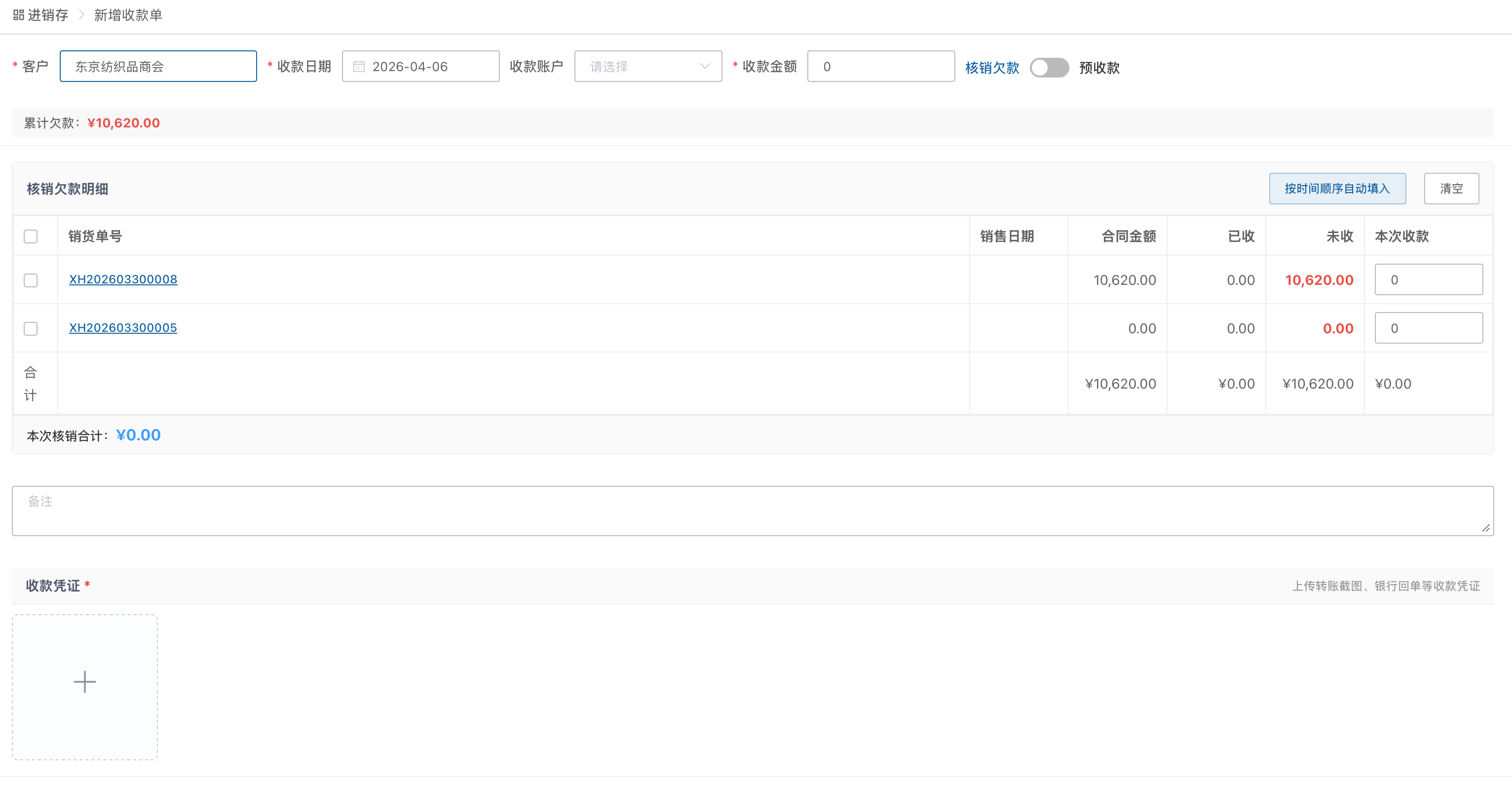
4 new financial reports
- Sales debt summary: an overview of all customers' debts, sorted by debt amount
- Purchase payment summary: an overview of all suppliers' outstanding payments
- Product sales overview: sales statistics ranked by product, with filtering by time period
- Annual income-expense report: monthly statistics of the full year's income/expense/profit
Customer/supplier statement redesign
- The customer statement is fully redesigned: a customer list on the left (searchable, pinnable) + transaction details on the right
- Supports expanding product details, exporting to Excel, and including return records
- Opening/closing balances computed automatically
- The supplier statement is redesigned in sync
Contacts redesign
- Contacts changed to a top-level fly-out menu, split into: customers, suppliers, all contacts
- Added a customer statistics page: summary cards showing total sales, debt, number of quotations, etc.
- Added a supplier statistics page: summary cards showing total purchases, unpaid, etc.
- Contact detail page redesign: an information card on the left + multiple tabs on the right (contacts/sales orders/quotations/receipts/fund transactions, etc.)
- Added a quick order-creation button on the customer detail page (create sales order/receipt)
- Added a quick order-creation button on the supplier detail page (create purchase order/payment)
- Added 4 contact types: dyeing & printing mill, printing mill, weaving mill, finishing plant
Order production management
- Added the order production management module, designed around the fabric industry's actual workflow:
- Production dashboard: a real-time overview of orders and production progress
- Sales order → production order: the complete flow from customer contract to production task
- Dye house management / finishing management / printing management: manage outsourcing orders separately by processing type, tracking returned material and shrinkage
- Sampling center: sending and confirming color samples and bulk-goods samples
- Follow-up: a follow-up staff workstation, with delivery time alerts
- Warehouse: material stock-in/out of greige/yarn/accessories
March 28, 2026
Batch import
- Import fields can be freely ticked and configured in field management
- Supports importing at the color level (automatically recognizing column headers such as color code, pattern number, pattern-color code, color name)
- Supports importing images embedded in Excel (images must be in floating format)
- Smart category creation: categories that don't exist on import are created automatically (multi-level categories supported, separated by "-")
- Supports multi-value fields separated by Chinese or English commas
- The import template is generated dynamically based on field settings
- Import result statistics improved, showing product count, color count, and number of new categories created
Batch export
- Export supports the color level, with the same product code shown only once
- Export supports product images (compressed automatically)
- The header names for the color code and color name columns can be customized on export
Sample management
- Added a sample code auto-increment feature, supporting a custom prefix, date format, and number of digits
- Colors (SKUs) support uploading up to 3 images and adding custom extension fields
- Extension fields can inherit the sample's value or be overridden individually
- Color cards on the sample detail page display extension field values
- Added an "automatically add new samples to showroom items" setting
- Terminology unified: "product" renamed to "commodity"
Label printing
- Label templates add color code, color name, momme, and heat-setting data text variables
- Supports printing color (SKU) labels
- Added two preset labels, 7050 English and 7550 English
- The stock-in order and purchase order detail pages add a piece-level label print button
Inventory & Sales
- Added a "delivery and receiving quantities automatically follow the piece-level sheet" setting
- Product search filters out deleted and material-type data
March 21, 2026
PC version
- Sample export supports dynamic fields, generating export columns automatically based on field settings
- Sample export supports the supplier field
- Added a reference-sample date field
- Sample batch import supports duplicate code detection and overwrite, showing result statistics after import (counts of added/overwritten/failed, plus failure reasons)
- Sample batch import supports same-code detection in the recycle bin
- Field settings support drag-to-sort
- The code row is locked and can't be dragged in field settings
- The label editor correctly reflects bold, italic, and underline states
- Image search adds usage instructions
- The product/showroom-item list supports select-all, and tapping in the showroom-item list no longer opens the detail
Official website and help center
- The Jenny Software official website is fully updated, with new product introduction pages for the yarn management system and the woolen yarn management system
- The help center migrated to a brand-new architecture, with all article content polished and improved
January – March 15, 2026
PC version
- Completed development of the full order-lifecycle system for trading companies, covering:
- Outsourcing management: supports creating, tracking, and settling outsourcing orders
- Follow-up management: full-process node tracking of orders, grasping production progress in real time
- Gross profit analysis: automatically computes order gross profit to aid business decisions
October – December 2025
PC version
- Completed development of the embroidery factory production scheduling, dispatch, and reporting system
September 2, 2025
PC version
- Samples support linking to multiple suppliers
- Samples can view operation records
- Sample creation time can be viewed in the sample detail
- Suppliers in the sample detail can jump to view details
- Sample details can be viewed in document details such as quotations and sample dispatch orders
- Quotations, sample dispatch orders, and selection orders can print labels directly
September 1, 2025
App version
- Samples support linking to multiple suppliers
- Added viewing for quotations, sample dispatch orders, and selection orders
- Information on related suppliers can be viewed directly in sample management
- Fixed known bugs
August 22, 2025
PC version / App version
- Added keyword filtering
August 17, 2025
App version
- Can view contacts and rate related partners by importance level
- Added a one-tap select-all after searching, making it easy to select all filtered information
- Added inches to the width units
- Added a contact search feature
- Improved the presentation of preset sample attributes
- Fixed known bugs
August 7, 2025
PC version
- AI try-on: provides AI-based virtual try-on, simulating how garments look when worn
- AI pattern design: uses AI to intelligently generate or assist in designing novel garment-fabric patterns
July 15, 2025
PC version / App version
- Added a standalone stock-out order module, no longer forcibly attached to the sales order, while retaining the delivery-and-stock-out function within the sales order
- Added a standalone stock-in order module, no longer forcibly attached to the purchase order, while retaining the receiving-and-stock-in function within the purchase order
- Added an order-reporting and picking feature, completed collaboratively by multiple roles
- Added a tare-difference feature, divided into actual quantity and priced quantity, supporting ratio-based and fixed tare differences
- Sales-driven purchasing can offset negative stock; the piece-level measures of negative-stock orders and standard inventory orders can be merged
- Improved the inventory flow report and cash flow report
- Piece-level entry is divided into quick mode and advanced mode
June 3, 2025
App version
- Samples add an internal images feature
- Added some sample fields
- Added a link jumping to the help center and a WeCom customer support button
- Fixed known bugs
May 23, 2025
PC version
- The sample module adds an internal images feature; internal images can be shared among company staff but are not shown when shared or placed in the showroom
- Added a reports module, including the sales performance report, customer statement, and supplier statement
May 15, 2025
PC version
- Added an order management feature module, including:
- Custom fields
- Custom grouping
- Custom documents
- Supports custom design of documents such as orders, contracts, color-dyeing instruction sheets, dyeing & finishing instruction sheets, SO-sample instruction sheets, printing instruction sheets, greige purchase/production instruction sheets, and packaging instruction sheets
- Supports data flow and automatic calculation between documents
May 5, 2025
PC version
- Fabric labels can be set to print two copies by default, for sticking to both ends of the fabric
- Fabric labels support self-directed design in the designer
- Optimized the core engine for image search of fabric and patterns
- Multi-unit conversion can be calculated automatically
- Piece-level entry of fabric supports switching between quick entry and standard entry
App version
- On the sample list page, you can switch between list display and large-image display