
Jenny Fabric Software App
🆘 Customer support sent me an APK fix package — how do I install it?
Go straight to → help.jenny.cn/apk
Includes brand-specific guides for Huawei / Xiaomi / OPPO / vivo / Samsung / stock Android, plus troubleshooting for 10 common errors (if the system reports "app risk" / "signature conflict" / "installation failed", the answer is here)
This page vs. the full App overview — pick what you need
- This page (highlights version) — gives owners / decision-makers a quick look at what the app can do and whether it's worth using, scannable in 3 minutes
- App Overview — for people who have already decided to use the app and want to study each module through the full illustrated walkthrough, come back to it while operating
The two articles complement each other. New customers should read this page first to get a feel, then check the overview when diving into specific features.
The Jenny Fabric Software app covers the everyday tasks of textile and fabric management — entering samples, creating and shipping orders, scanning to receive and ship stock, electronic color cards, image search, WeChat sharing, outsourcing follow-up, and more. Existing users simply upgrade the app to access new features, and data is synced with the PC version.
All three mobile platforms covered
The Jenny Fabric Software app now covers all three major mobile platforms — iOS / Android / HarmonyOS — and all three releases are officially published: the HarmonyOS native version is now live on the Huawei AppGallery. Accounts and data are fully shared across all three platforms and sync in real time with the PC version.
Six everyday features
1. Electronic color card: snap one photo, generate a color card automatically
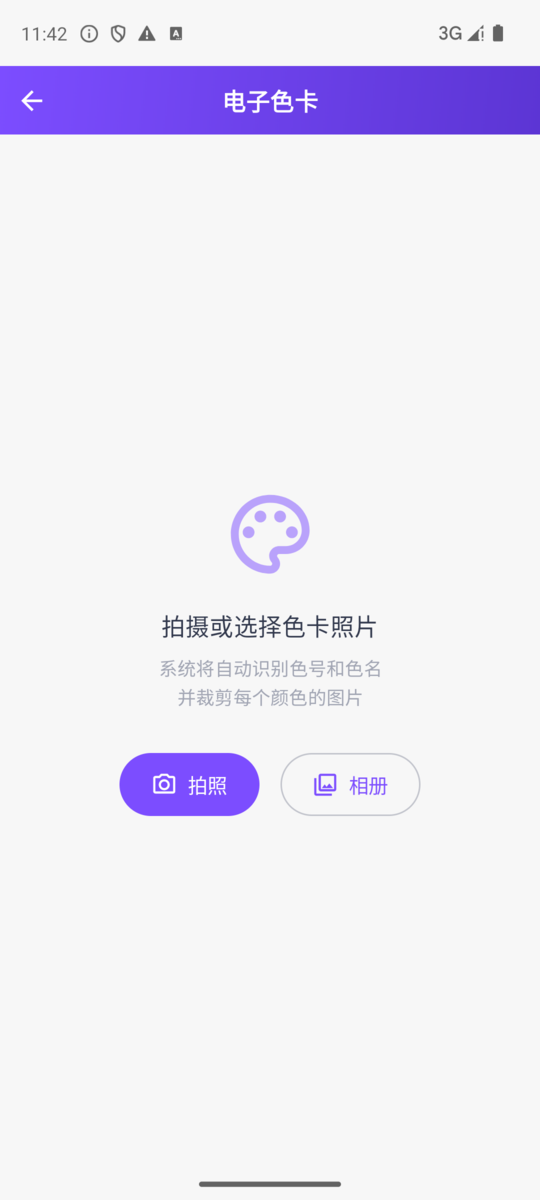
When a customer sends a photo of a color card, the traditional approach is to read each color code, crop each image, and enter them by hand. Now all you do is:
Workflow:
- Open the app home page → tap the "Electronic Color Card" quick action
- Take a photo or pick a color card image from your album
- The system automatically recognizes:
- 🎯 Every color code and color name
- ✂️ Automatically crops the image swatch for each color
- Save it as a complete electronic color card in one tap
Typical scenarios:
- A color card photo sent in a customer chat → generate an electronic color card in seconds
- An offline swatch book → digitize everything with one photo
- Competitors' color codes collected at a trade show → archive quickly
- Pantone color codes sent by an overseas buyer → match automatically
2. Image search: photograph a piece of fabric, find matching stock
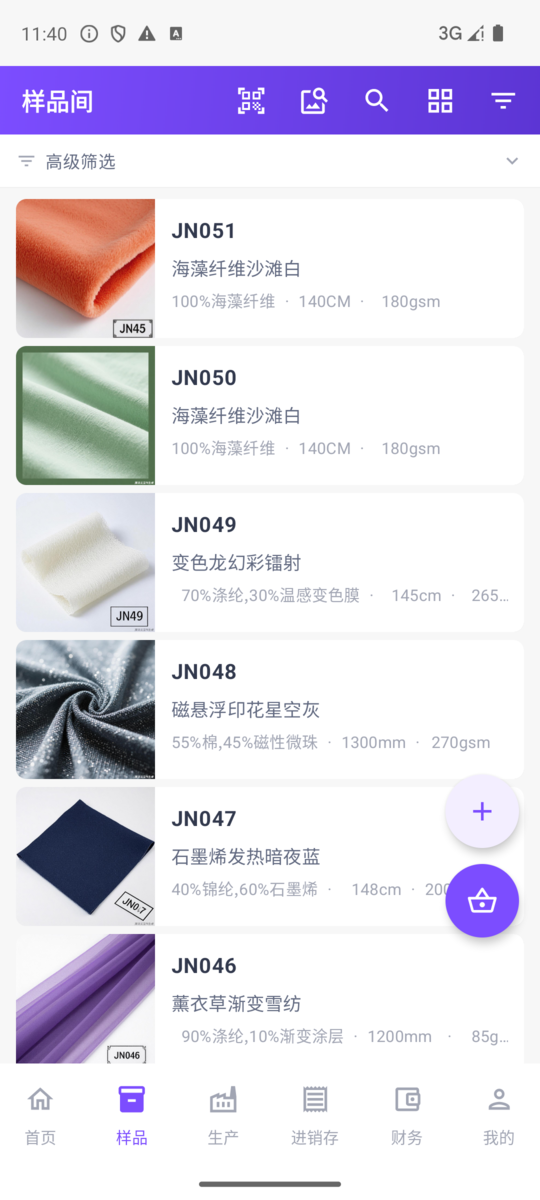
The camera icon at the top right of the sample list is the entry point for image search:
Workflow:
- Tap 📷 "Image Search" in the sample list top bar
- Take a photo of the fabric or pick an existing photo from your album
- The system automatically matches similar samples, sorted by similarity
Typical scenarios:
- A customer brings a small swatch → find the matching item in your company library
- A customer sends a fabric swatch photo → locate it quickly
- You spot a competitor's product → photograph it to check whether you carry it too
Combine this with tag cloud filters (composition / width / weight / style, multi-select) to narrow the range further.
3. Sharing and marketing
WeChat Mini-Program card sharing
- Sample details, quotations, sample dispatch orders, selection orders, and sales orders can all be shared to WeChat contacts/groups
- What goes out is a Mini-Program card; the customer taps it to enter the Jenny Fabric buyer Mini-Program directly
- Cover image, title, and price information are attached automatically
Sample collection sharing
- Package multiple samples into a single shared collection to send together
- The customer sees a complete recommendation page instead of receiving items one by one
Share view tracking
- You can see customers' view records for the content you shared
- Helps you understand which items a customer is interested in
Quotation / sample dispatch order printing
- Generate a PDF preview directly in the app
- Supports sending via WeChat, opening to print in a browser, and system sharing
- Send a formal quotation even when you're out visiting customers
4. Create orders on your phone + document sharing & printing
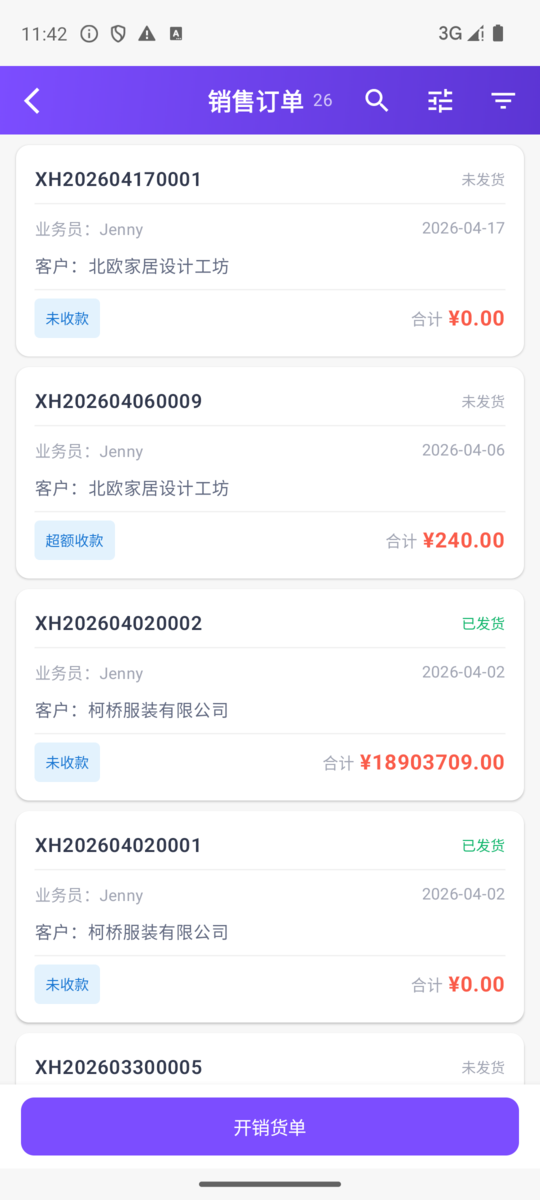
Create orders while you're out. The 5-step piece-level order wizard can be completed right on your phone:
Sales order (sampling / bulk goods)
- Select customer → 2. Select order type → 3. Select item and add sample → 4. Enter piece-level measures (number of rolls + meters + dye lot number + roll number + tare difference) → 5. Save and send
Purchase order
The same 5-step wizard: select supplier → select goods → enter piece-level measures → save
Stock-in / stock-out / picking order
A unified piece-level entry dialog; in quick mode you only enter meters:
- 30.5 Enter → 28 Enter → 32.3 Enter
- Number of rolls and total meters are calculated automatically
Return order
- Both sales return orders and purchase return orders are supported
- Select order → product rows load automatically → enter return quantity → save
Receipt / payment order + automatic offsetting
- Select customer → automatically pull up all unpaid sales orders for that customer
- Tick the orders to offset → amounts fill in automatically → summarize and offset
- The customer's accumulated debt / prepaid balance is shown in real time
Document printing / sharing
- For documents created in the app, you can generate a print preview, save it to your photo album, or send it straight to the customer / supplier via WeChat
- The iOS version also supports printing fabric labels directly on a network label printer (see below)
Network label printing (added in iOS 1.0.7)
Starting from iOS 1.0.7, the app adds support for network label printers: once you configure the printer's IP under "Company → Smart Hardware → Network Label Printer", you can print fabric labels directly from the sample detail page — no Bluetooth pairing needed. It supports LAN (wired / WiFi) label printers such as the Dascom TL-332 / TL-333.
Allow local network on first connection
The first time the iPhone connects to a LAN printer, it pops up an "Allow Local Network" permission request; tap Allow and you can print normally.
5. Outsourcing follow-up
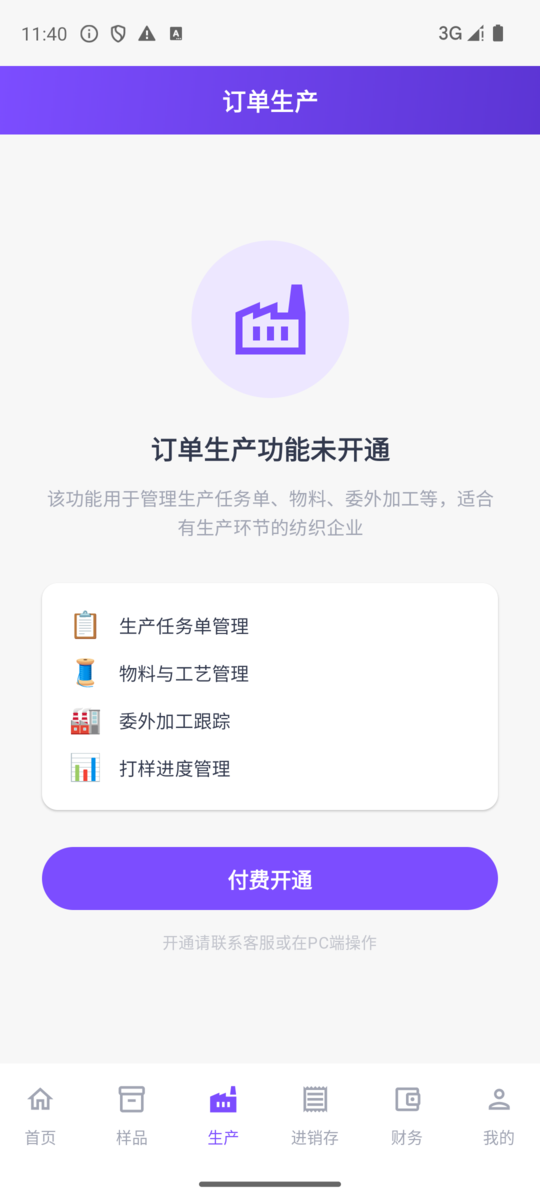
Fabric orders often involve collaboration with multiple factories — dye houses, printing mills, finishing plants, and more. In the app you can view order production progress, follow-up records, and approval workflows, making it easy to respond promptly when you're out or off work.
6. Scan to pick / scan to ship
With many rolls and many labels, shipping errors are easy to make. The app's scanning features help warehouse staff with their work:
Scan to pick
- On the sales order / picking order list → tap "Scan to Pick"
- Aim at the barcode on the fabric label → automatically identify the roll's pattern number, color, dye lot number, and roll number
- Add it directly to the current picking order
Scan to ship
- The home page has a "Scan to Ship" quick action
- Aim and scan the barcode when shipping → automatically match the stock-out order → complete the shipping record
Scan to view sample
- Scan any barcode (including a sample hang-tag label) → jump to the sample detail page
- Use it for warehouse inventory checks or to quickly pull up details when showing samples to a customer
🧭 App architecture at a glance
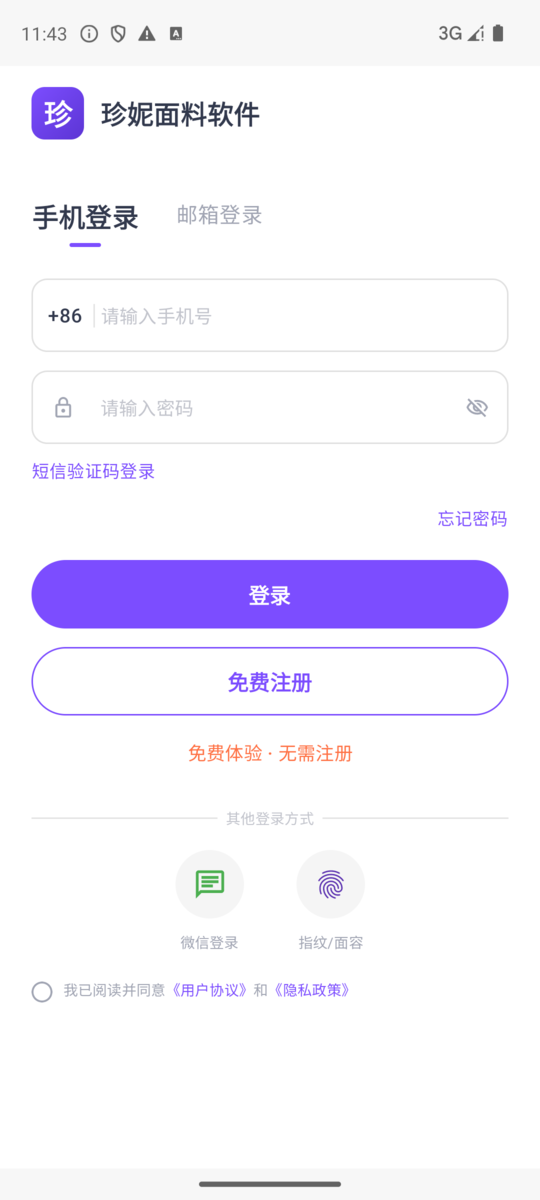
Login methods (multiple options)
- Mobile number + password, or SMS verification code login
- Email + password login (supports export customers and overseas users)
- One-tap WeChat login
- Fingerprint / Face ID quick login (valid within 30 days)
- Registration-free trial mode — enter the trial account to try out all features
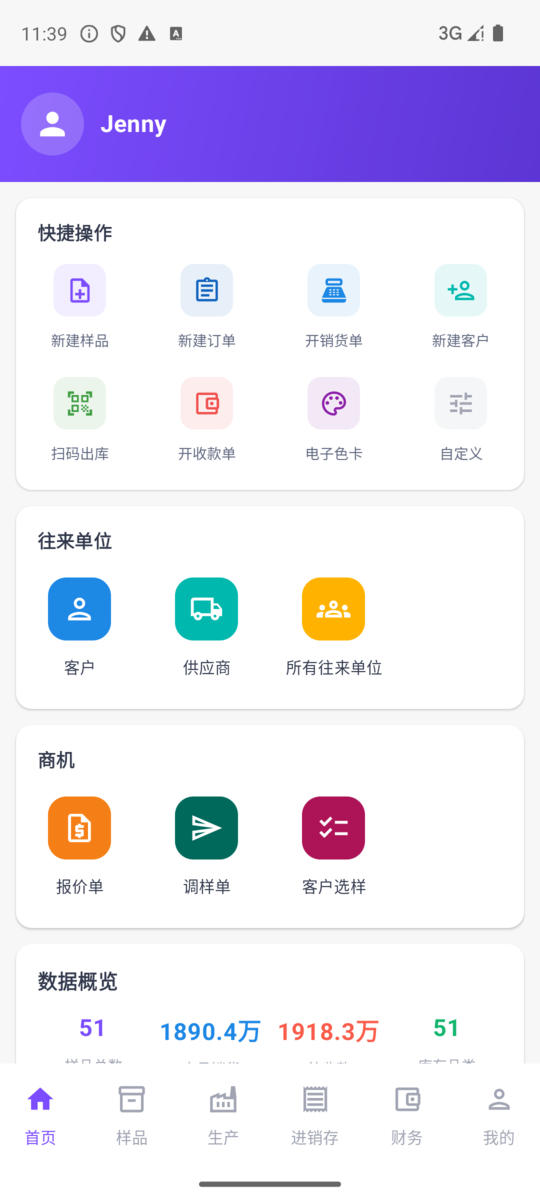
Home workspace (8 quick actions + business entries)
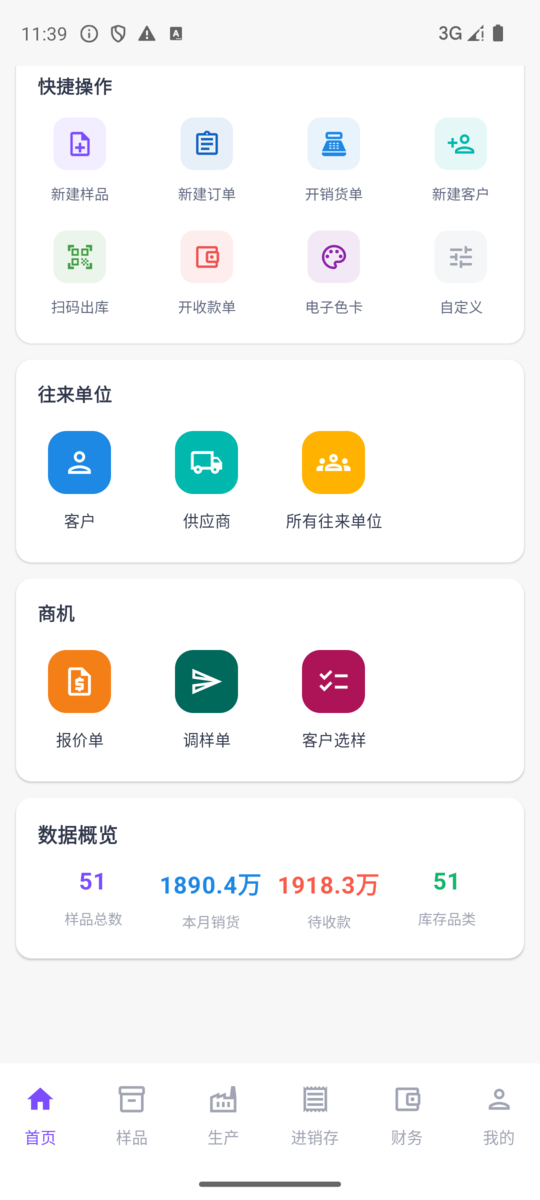
8 quick actions: New Sample / New Order / New Sales Order / New Customer / Scan to Ship / New Receipt / Electronic Color Card / Custom
Opportunities block: 📝 Quotation / 📦 Sample Dispatch Order / 🎯 Selection Order / 🔍 Inquiry
Data overview: number of samples / this month's sales / outstanding receivables / product categories — pulled from the server in real time, tap to go straight to the corresponding report.
To-Do Center bell: a new bell entry on the home top bar aggregates approval to-dos / unread work-order alerts / delivery-date alerts in one place. A red dot reminder appears when you have to-dos; tap to open and handle each item one by one, so important matters are never missed.
Sample management & creating samples
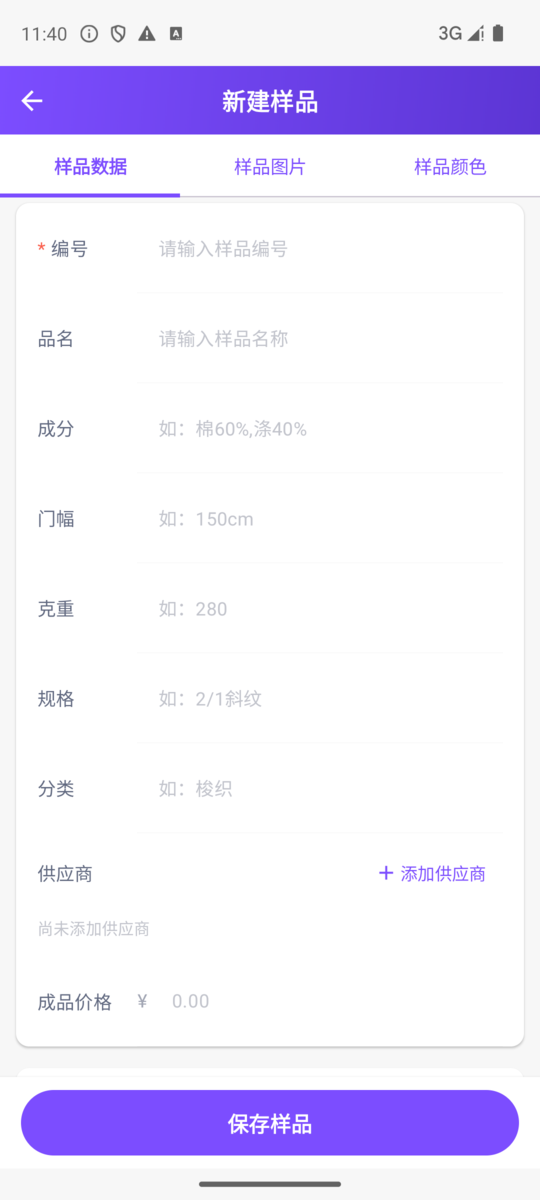
Core features:
- 🖼️ Grid view / list view one-tap toggle (top bar right button)
- 🔍 Tag cloud multi-select filtering (composition, width, weight, style) + keyword search
- 📷 Image search (top bar camera button)
- 🏭 Multi-supplier nesting (same fabric, different suppliers, different codes)
- ➕ New sample in 3 tabs: Sample Data / Images / Colors
- 📤 Sample sharing (WeChat Mini-Program card)
- ♻️ Recycle bin (recover accidentally deleted items)
- 🏷️ Field names follow the PC version (rename a field under Field Management on the desktop and the app's Chinese interface updates automatically)
- 💰 Sample detail supplier summary rows show quotes / processing fees (quote visibility follows the desktop field permissions)
Inventory & Sales & Finance
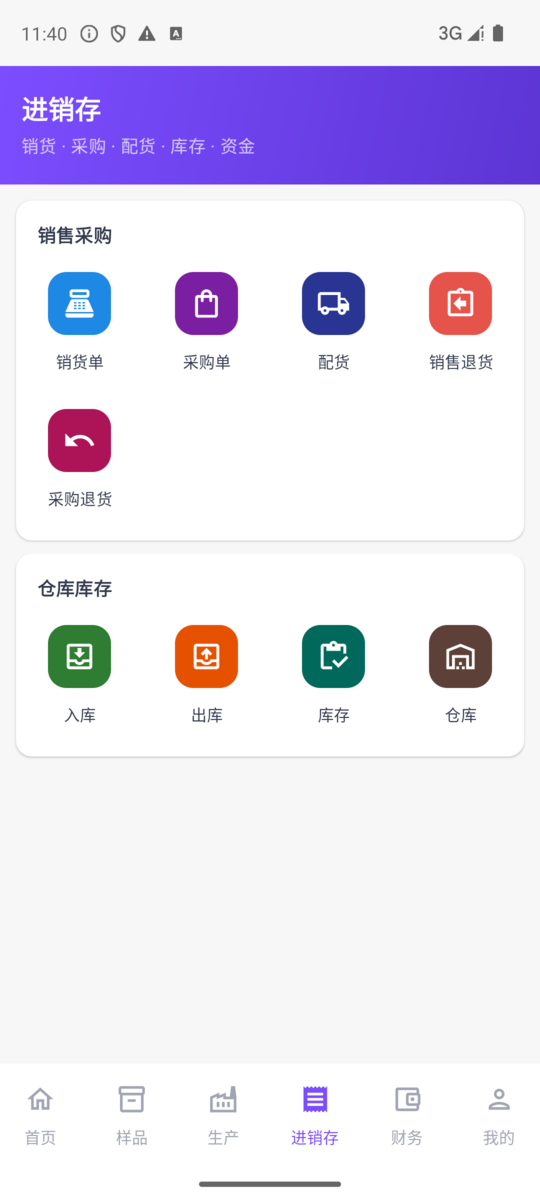
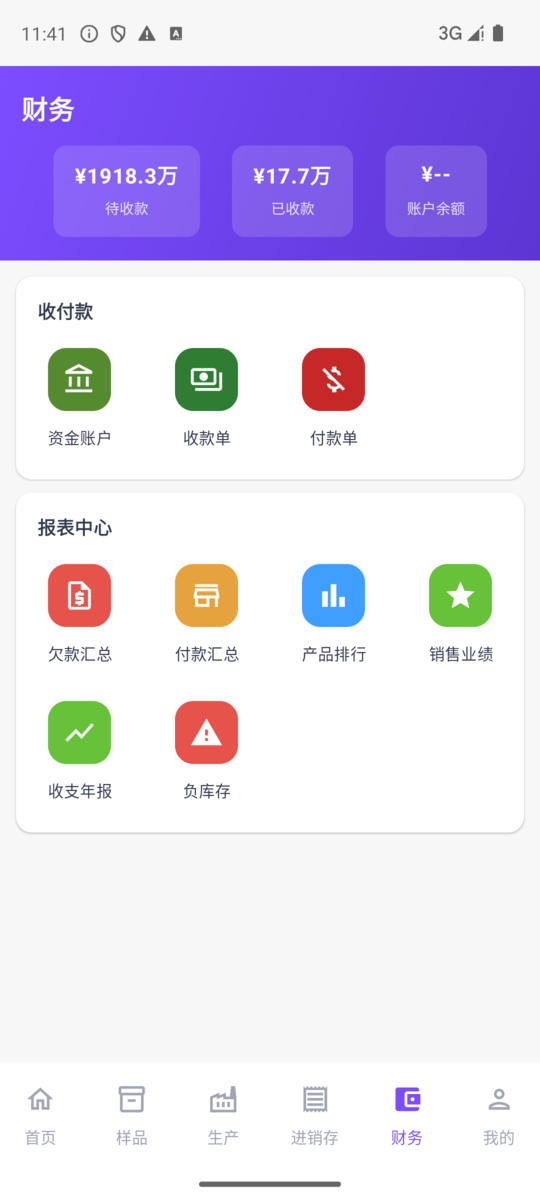
Inventory & Sales: sales orders / purchase orders / picking orders / return orders / stock-in / stock-out — the everyday business of textile trading can all be done on your phone. Each module is a "list + new button + detail page (with print / share / more menu)".
- Inventory hides zero-stock products by default: the inventory list shows only products that are in stock by default, and you can toggle to view all in one tap
- Stock-in/out movement ledger: open a product to view its complete stock-in/out movement records — every purchase stock-in / sales stock-out / transfer / stocktake is traceable
Finance: 💰 receivables / 💸 payment orders / 📉 debt summary / 📊 sales performance / 🧾 invoice management / 📈 business decision reports.
- Share a statement of account as an image in one tap: customer / supplier statements of account can be composed into a long image on your phone in one tap and shared straight to WeChat for the other party to reconcile.
Contacts & Company page
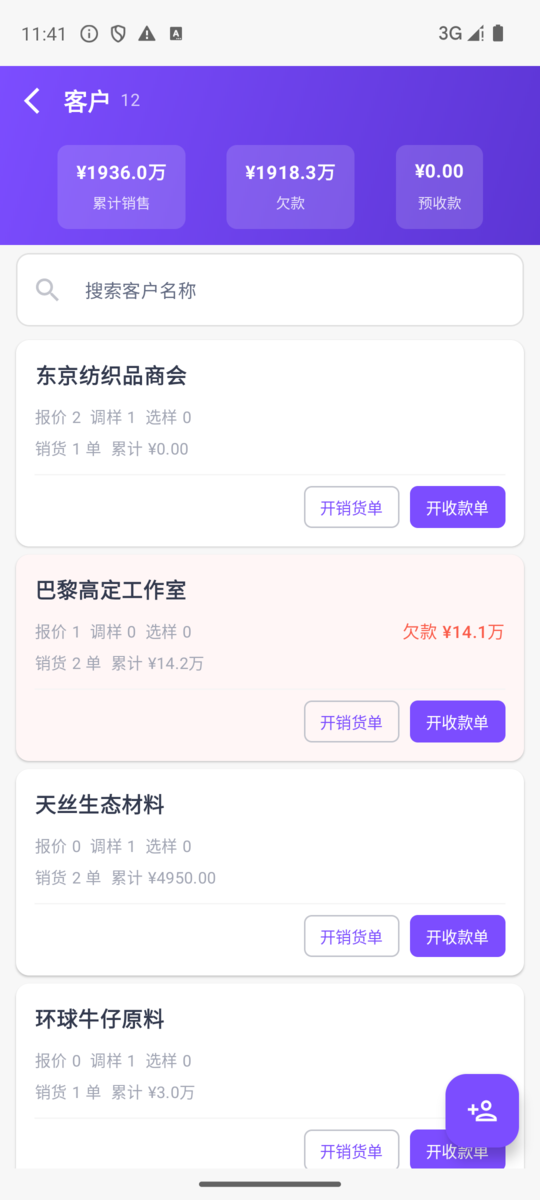
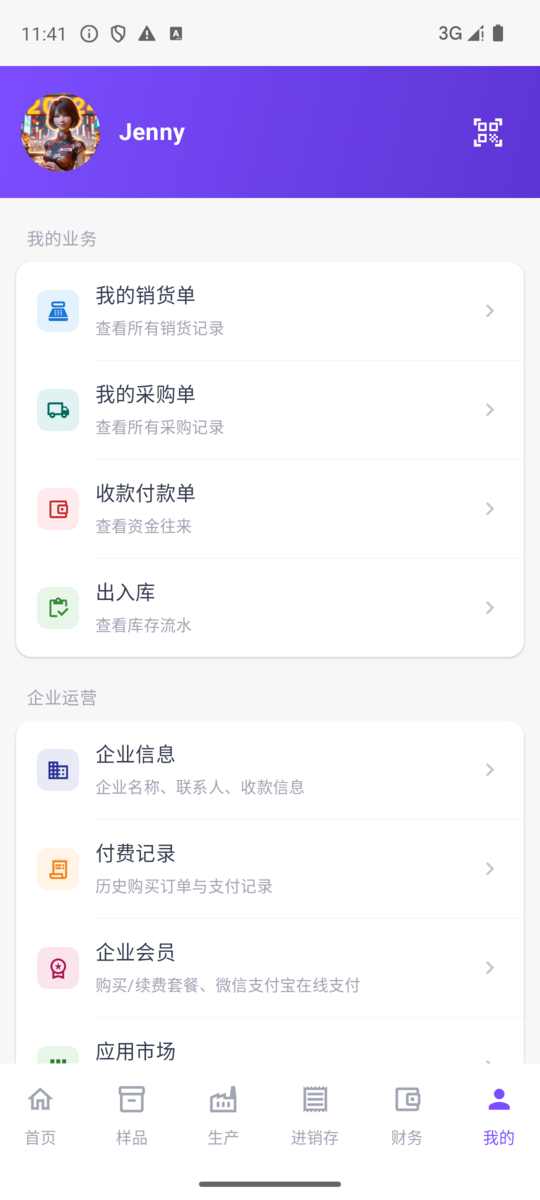
Contacts: three entries — Customers / Suppliers / All Contacts; a standalone contacts list page (call or email directly); the detail page offers quick order creation: enter creating a sales order/purchase order/receipt in one tap, with the corresponding customer/supplier pre-selected automatically.
Company page (bottom tab, formerly "Me"): 🤝 Collaboration (approvals / shares / files) / 👥 Employees (create employee / invite employees / member management) / 🏢 Company operations (enterprise membership / app marketplace / company account balance / smart hardware) / ℹ️ About (privacy policy / user agreement).
Account-related entries now live under your avatar on the home page → Personal center: profile, change password, WeChat binding, App Settings (language switch / fingerprint login), and the help center.
🌍 Multilingual for going global
The app now supports 17 interface languages, making it easier for domestic teams and overseas colleagues / buyers to work together:
Simplified Chinese / English / Russian / Korean / French / Vietnamese / Italian / Turkish / Japanese / German / Spanish / Portuguese / Arabic / Thai / Bengali / Indonesian / Traditional Chinese
Switch anytime under "home page avatar → Personal center → App Settings → System Settings → Language"; the entire app interface localizes instantly, no restart needed.
Download the app
How to download on Android
- App store search: "珍妮纺织软件" (Jenny Textile Software) — the unified listing name on all stores (Huawei / Xiaomi / OPPO / vivo / Tencent MyApp and more)
- Official website download: visit the "Download App" button on the homepage at https://fabric.jenny.cn
- Scan to download: after logging into the PC version, there's an app download QR code in the top right corner
How to download on iOS
Search "珍妮纺织软件" (Jenny Textile Software) in the App Store to download — that's the iOS edition's current listing name (formerly "Jenny Fabric Software"). iPhone users can also use the WeChat Mini-Program "Jenny Software" as a supplement.
How to download on HarmonyOS
The HarmonyOS native version is officially live on the Huawei AppGallery: search for "珍妮纺织软件" (Jenny Textile Software) in the Huawei AppGallery to download it, or open the official download page at https://www.jenny.cn/download and scan the QR code. The HarmonyOS version is still being actively improved — if you run into any issues, you can use the Android version in the meantime.
❓ FAQ
Q: What do existing users need to do?
A: Just update the app in the app store; your account and data are unaffected.
Q: What is the app called?
A: Search for "珍妮纺织软件" (Jenny Textile Software) in the app store. Existing users may still see the former name in some places; use the current app-store listing as the source of truth.
Q: Will my data be lost?
A: No. Both your account and data are in the cloud. After updating the app and logging into the same account, you'll see the same set of data.
Q: Can the data from registration-free trial mode be kept?
A: Trial mode data is temporary. To save it long term, tap the "Register Now" button on the page to complete registration.
Q: How do I download and use it?
A: Just search for "珍妮纺织软件" (Jenny Textile Software) in the app store to download, register an account, and start using it.
📚 Related articles
- PC Fabric Software help home — desktop feature documentation
- Sample management — entering and managing samples
- Inventory & Sales explained — the complete sales / purchase / warehouse workflow
- Jenny Order Pad (Storefront Tablet App) — the tablet ordering app for storefront salespeople
- Order production management — 11 modules explained (PC version)
- Image search — AI image recognition
- WeChat Mini-Program showroom — used together with app sharing
- Software changelog — the latest feature updates
Running into problems?
If you have questions about using the app, tap the customer support button in the bottom right corner to contact us, or report it directly in the support WeChat group.