
Field Management
Overview
Field Management is used to configure the various fields of fabric samples (products). Users can flexibly adjust each field's enablement, display, permissions, and other settings according to their actual business needs.
Access path: left menu → Personalization Settings → Field Management
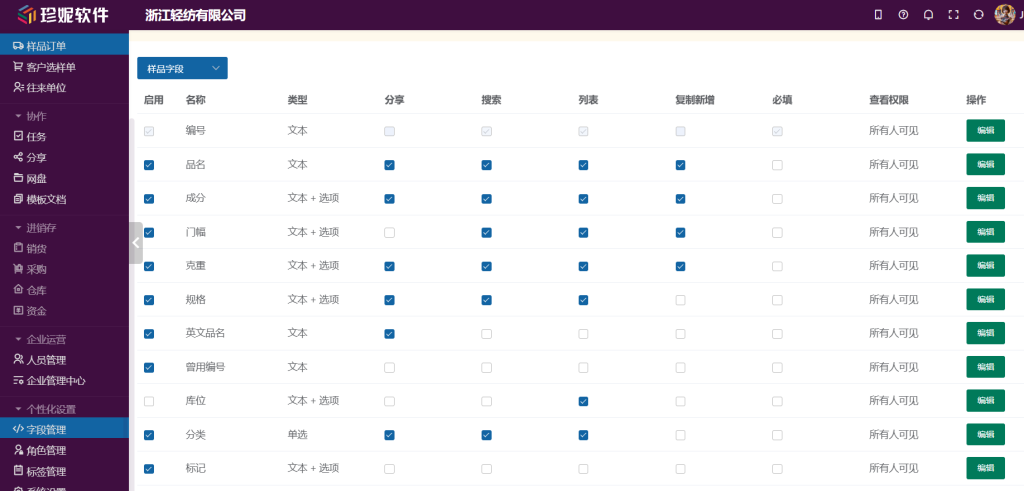
Field-management options explained
The system provides several checkboxes, mainly including:
Enable
When checked, the field appears in the form when adding or editing a sample. For example, after checking the Enable box for the width field, you see that field every time you operate.
Share
When checked, the field is shown in sample-collection sharing or in the enterprise showroom's product display. If you don't want to show certain information to customers (such as weight), uncheck it.
Search
Checked fields appear in the search-field dropdown on the sample list page, letting users search precisely by these fields.
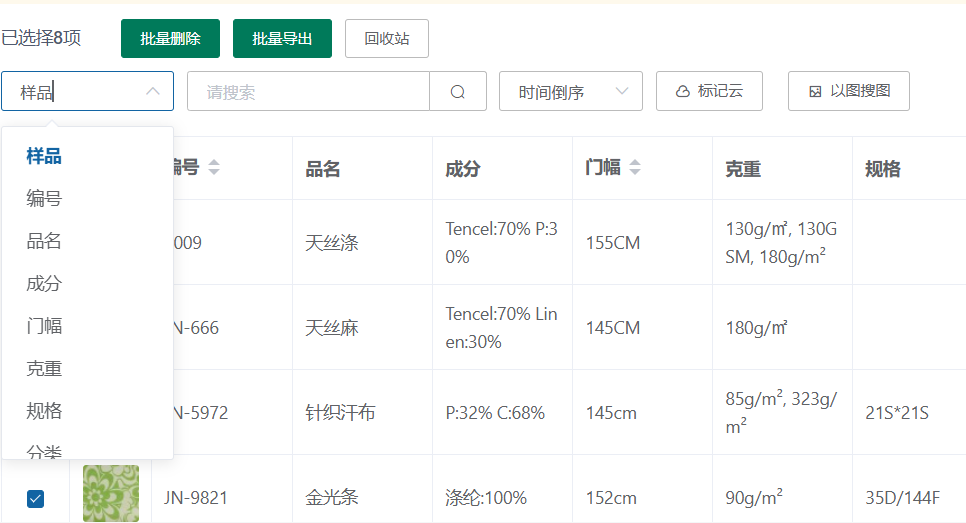
List
Controls whether the field is shown as a column in the table. When unchecked, the field does not appear on the list page, but is still visible when adding or editing.
Copy on Add
When checked, the field's value is carried over to the new product when copying a product. When unchecked, it stays empty.
Required
When checked, the field must be filled in when adding or editing a product, and cannot be empty.
Field types
The system supports the following field types:
- Text: requires manual entry by the user
- Multi-line text: for entering longer, multi-line content
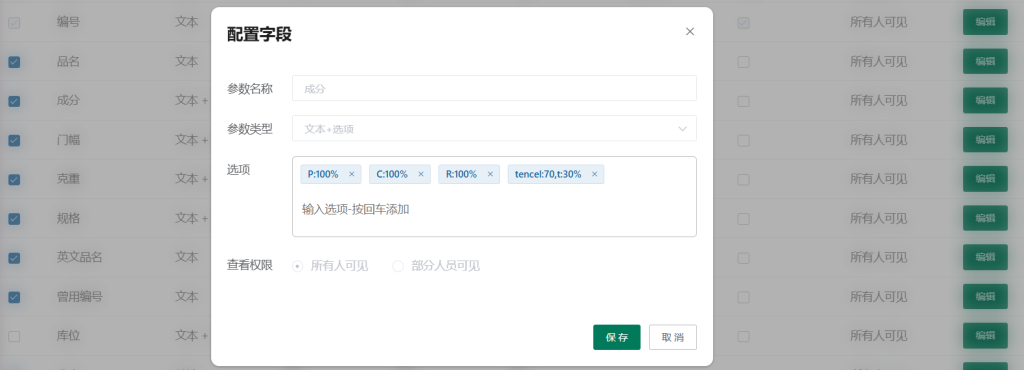
- Single select: provides a dropdown of preset values; click the edit button to modify the options
- Text + options: pick a preset value from the dropdown or type a new value manually (values you enter are automatically added to the option list)
Field groups
In Field Management, sample fields are displayed in four groups: Basic Info / Supplier Info / Price Info / More Info. Basic Info is fixed as the first group; the other groups can be moved up and down as whole groups.
- The "改分组" (Change Group) button next to a field name moves the field to another group (except for a few fixed fields such as the code); a moved field can also be restored to its default group
- The grouping and in-group order are reflected in both the sample edit form and the sample detail page (from June 2026 onward the detail page matches the edit form exactly)
View permissions and category settings
View permissions
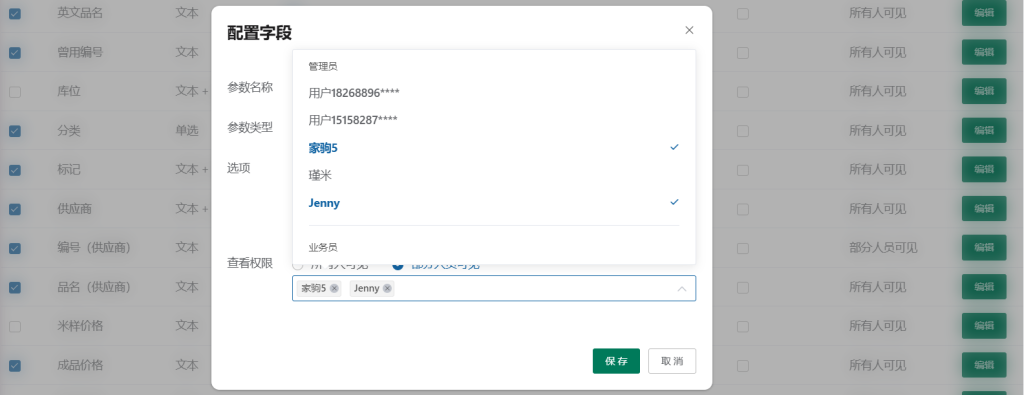
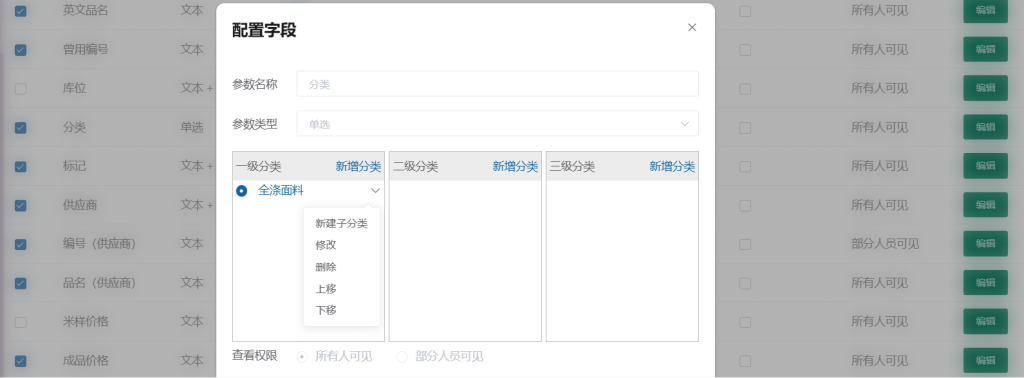
Click the edit button to manage visibility for most fields. After choosing "Visible to specific people," you can designate which employee accounts in the company can view that field's data; employees not selected will not be able to see the field.
Category field
The category field can be set with three levels of categories; users can also set just one or two levels.
More features: field-setting options for different modules are continually being improved.